

PERFORMANCES - 9.5
OVERCLOCKING - 9.5
DESIGN - 9
DURABILITY - 9.5
PRICE - 2.5
ACCESSORIES - 9
LOOKS - 9
CUSTOM WATER COOLING - 8
TROUBLESHOOTING - 9
CONNECTIVITY - 9.5
8.5
AWESOME
Release date : 01 Mar 2026
US MSRP      : 1,300 USD
EU MSRP      : 1,100 EUROS
Comp.        : RYZEN 7000
               RYZEN 8000
               RYZEN 9000
CPU Socket   : AM5 LGA1718 (AMD)
Chipset      : X870E (AMD)
PCIe Lanes   : x24 PCIe 5.0 (CPU)
               x12 PCIe 4.0 (PCH)
               x8  PCIe 3.0 (PCH)
SATA         : x4 SATA III
USB 4.0      : x2 BACK IO
USB 3.2 (2x2): x2 Front Panel 60W
USB 3.2 (2x1): x11 BACK IO
WIFI 7       : MediaTek MT7927
If you thought that the Extreme was as high as the ROG Team could go, think again. Through its brand new Neo lineup of motherboards, ASUS took the opportunity to make the most outlandish, expensive single motherboard seen in 2026.
We’re reviewing the excellent, imposing, and humbling ROG CROSSHAIR X870E GLACIAL—a board unapologetically shoving our expectations aside and bringing in a mosaic of innovative engineering risks.
- Unprecedented 3,000A+ power solution
- Stunning “Chameleon” modular design with magnetized plating
- Unrivaled connectivity with Dual 10 GbE LAN
- Fully revamped, high-resolution BIOS interface
- Innovative Q-Connector for streamlined AIO cooling
- Price (Extremely high barrier to entry)
- No native HDMI or classic DisplayPort (USB 4 only)
- Magnetized plates can interfere with left-side connectors
DESIGN
The Glacial is a chameleon. Naked of equipment is where you’ll find it fully dressed; every part, every opening, and every connector is covered by gorgeous magnetized plating. It imposes a gorgeous metallic ROG eye contrasting with a stunning ocean of reflection.
Detailed Pics of the ROG CROSSHAIR X870E GLACIAL including Packaging
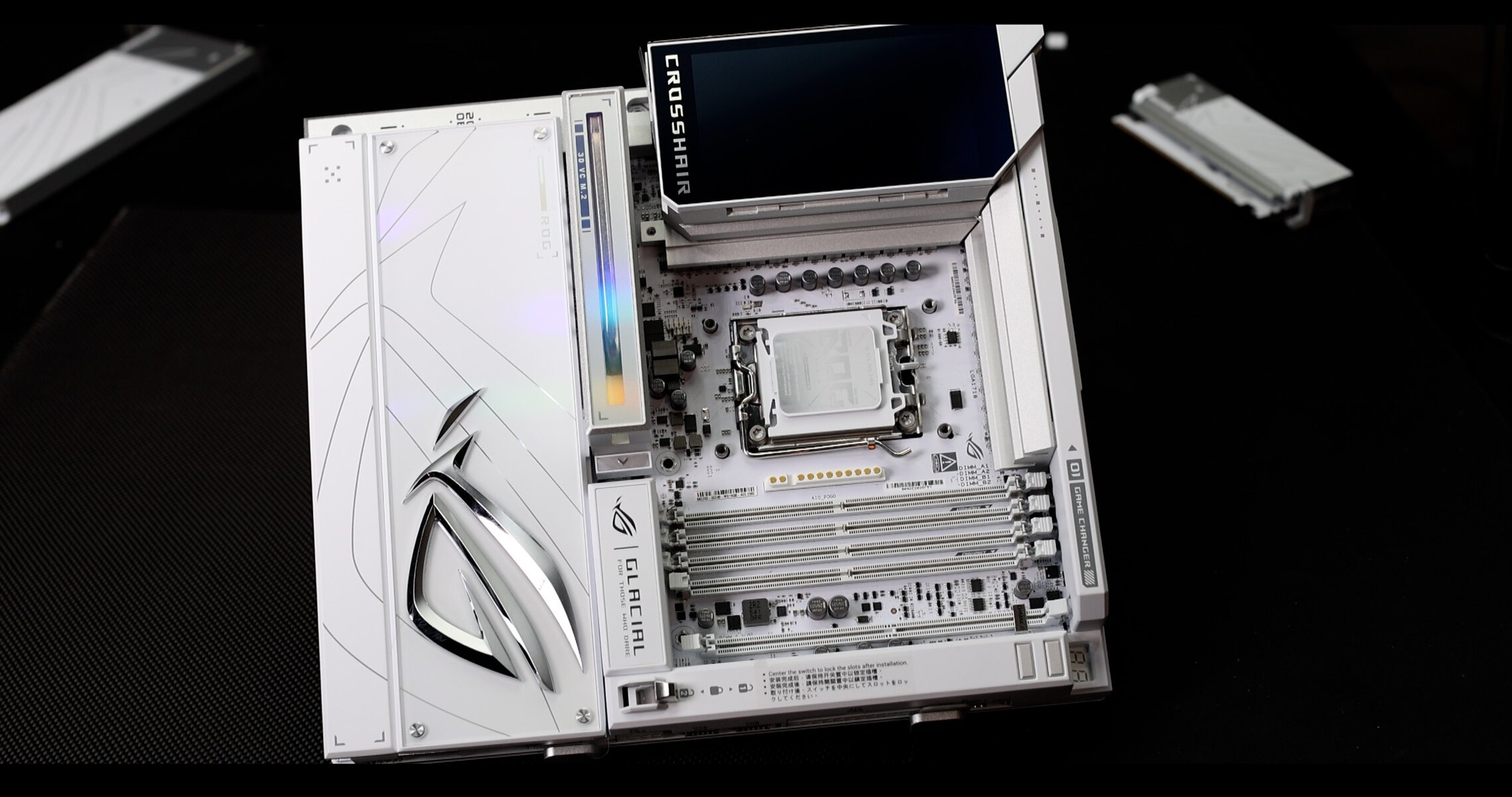
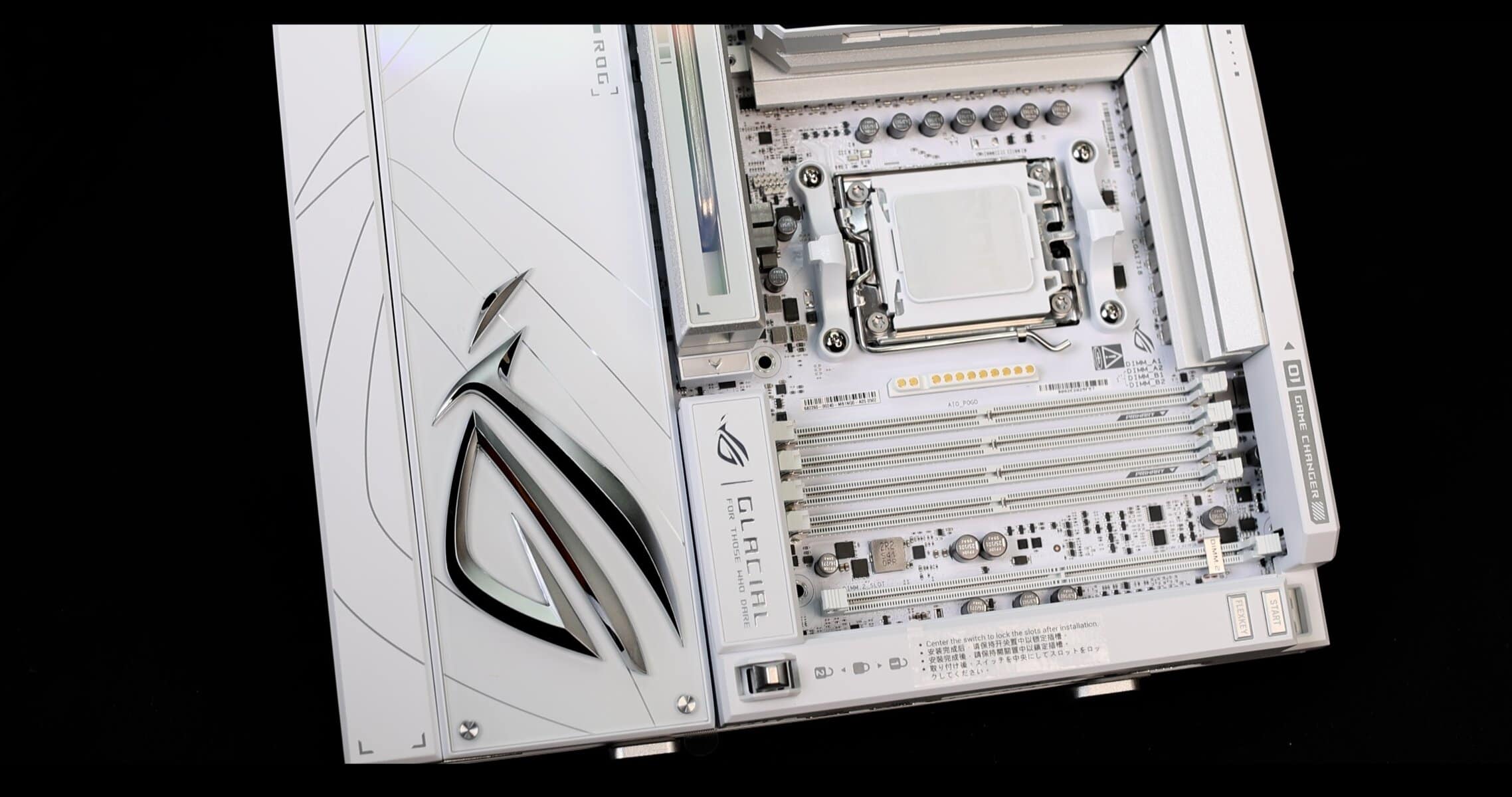
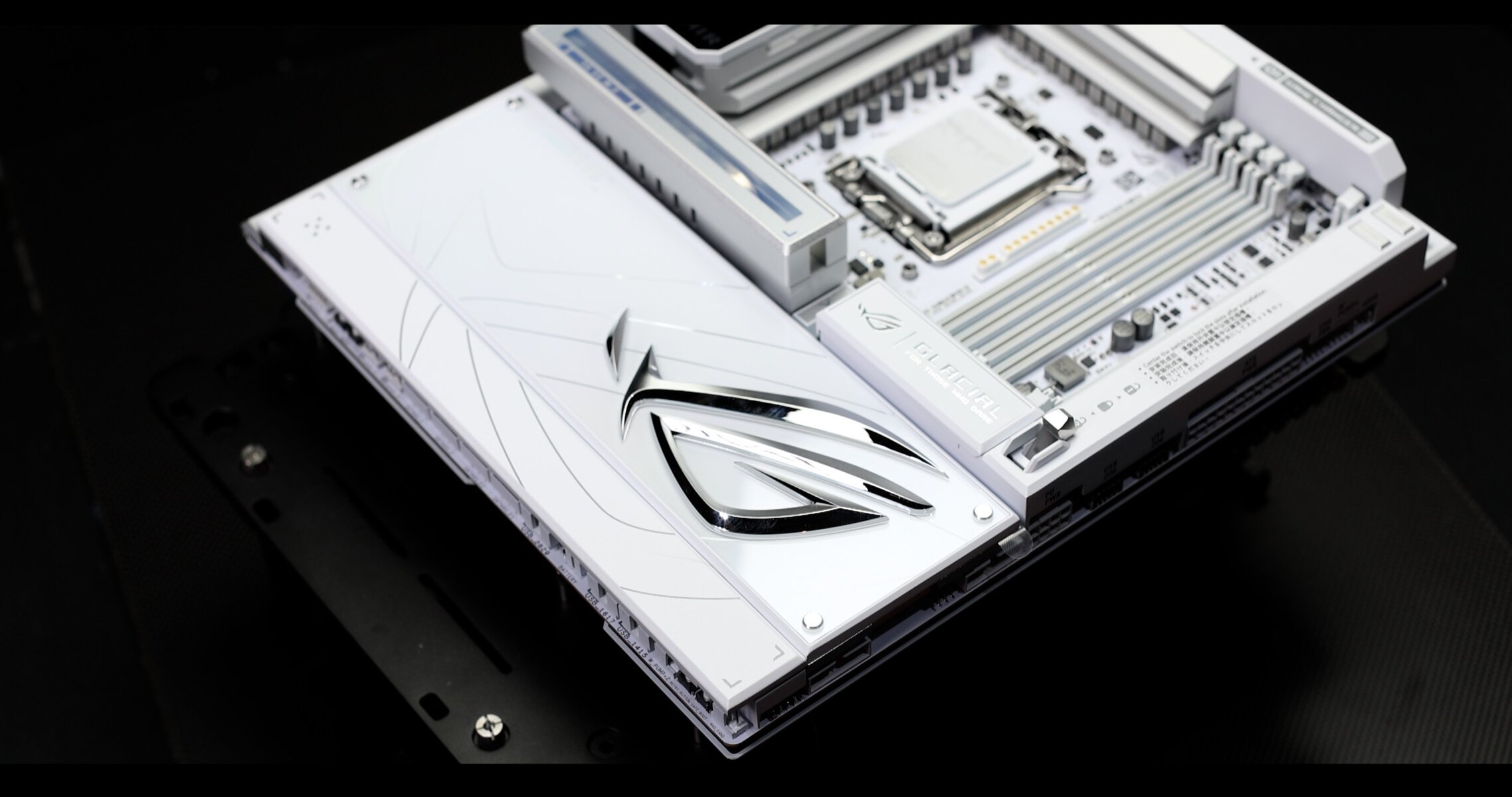
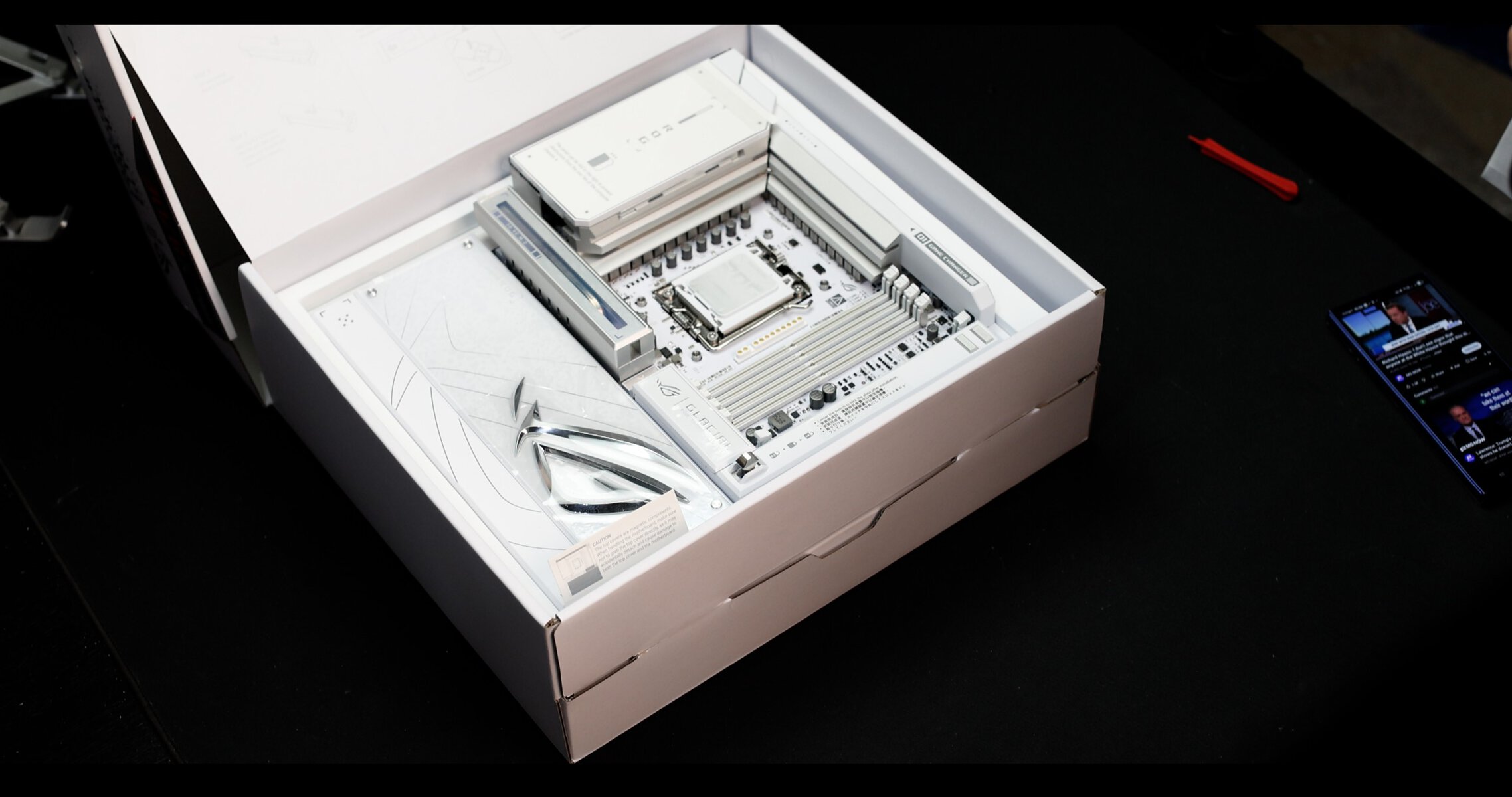
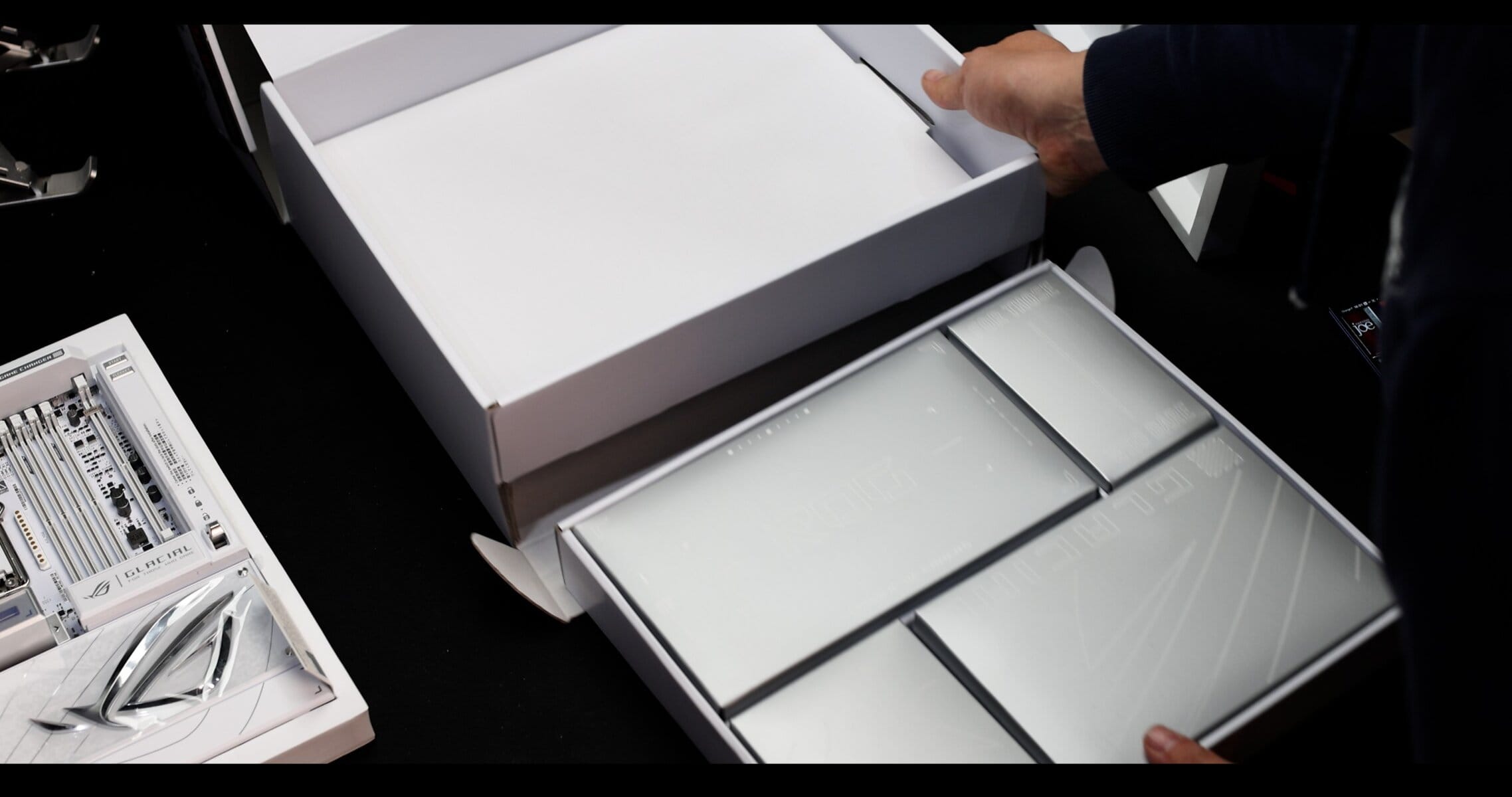
The entire board plating, side to side, is seating on large magnets, and can be removed.
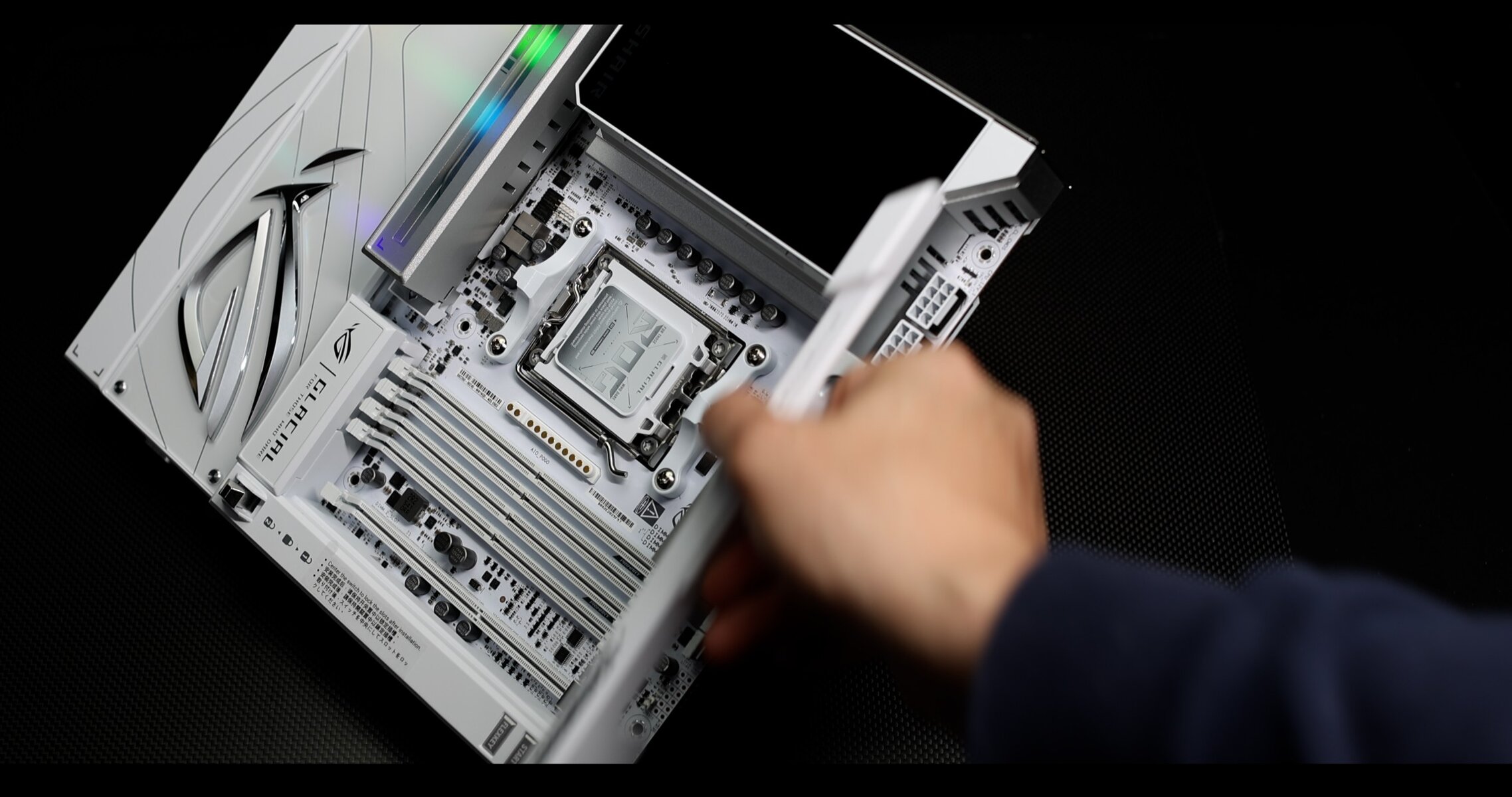
The plates are seating securely thanks to rather powerful magnets.
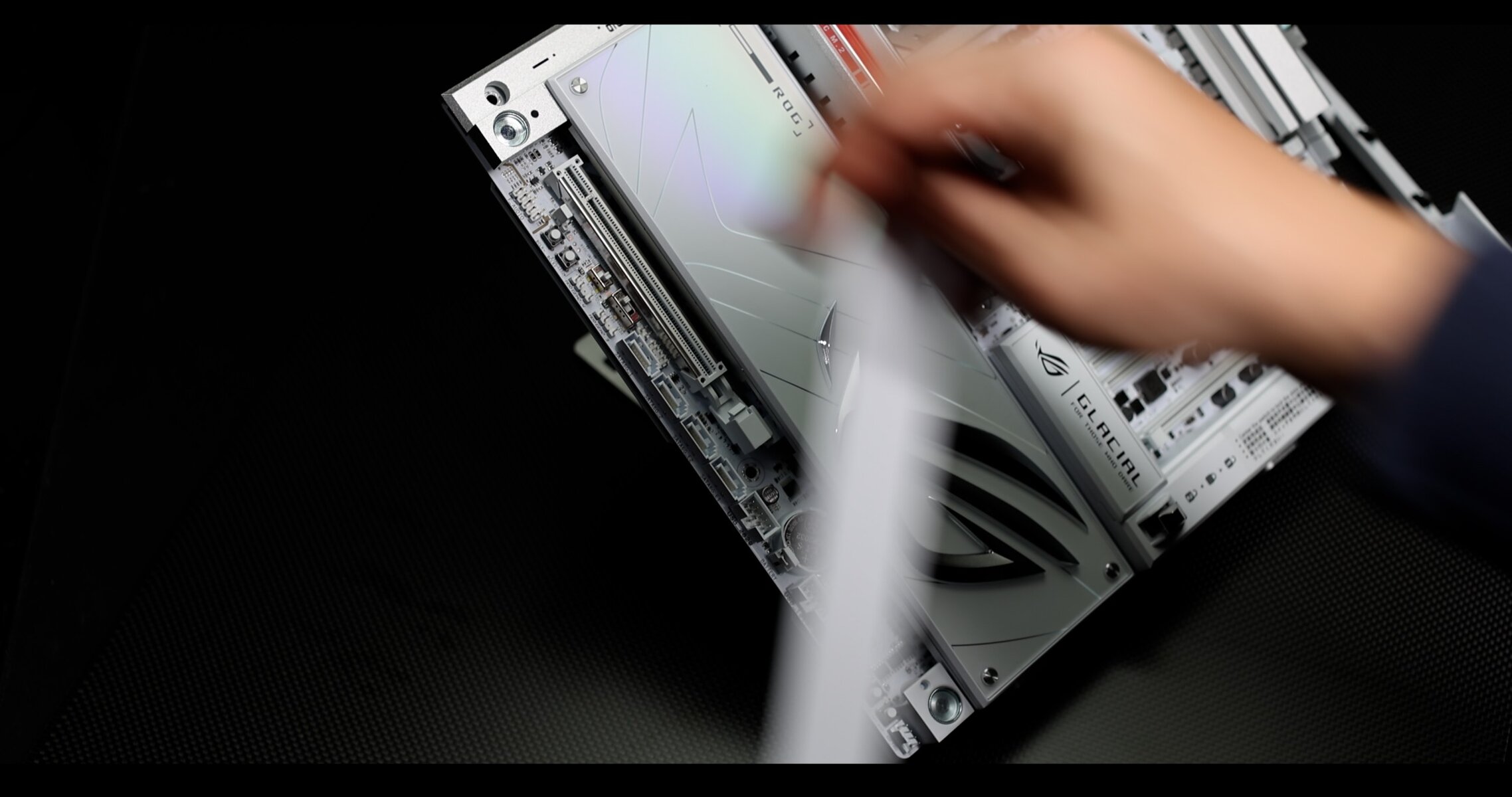
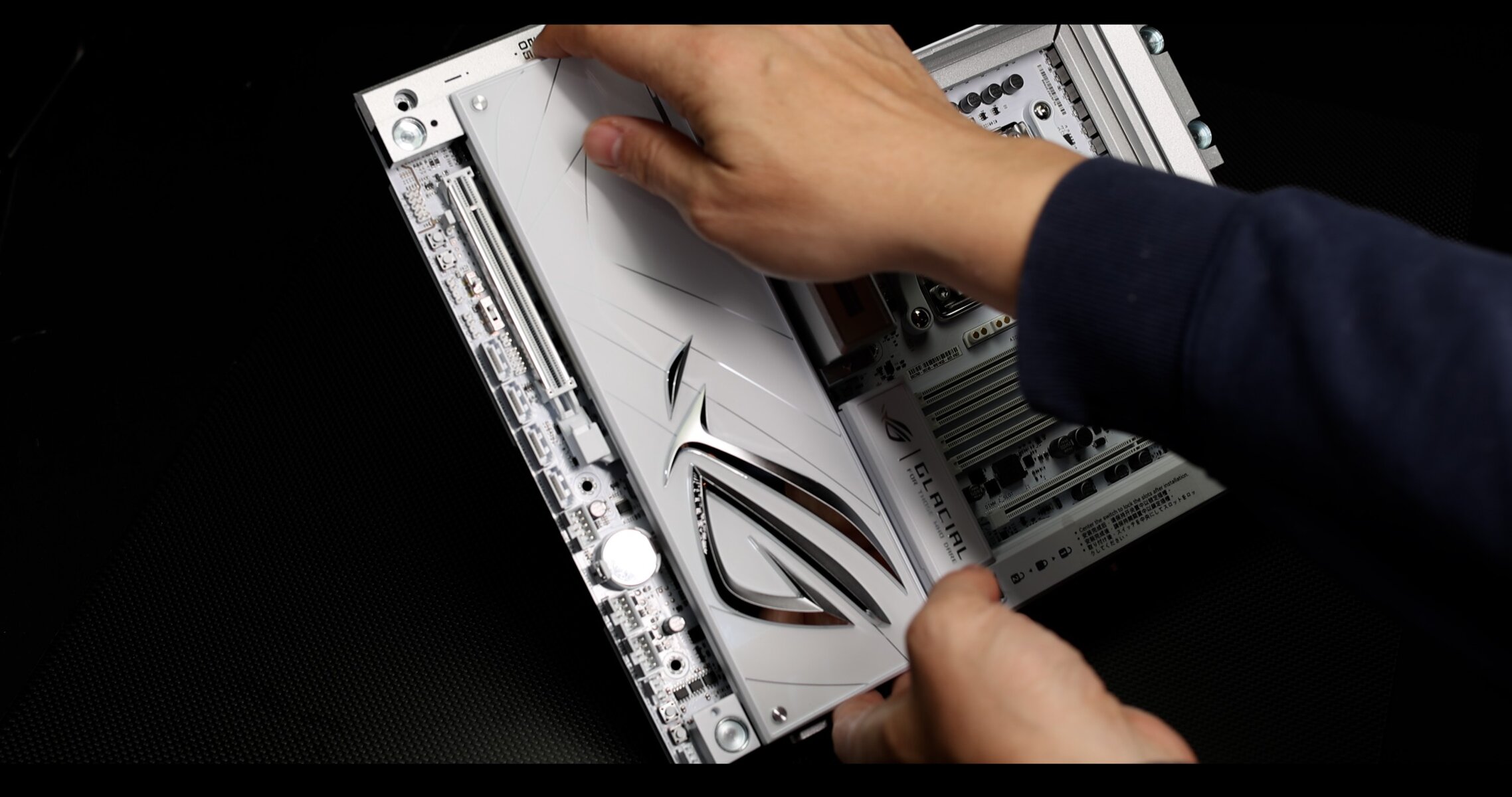
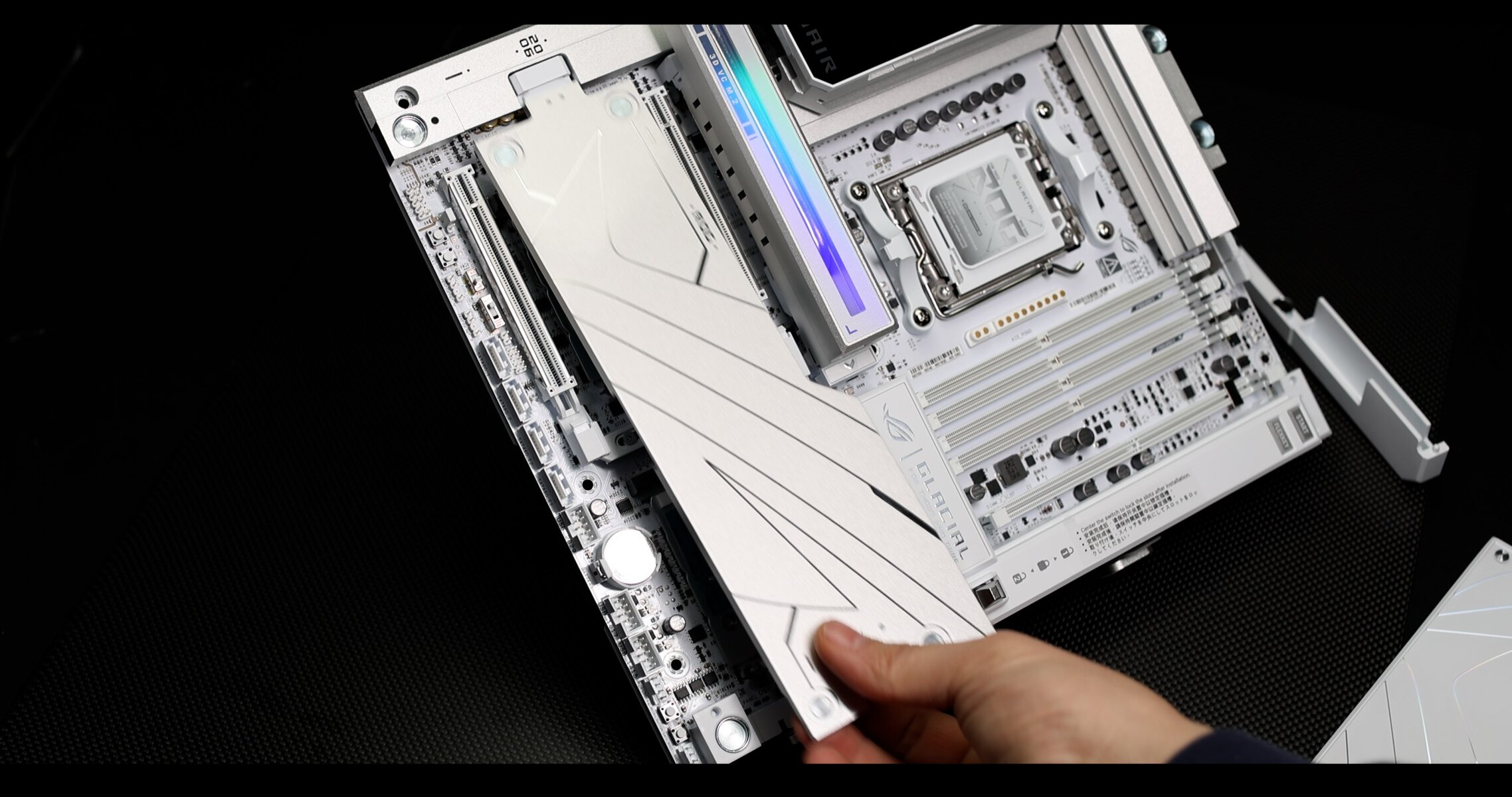
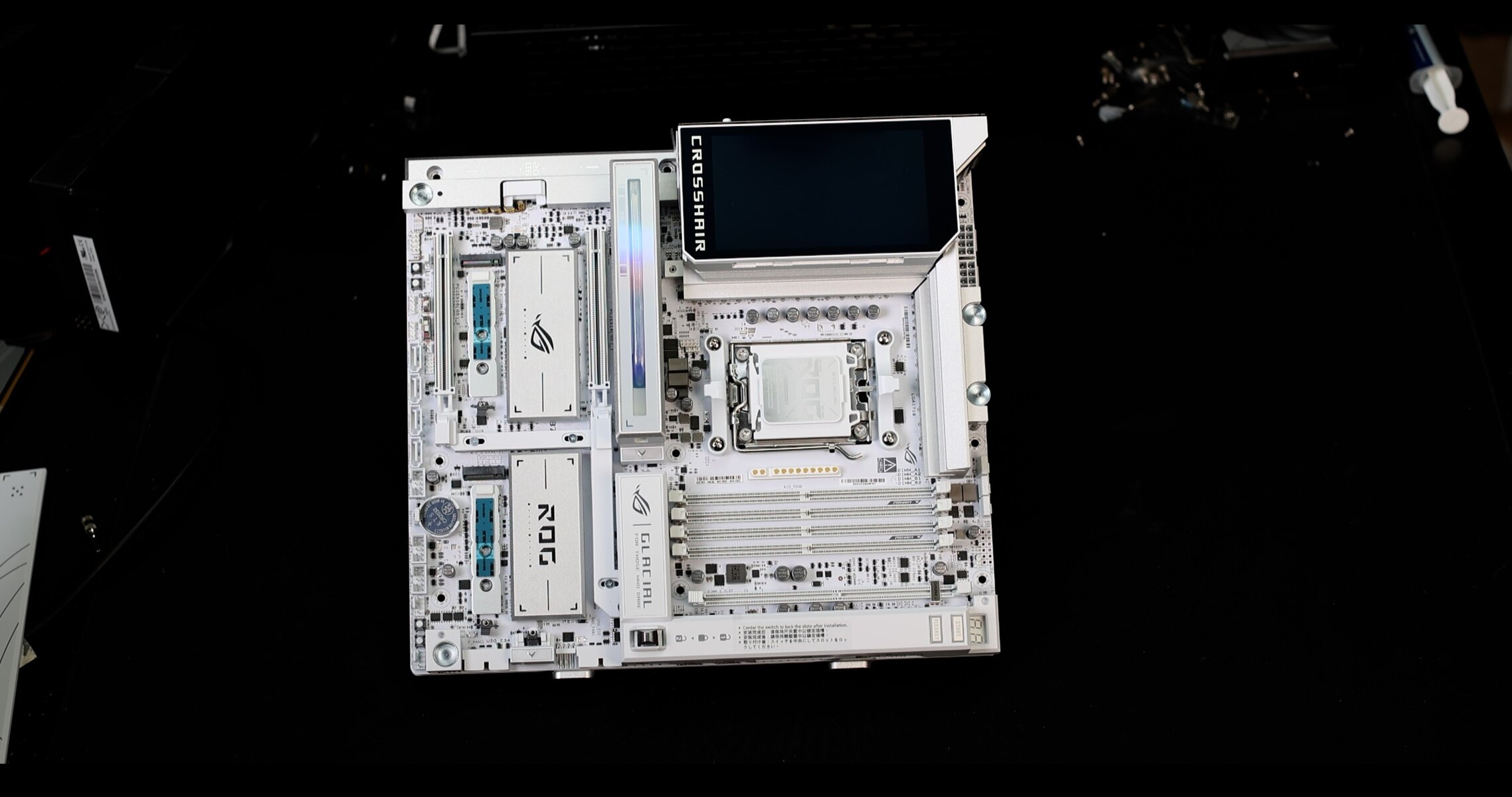
The result is striking. The naked GLACIAL is almost as beautiful than fully dressed.
However, this modular concept partially pays off. While front-facing plugs are angled, connectors on the left side can interfere with the magnetized plates, which sit awkwardly on the plugs.
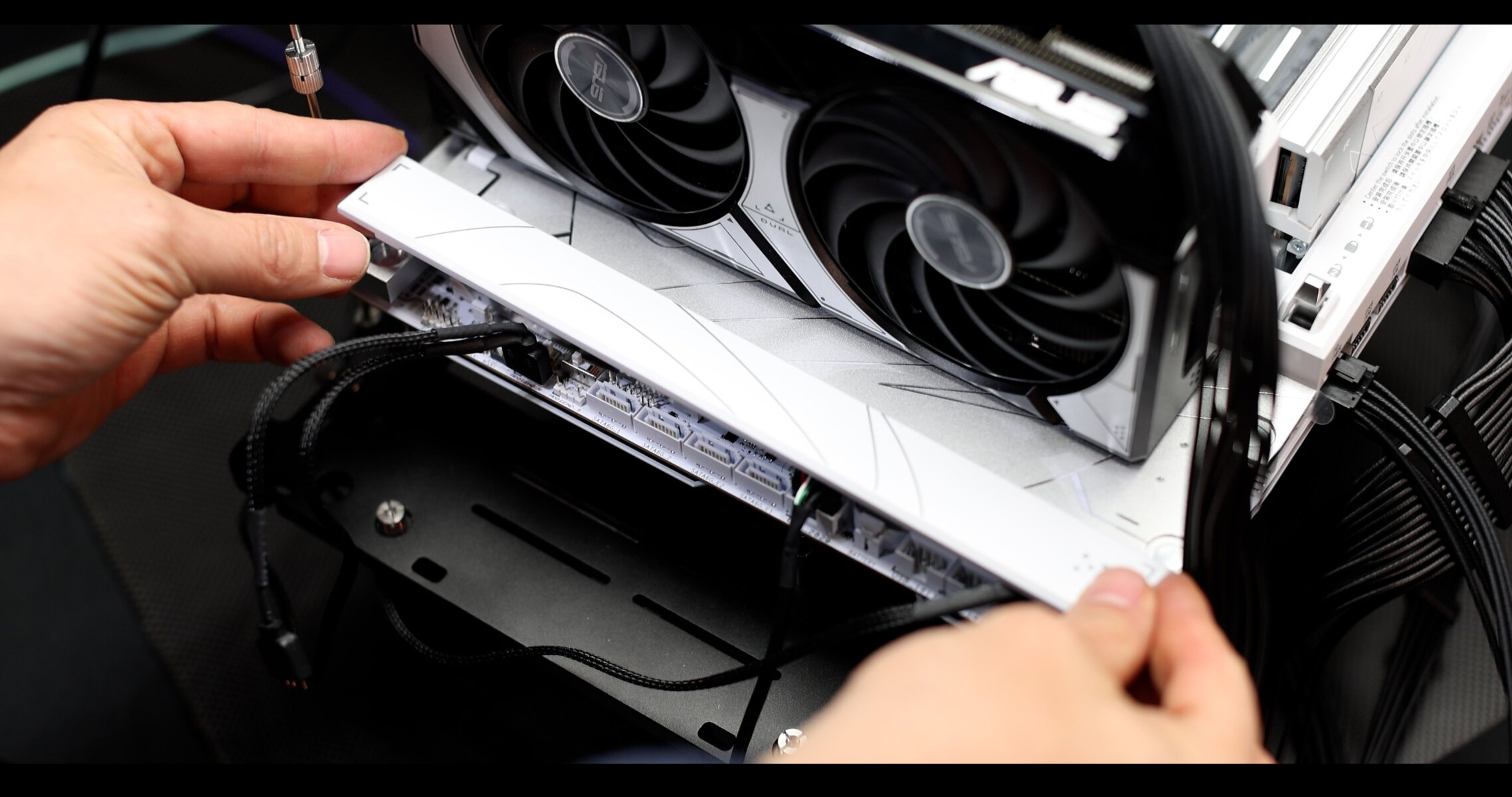
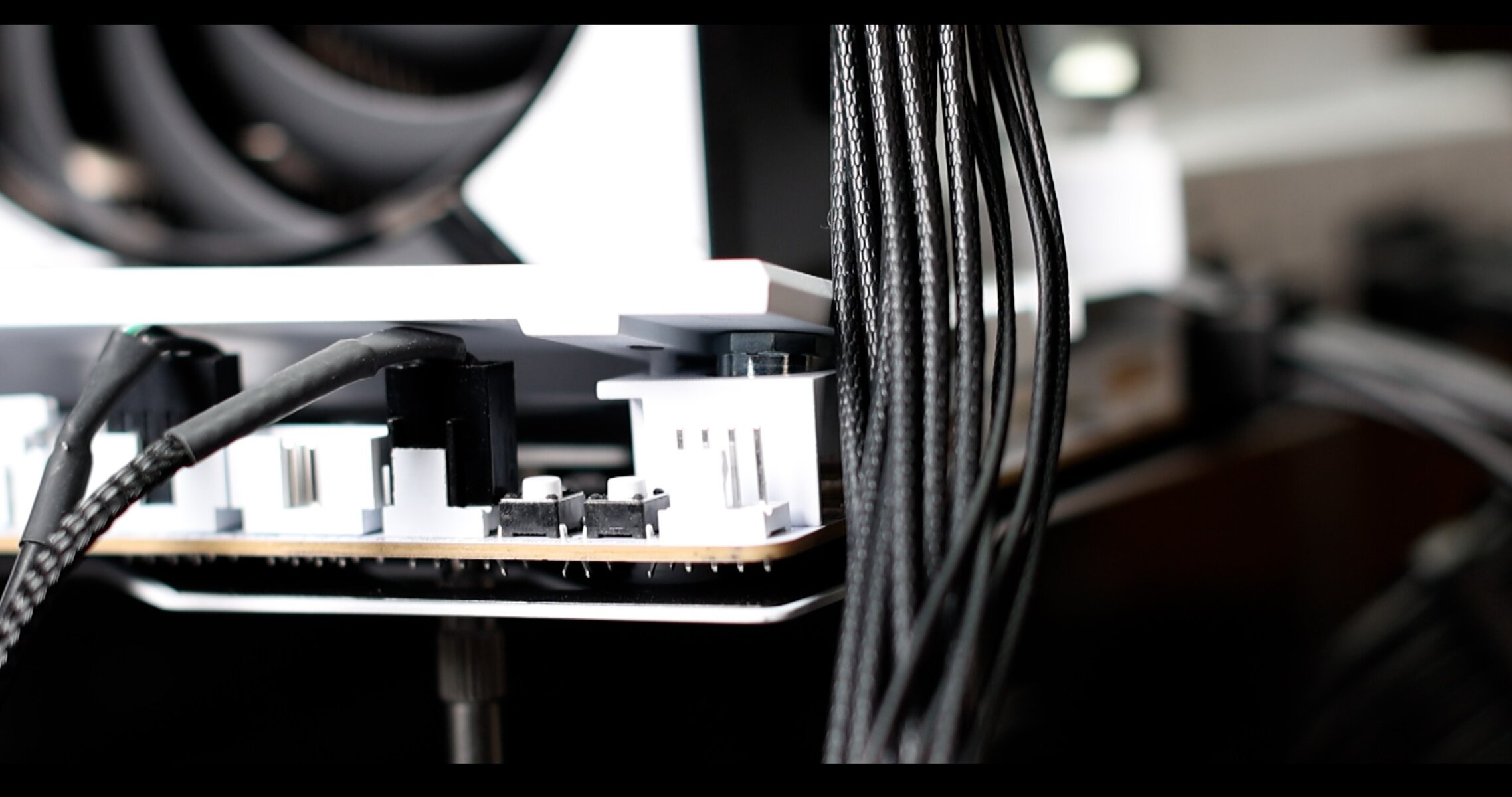
However, ASUS did provide some extra magnetized column to fit between the side-plate and the board to allow more room for the cables.
However, having these connectors made in a 90 degree angle would have avoided the problem to start with.
OLED Screen
One of the most striking feature of the GLACIAL is this gorgeous, high resolution 5 inch, 2.5K, OLED screen which will feed you with a bunch of CPU / GPU related metrics whiles animating different aesthetically driven scenes.
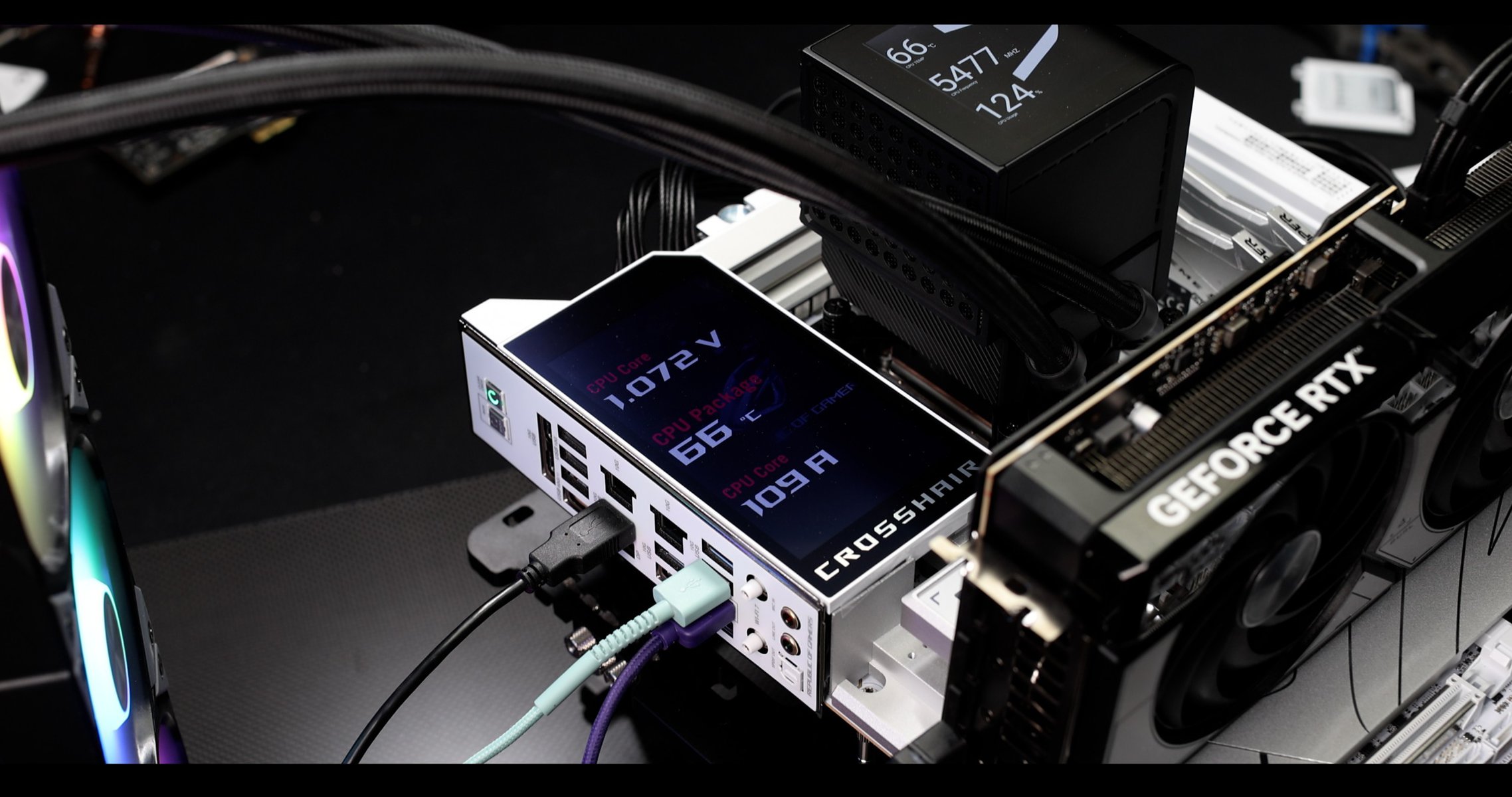
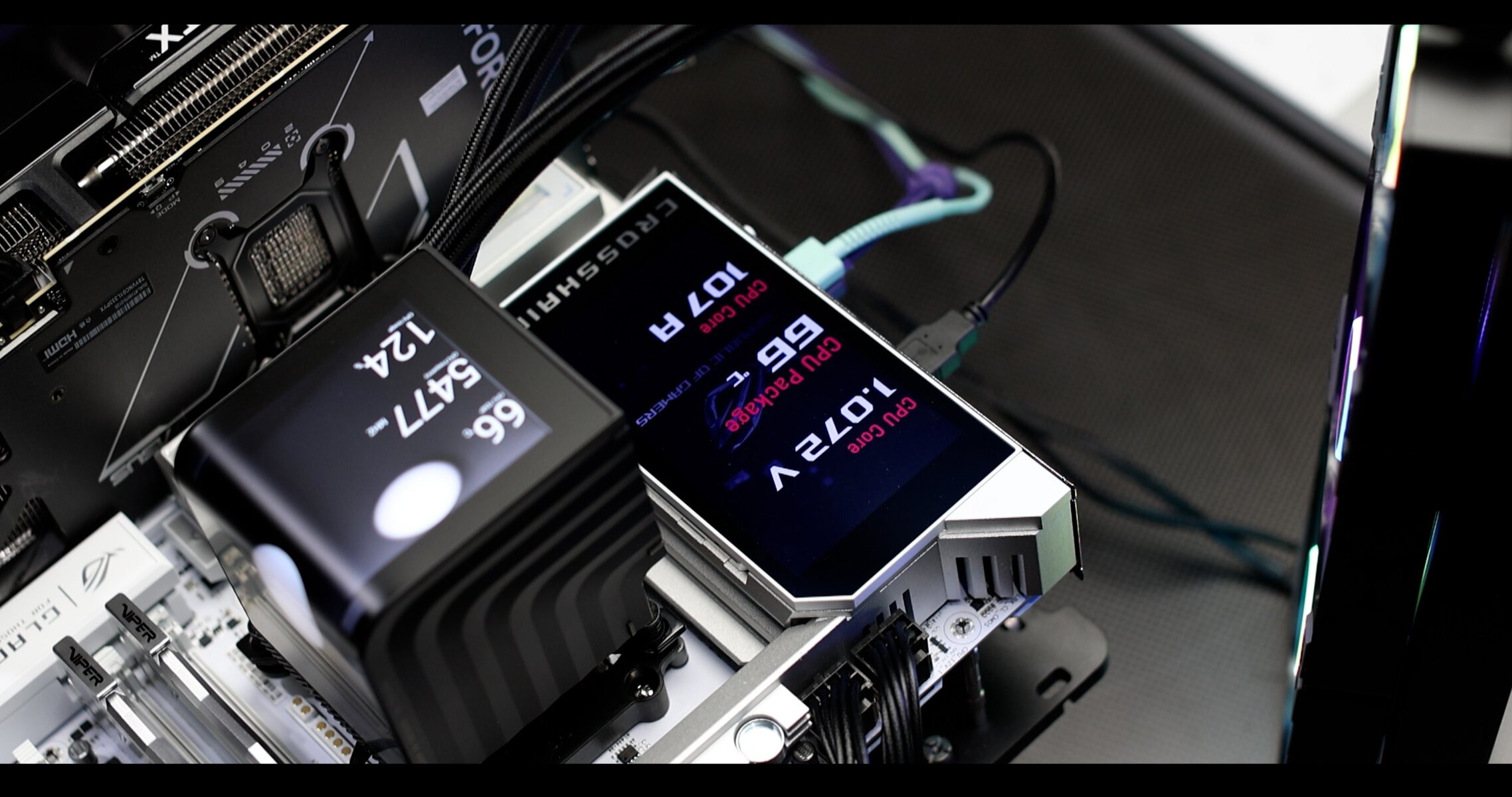
To be noted, only the EXTREME and GLACIAL feature such advanced design feature.
RGB
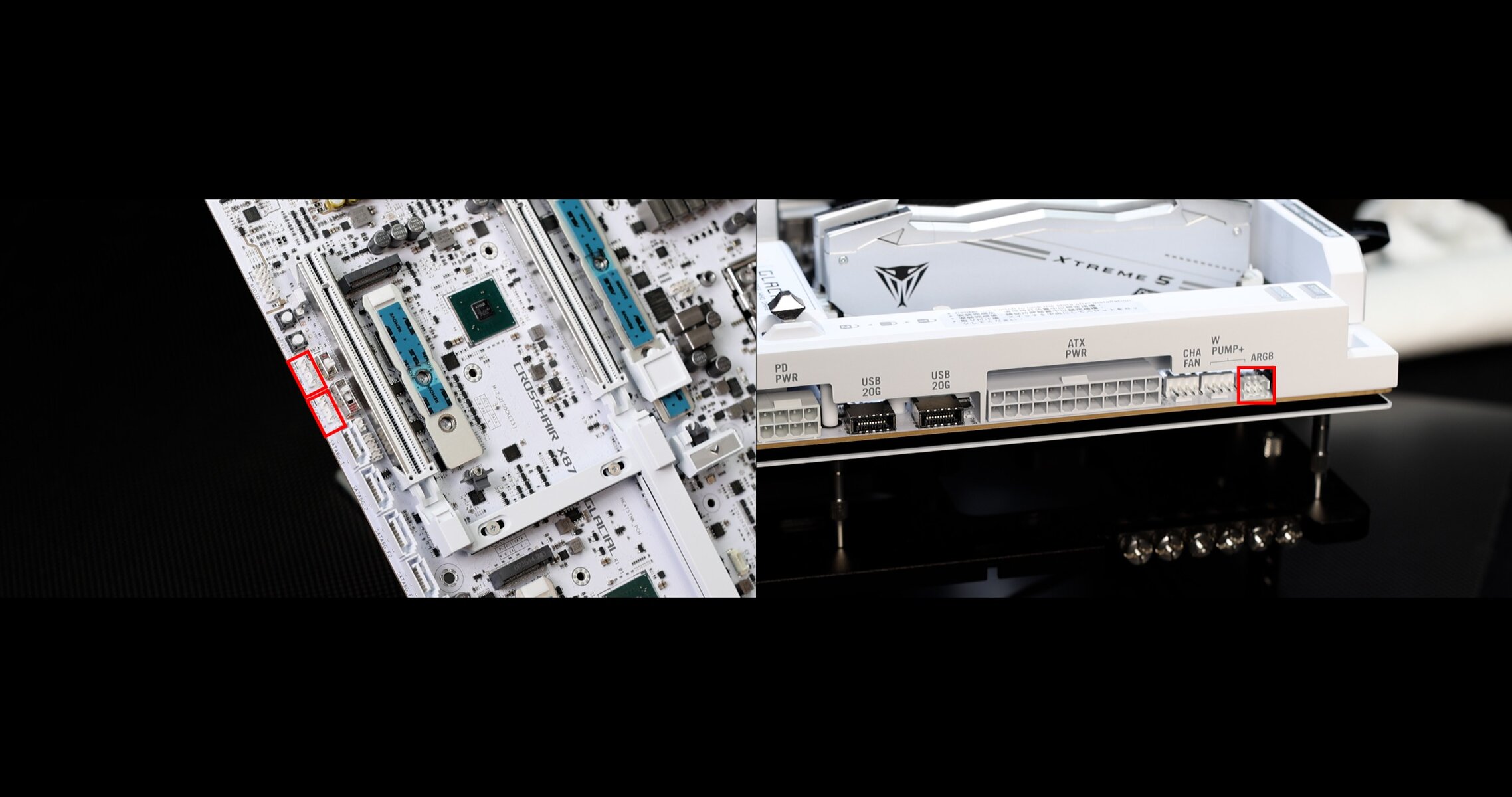
RGB wise, the GLACIAL stays sober, and refrained from any tacky embedded LED. Instead it leaves to the user’s taste the management of all the its LED dressing through x3 ARGB 2.0 connectors.
PCB
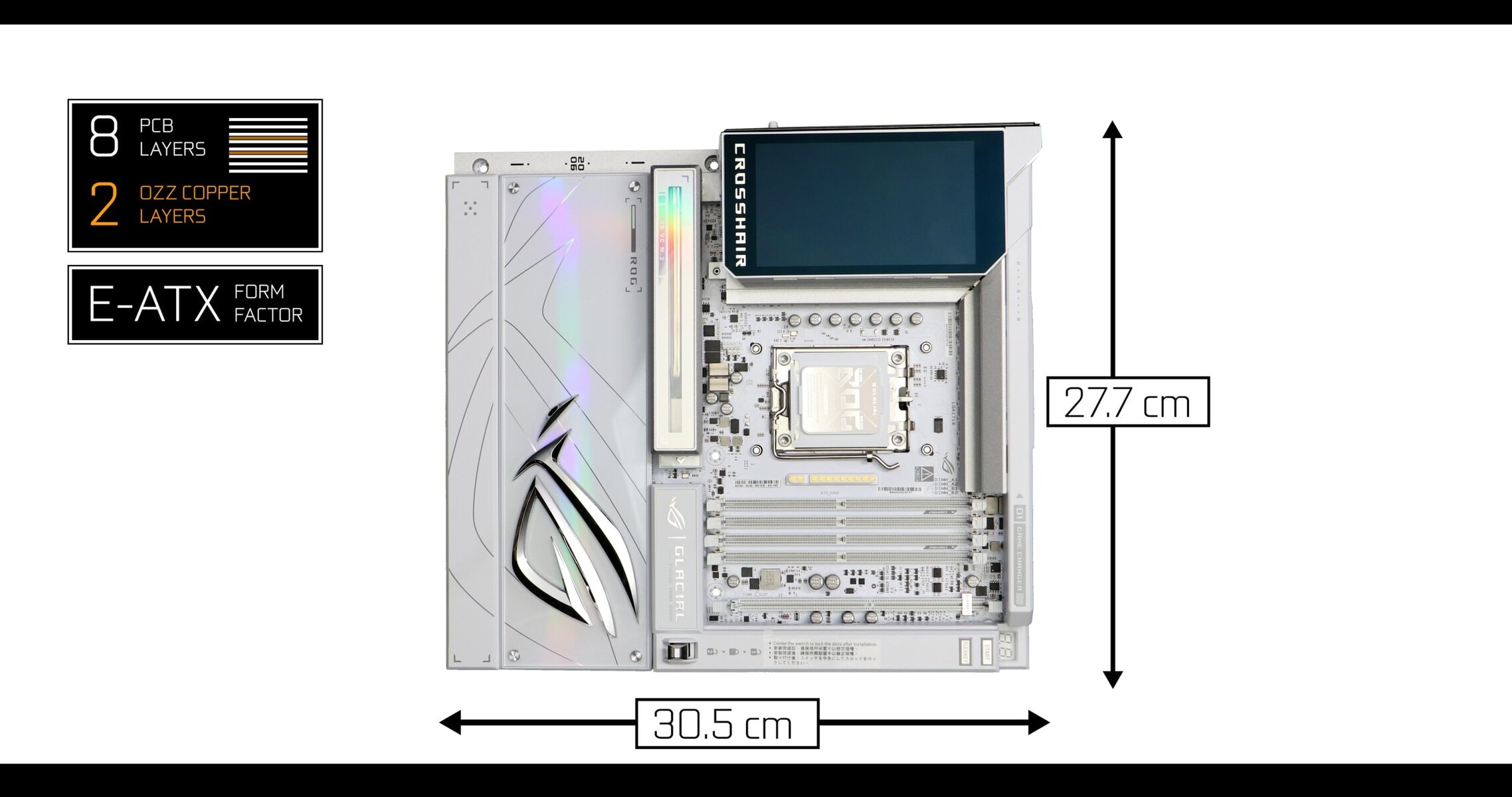
We are dealing with a large E-ATX, solid 8 server-graded, ultra-low loss, PCB layered motherboard.
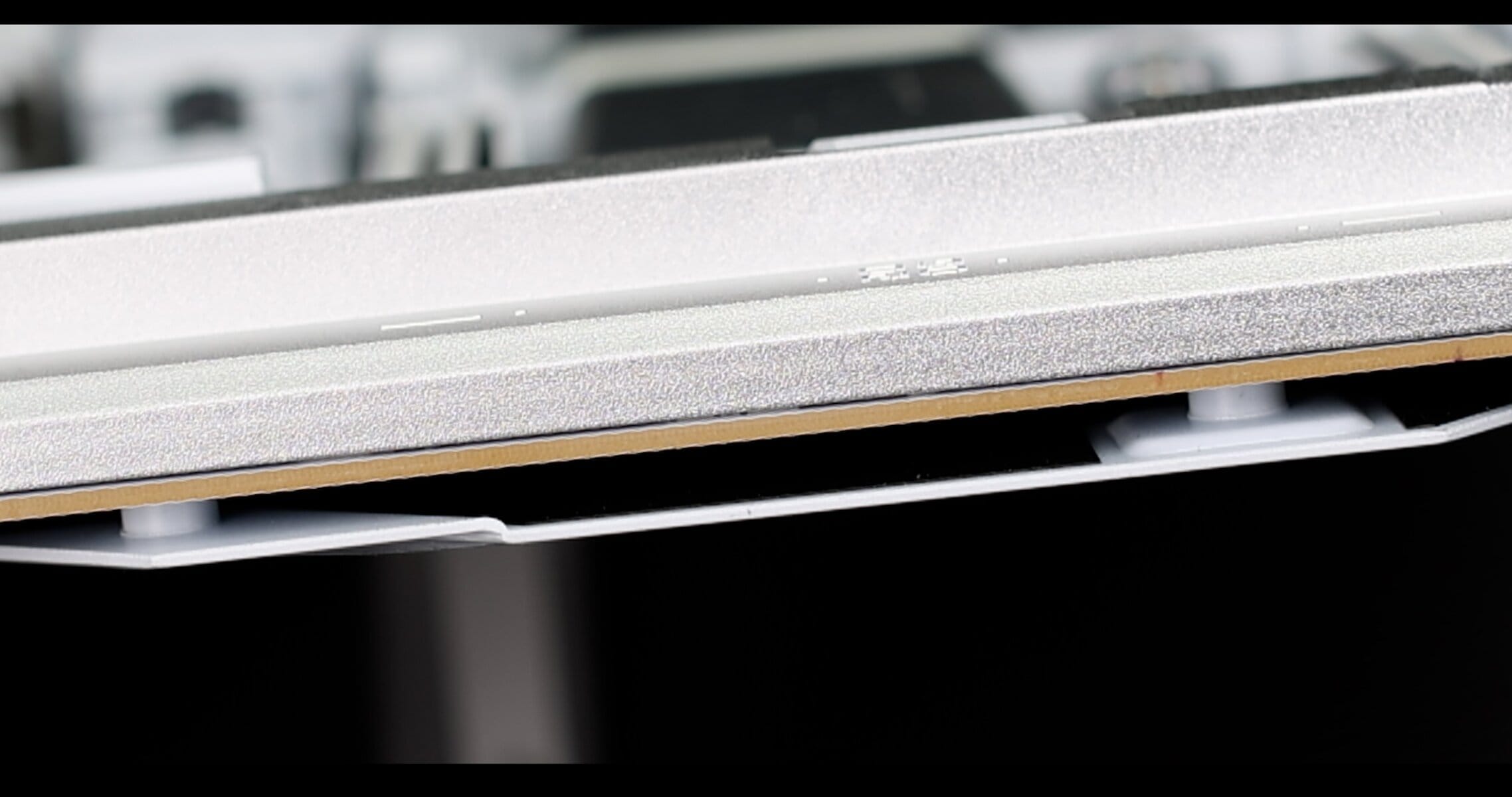
This is the absolute best for signal insulation in such a bandwidth-rich environment utilizing notoriously signal-bleeding PCIe 5.0 and DDR5 standards.
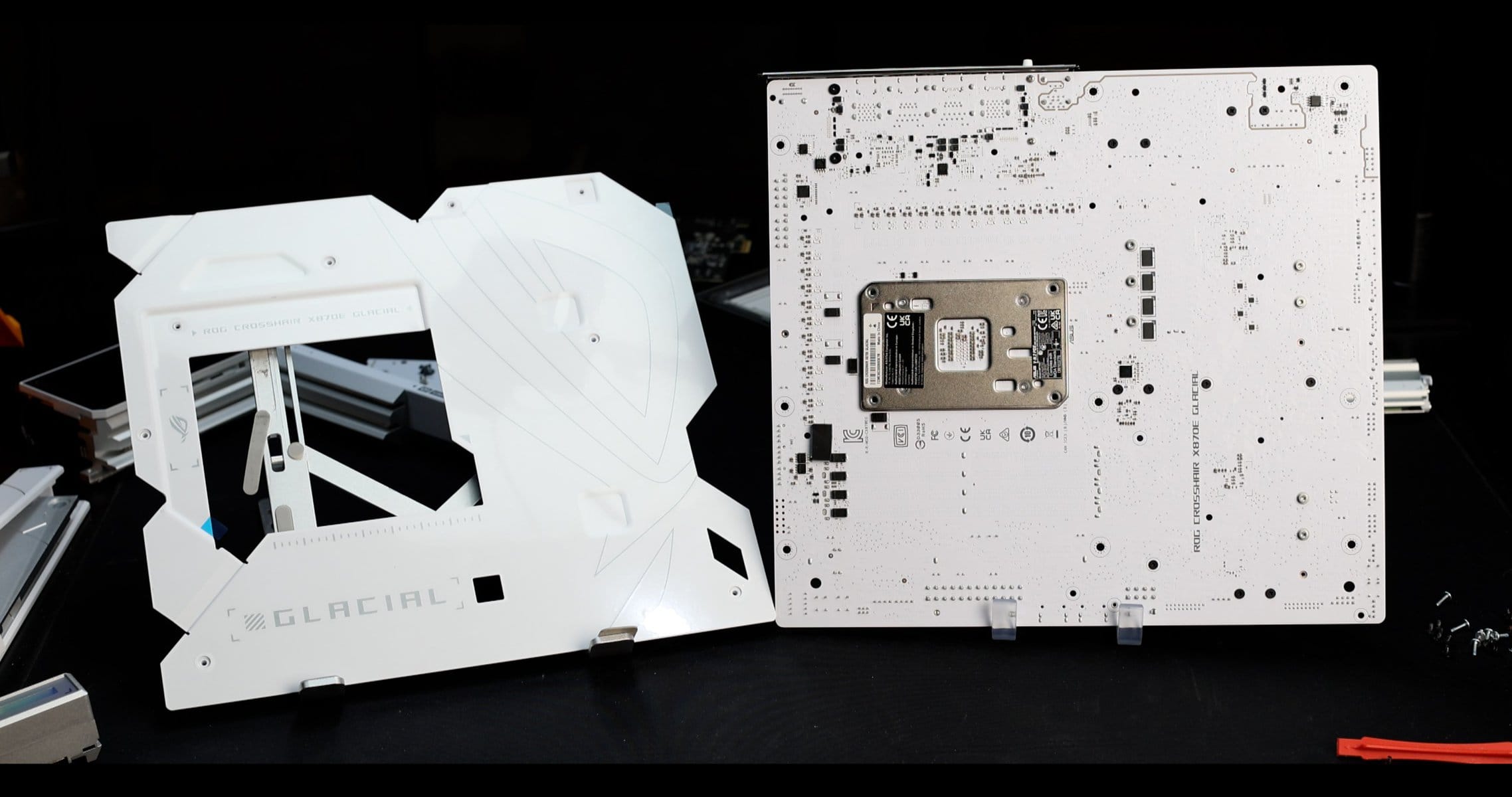
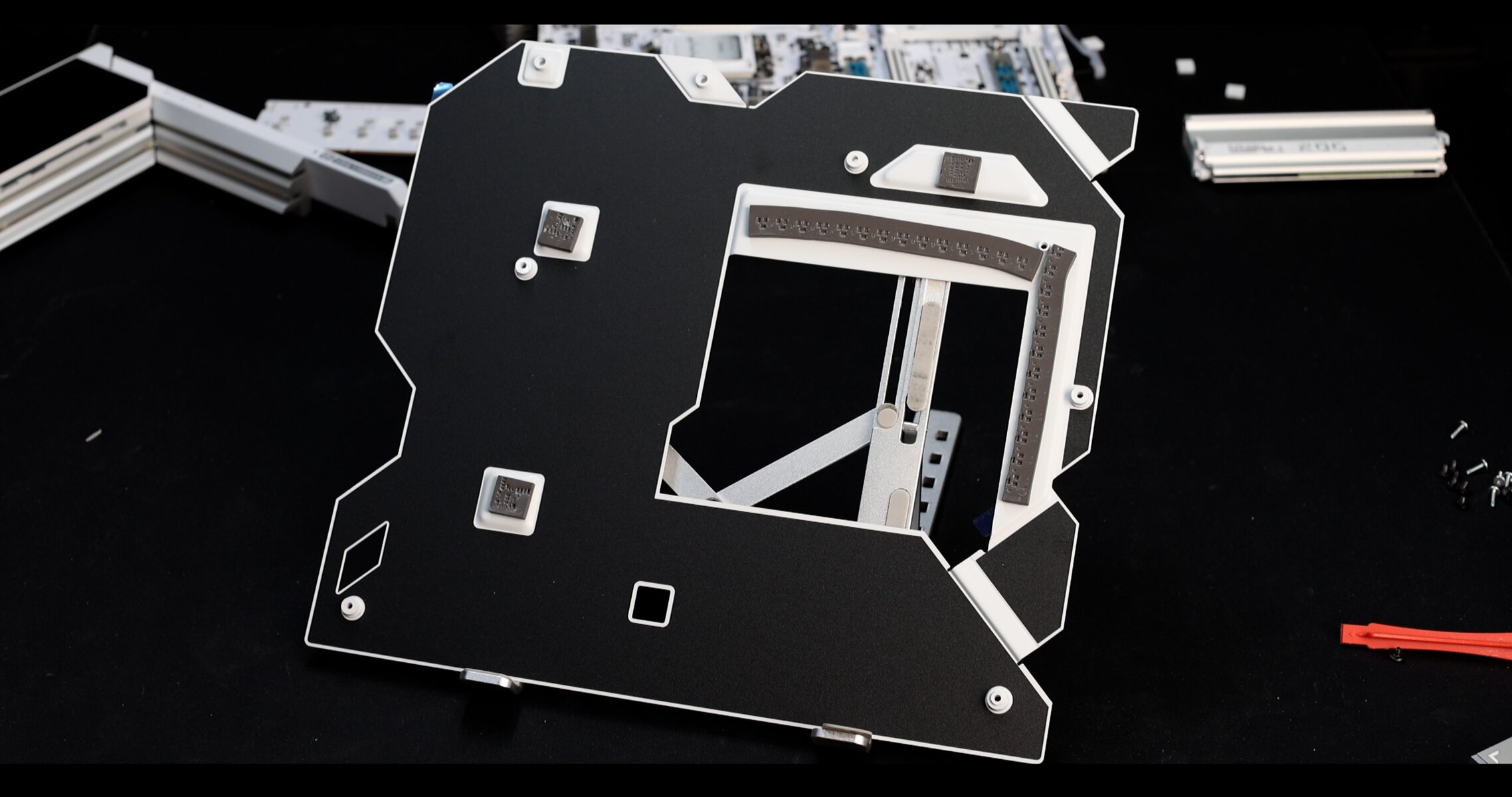
In addition, the back PCB is protected by an impressive aluminum backplate which, thanks to 7W thermal pads, doubles as a heat-plate for the VRM and chipset.
About the best foundation available in the industry today!
VRM Architecture
To be clear, we are dealing with THE most powerful power solution available on a retailed motherboard.
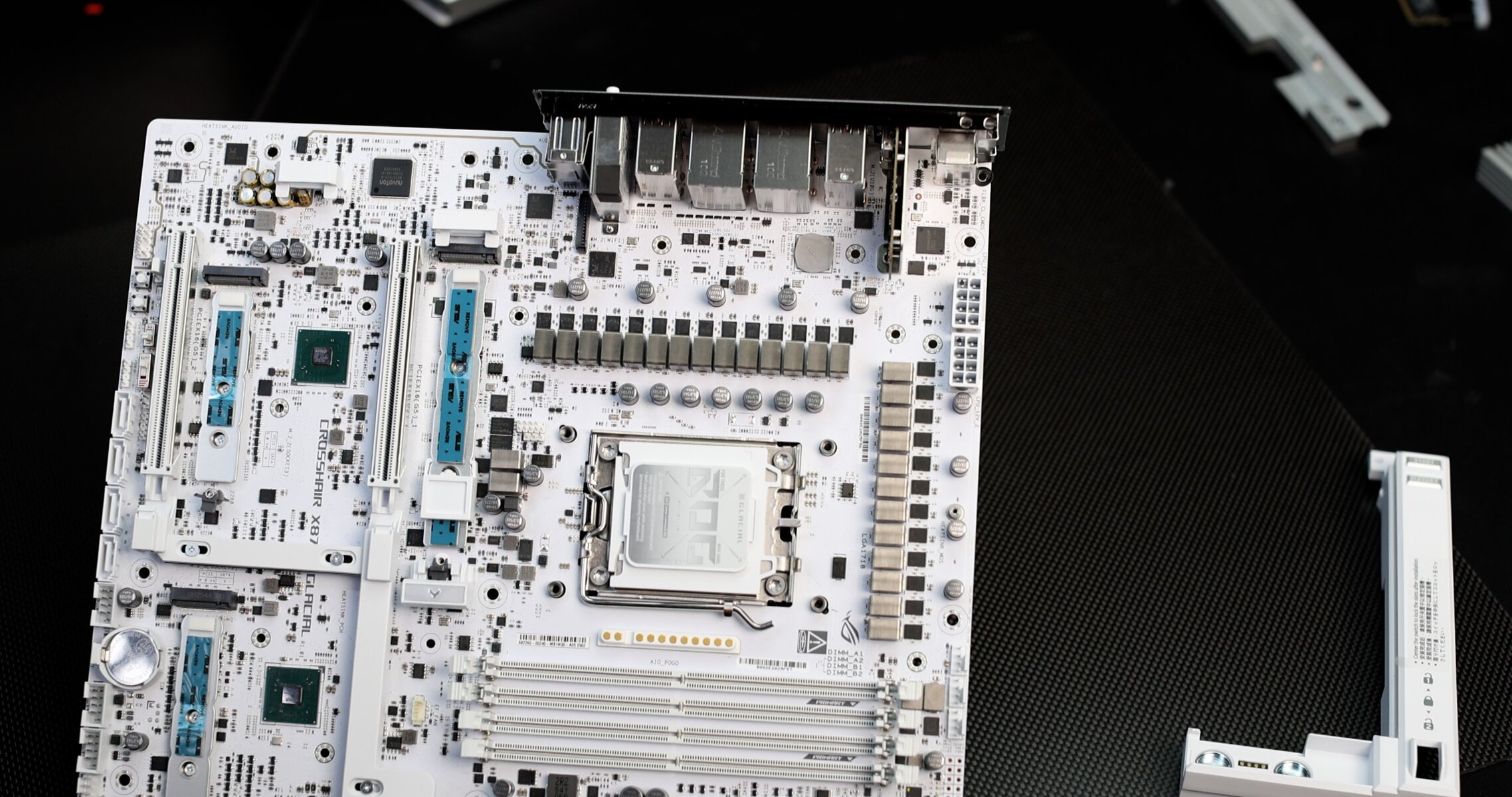
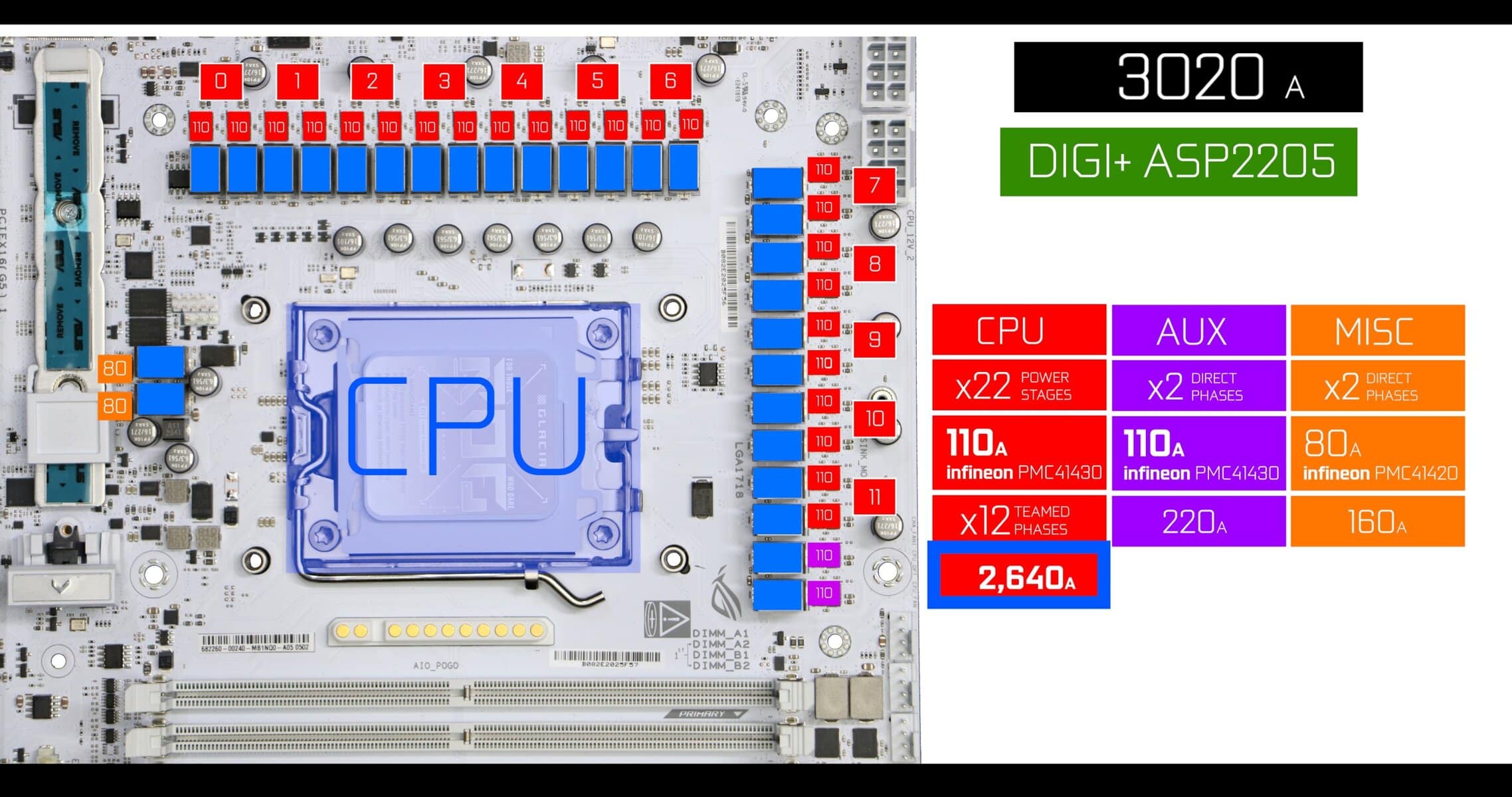
VRM ARCHITECTURE :
The GLACIAL VRM powers three segments of the motherboards.
- CPU (the one people usually focuses on the most) and controlled by a dedicated PWM Controller.
- MISC_RAIL ( V_MISC / VDD_MISC ) powers PCIe Lanes, IO connectivity and Internal Sensors.
- SOC_RAIL powers the iGPU and control RAM voltage.
CPU POWER
- PWM Controller: DIGI+ ASP2205 ( 8 to 12 phases, mostly Teamed )
- CPU : x22 110 AMPS Infineon PMC41430 power stages organized in 11 Teamed ( or parallel ) Phases.
- TOTAL AMPERAGE: 2,420 AMPS
Across the industry, TEAM PHASES are replacing the more turbulent DIRECT PHASES architecture seen in previous high-end motherboards, mainly because they accumulate several advantages, for very few disadvantages.
- Cheaper to make
- Cleaner electrical signal, less noise and ripple
- Better transient response
- More endurant and stable ( less blue screens ) , especially in long continuous rendering sessions
- Getting better in OvercLocking
- More latency due to Doublers
- Not as fast to handle quick CPU clock fluctuations
- Not as good in extreme Overclocking
MISC_RAIL & SOC_RAIL
- Richtek RT3672JE Controller
- SOC_RAIL : x2 80 AMPS Infineon PMC41420 power stages organized in 2 Direct Phases.
- MISC_RAIL : x2 110 AMPS Infineon PMC41430 power stages organized in 2 Direct Phases.
We have reached a sun-melting 3,000 amps worth of power solution on a mainstream motherboard.
This is beyond what you will ever need, but it provides some thermal management since you will reach CPU clock limits way before utilizing 50% of these mammoth 110A power stages, thus somewhat limiting the heat produced, which is still very substantial.
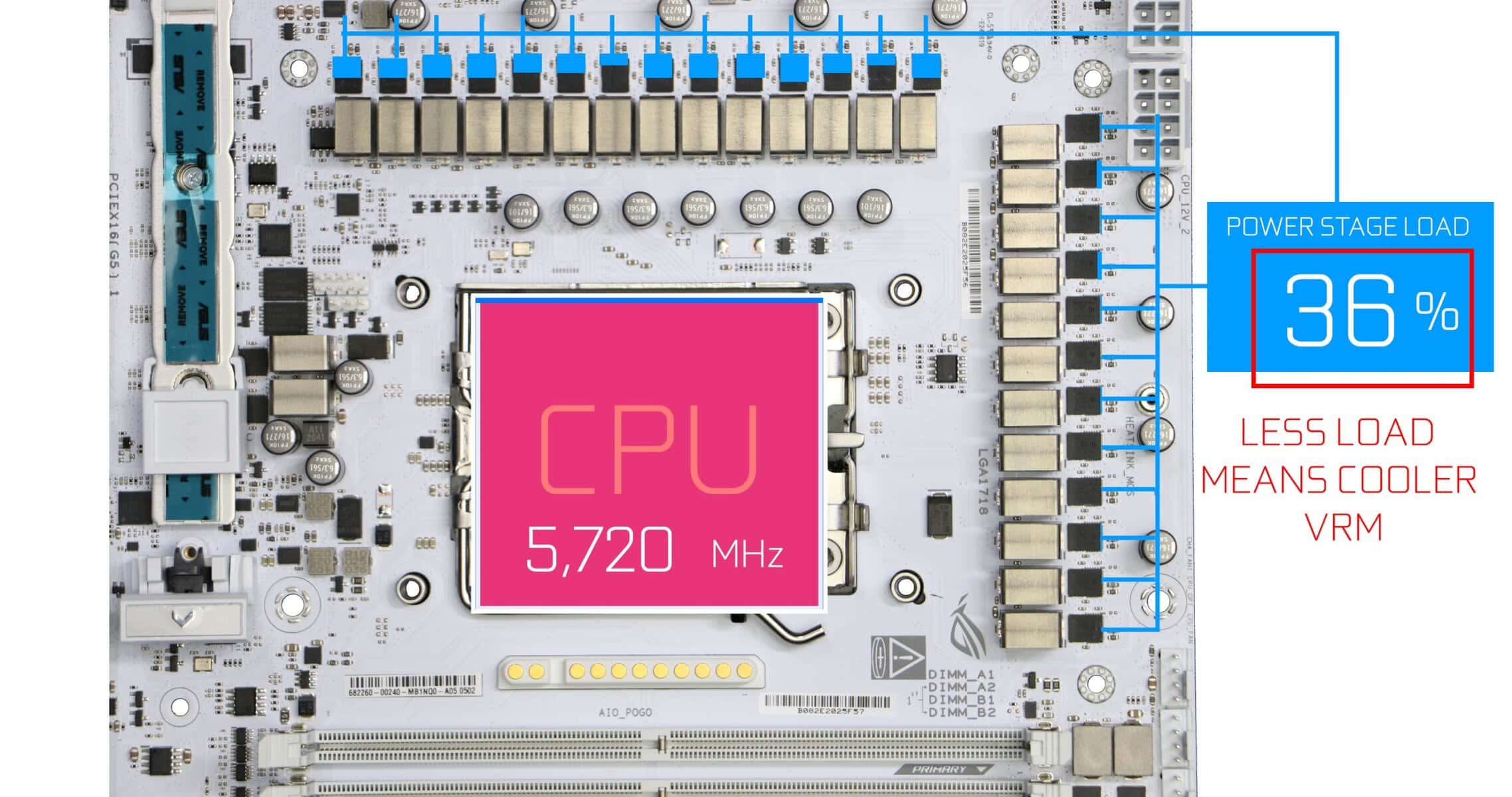
VRM Cooling
ASUS delivered a very innovative cooling solution! We have a two-segment cooling apparatus, which had to be reduced in volume to accommodate the magnetized plating we had seen earlier. Despite its limitations, the VRM blocks reacts rather well to a full-load CPU.
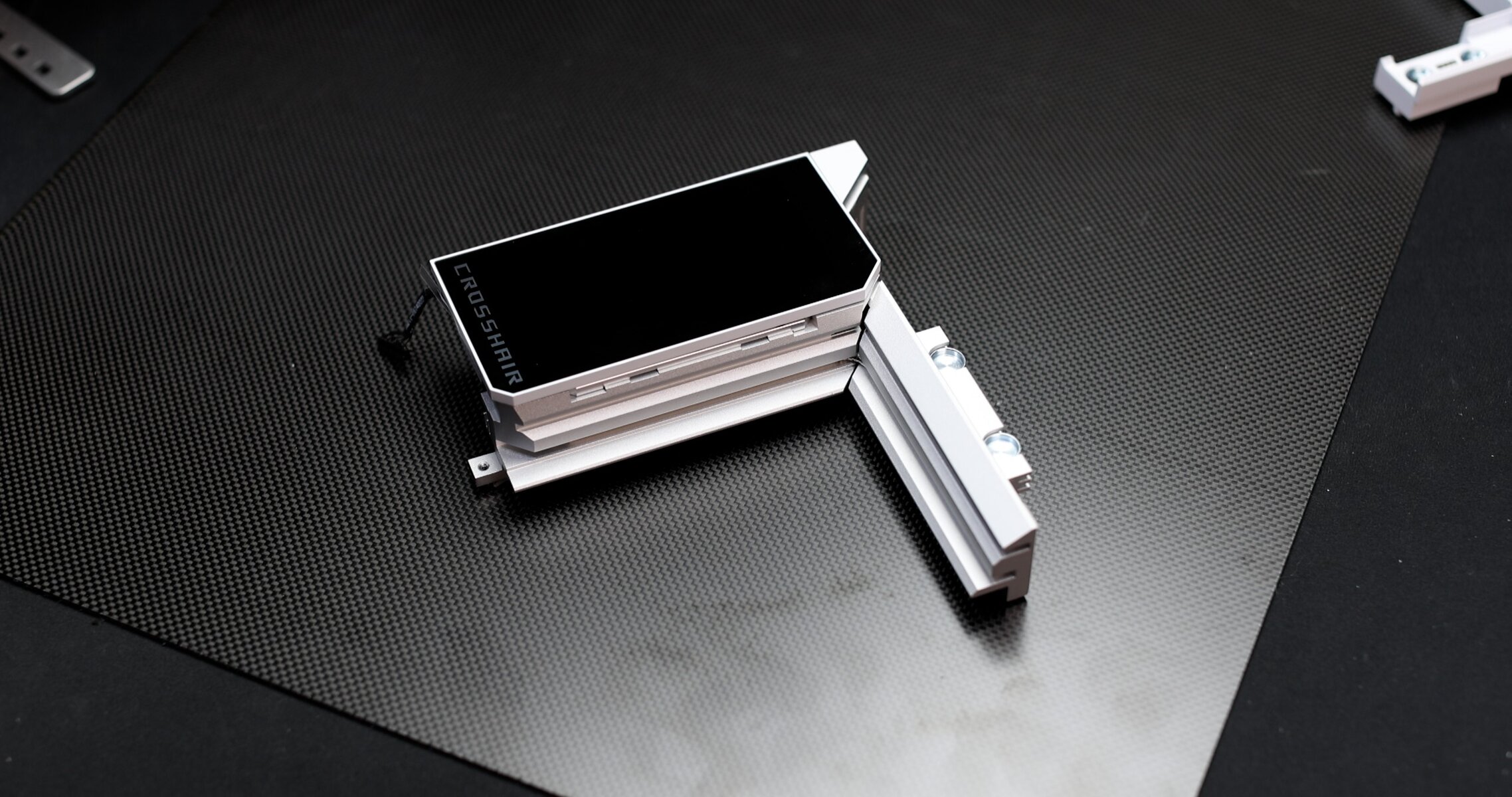
On its own it is a beautiful peace of condensed 6063 graded aluminum ( Thermal Conductivity: ~200-201 W/m·K ) .
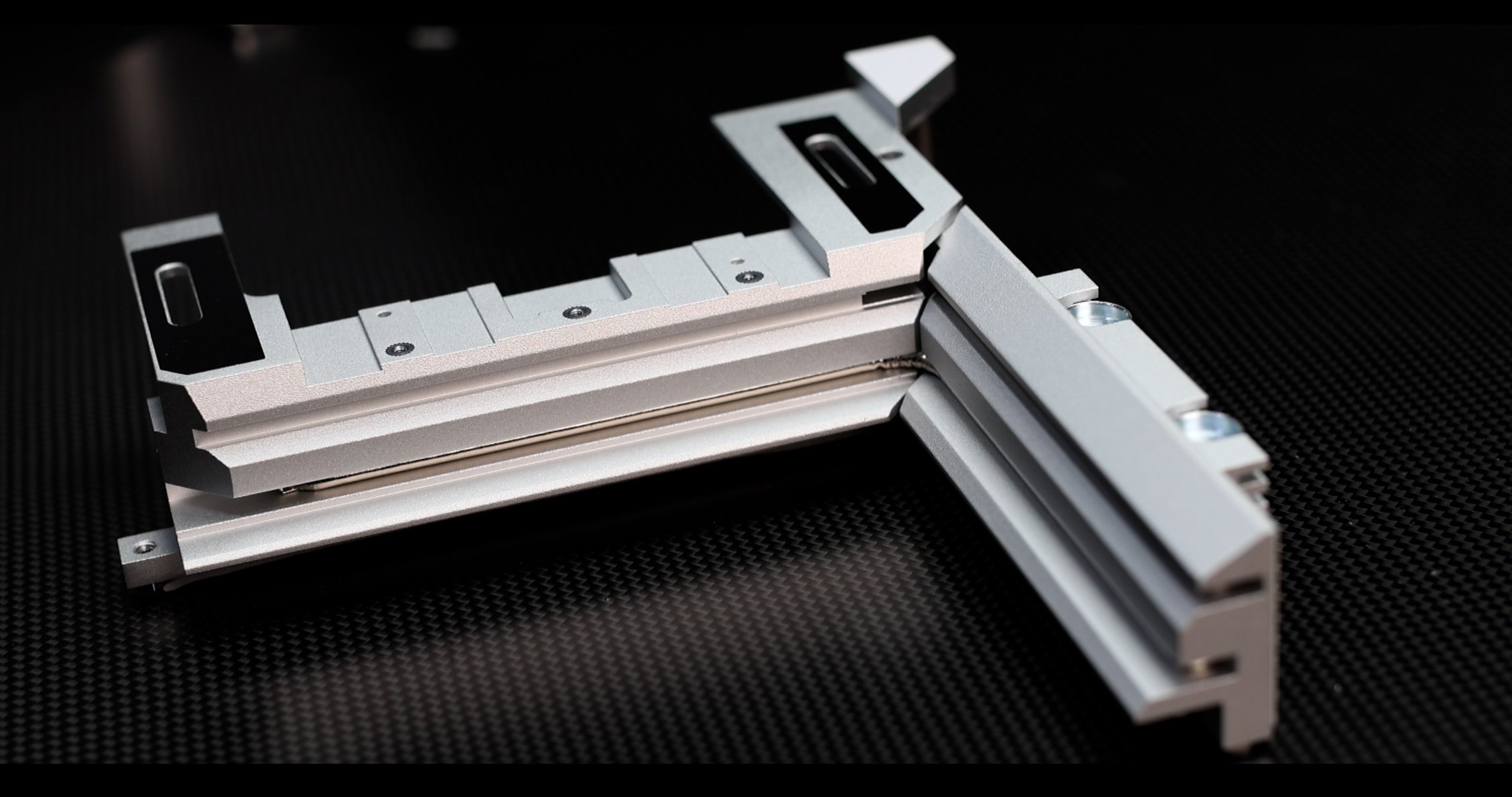
The main VRM block is rather large, and despite not having much “winglets” or envergure to increase its radiating surface, it makes up for it with a thicker main wall to store harvested heat. Great to slow-down the heat motion on its way to the radiating roof.
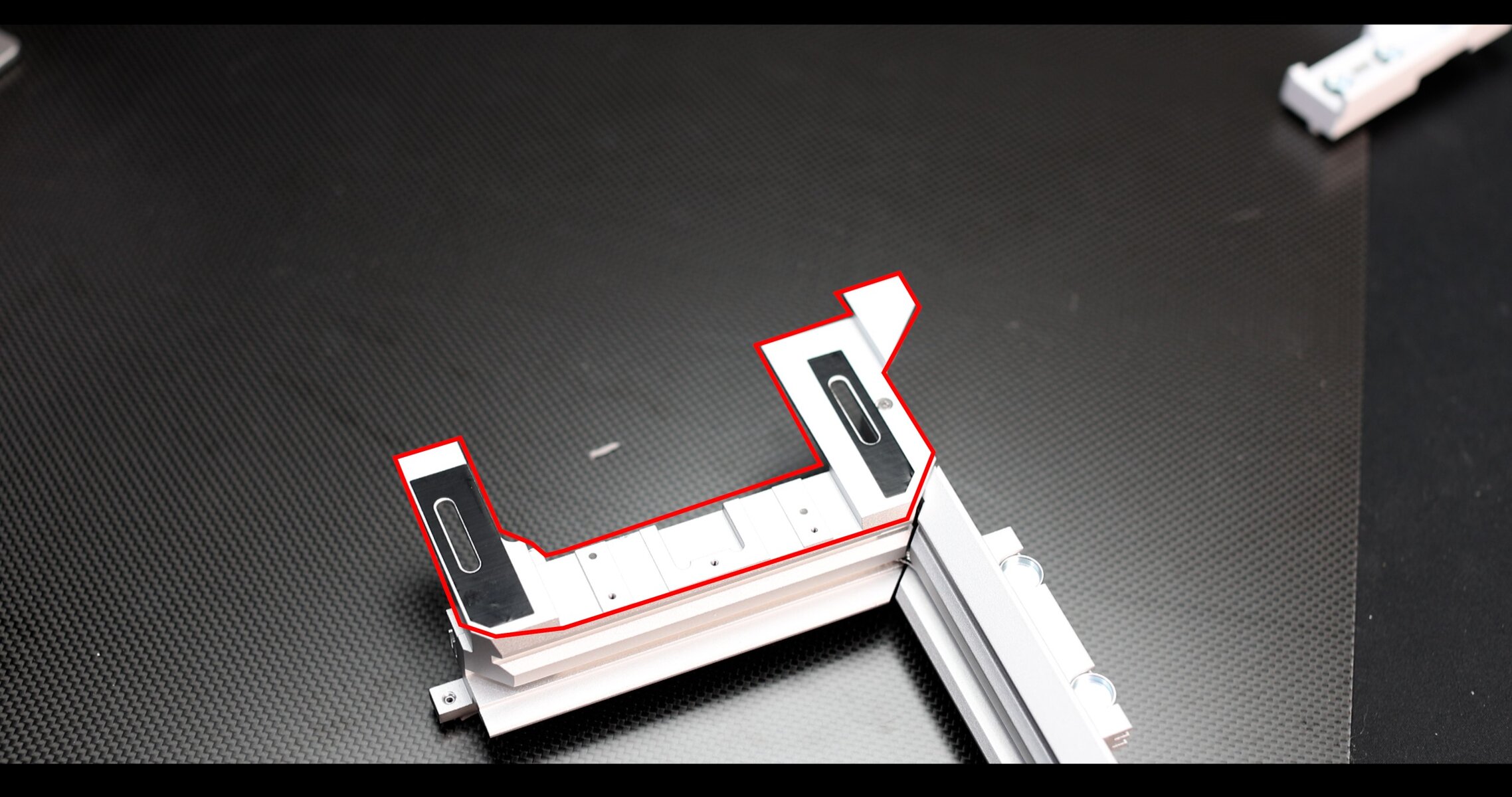
Under the OLED screen we can find a rather small radiating roof ( in red on the picture ), but it does do a rather good-job at dissipating heat nevertheless.
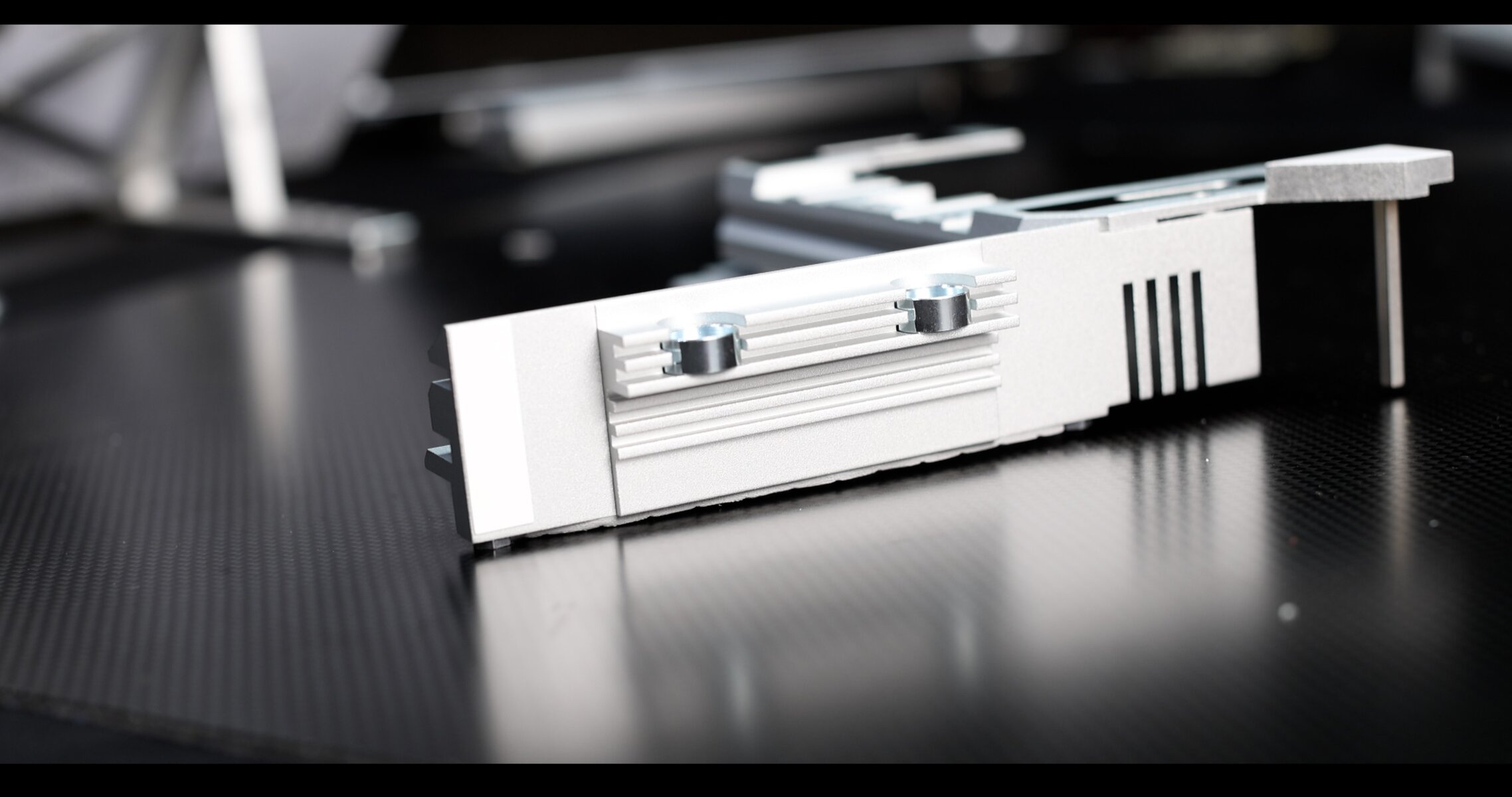
The side block, albeit showing some strong density qualities, is a little more slimmer than usually , and, as we will see later, gets significantly hotter than its main VRM block sibling.
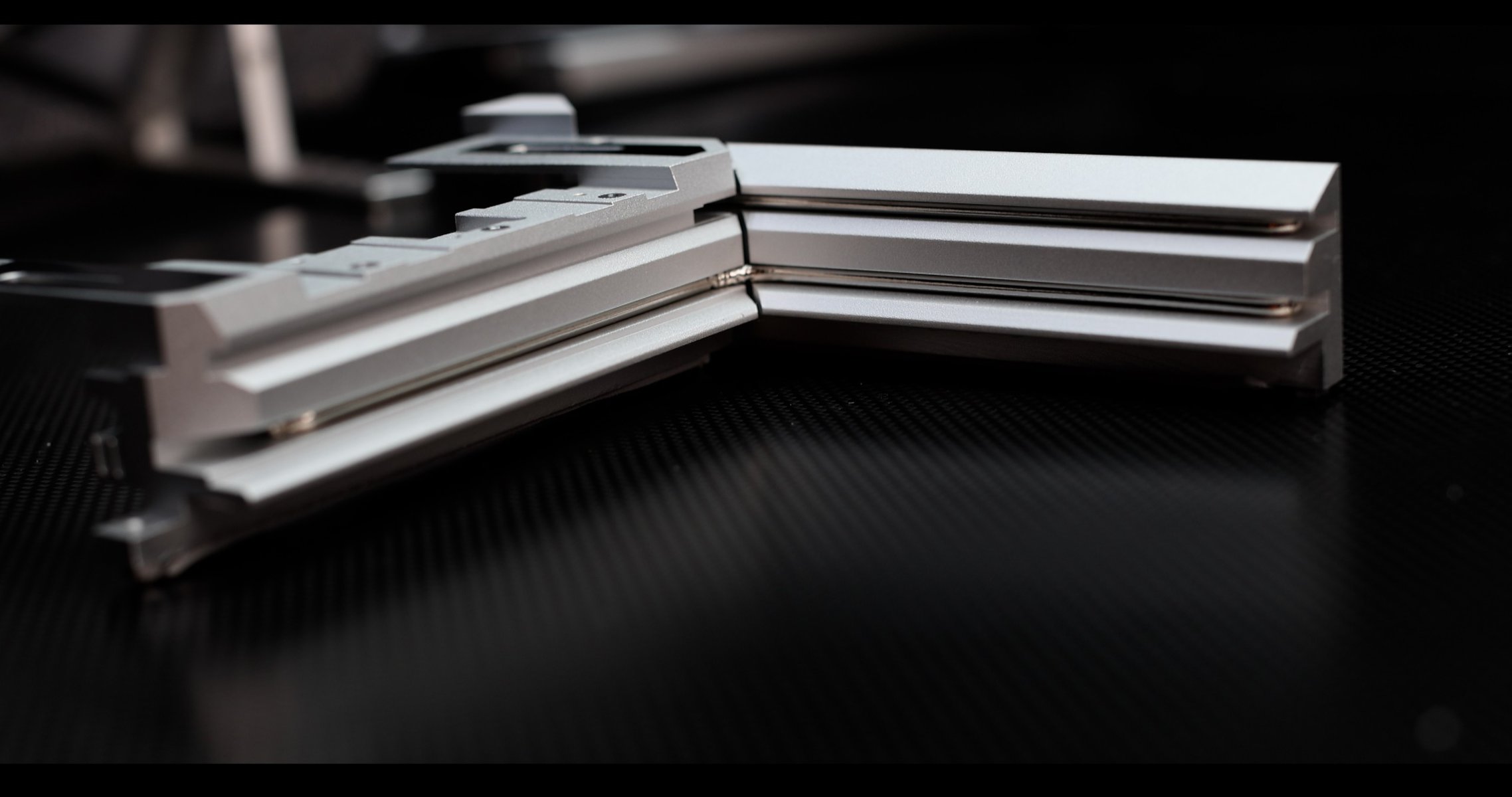
One rather important novelty here : both of our segments are linked by two 8mm wide copper pipes, instead of typically one, to ensure a perfectly homogeneous heat spread.
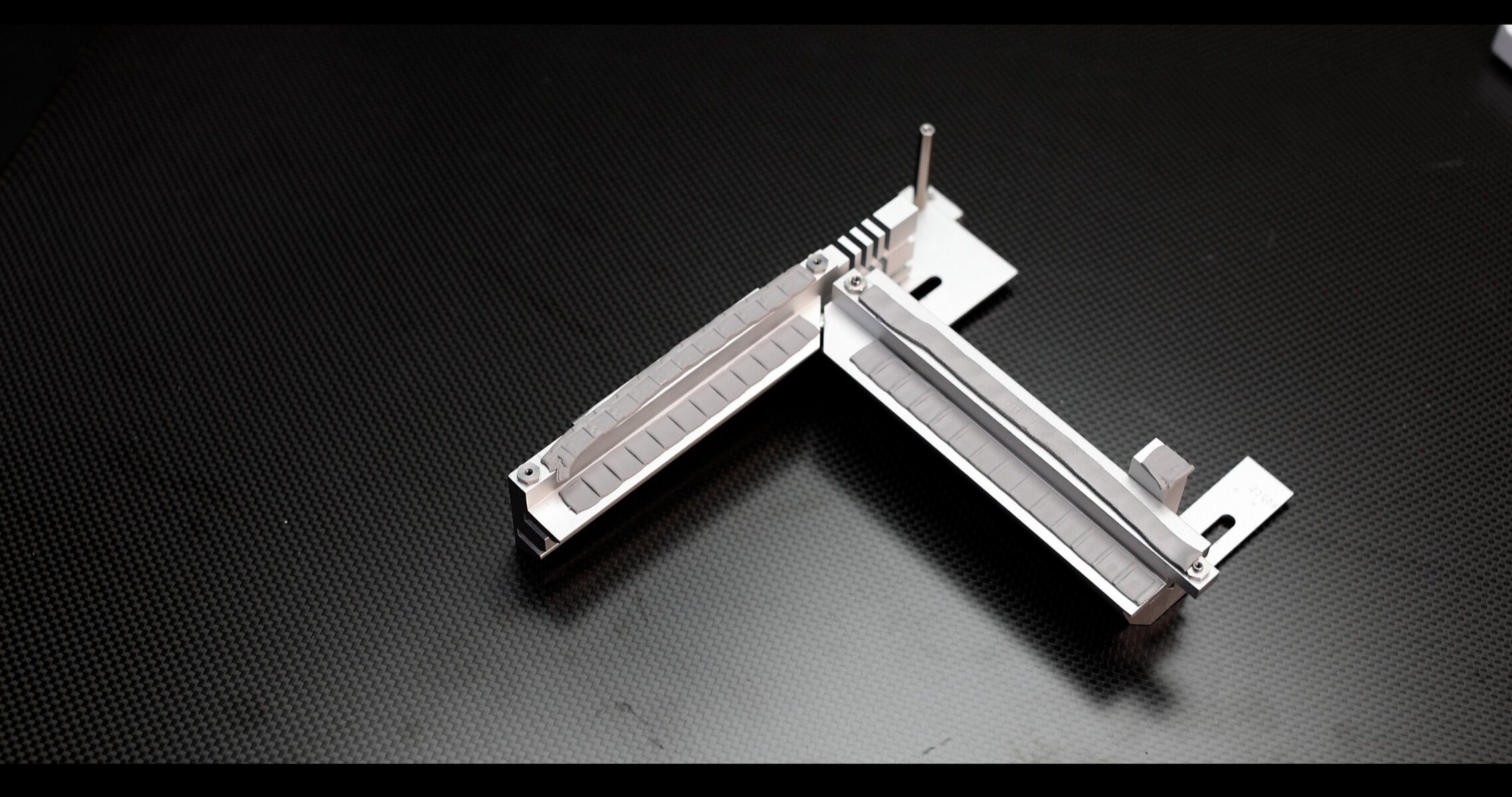
Both of our segments show a Double-Contact-Design, allowing a direct, thermal-padded contact, to both Powers Stages and Chokes alike.
VRM Temps
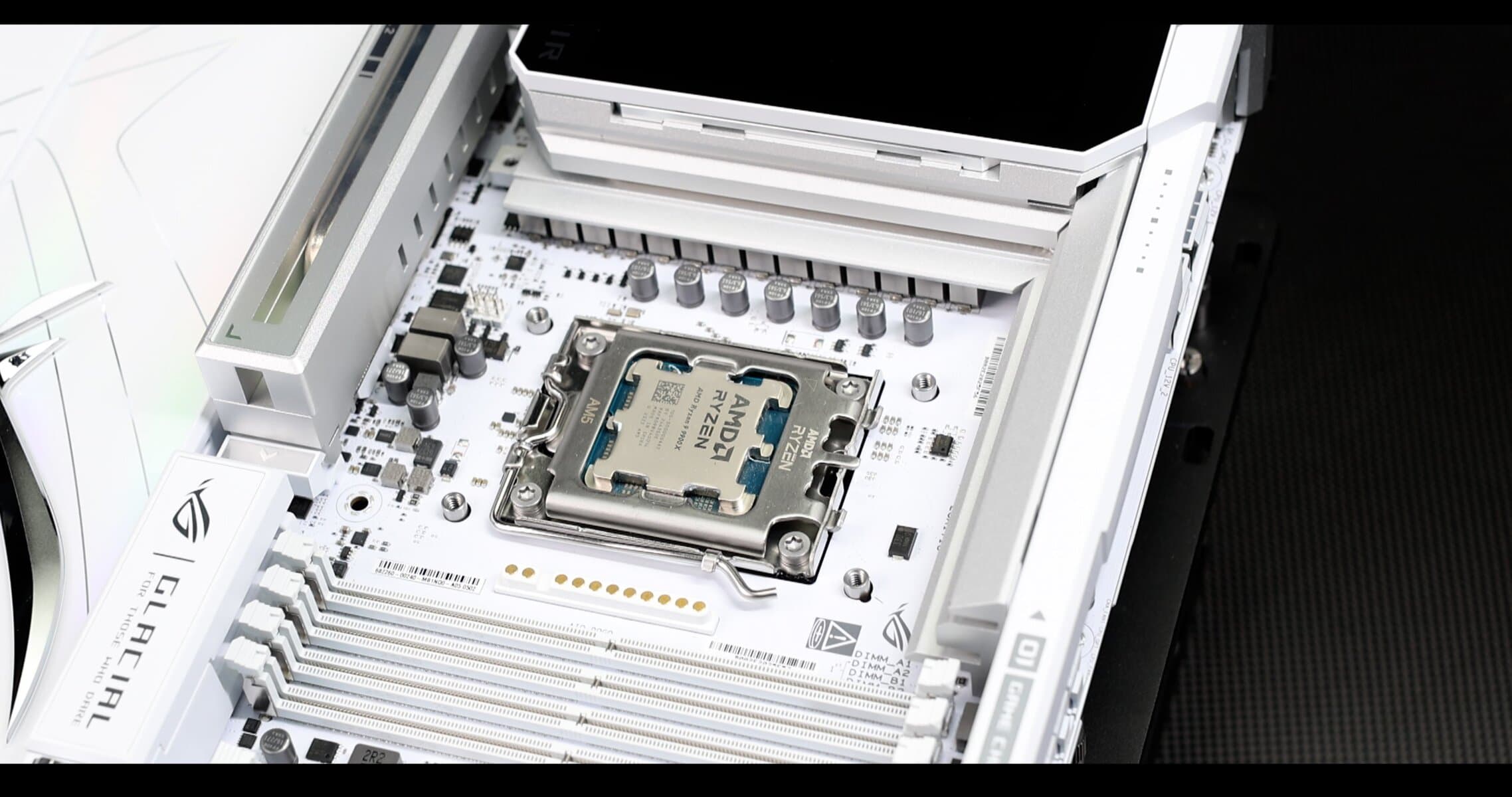
CPU chosen for the test is a RYZEN R9 9900X, 12 Cores, with 6 Performance Cores set at 5.7 GHz, and 6 E-Cores set at 5.375 GHz
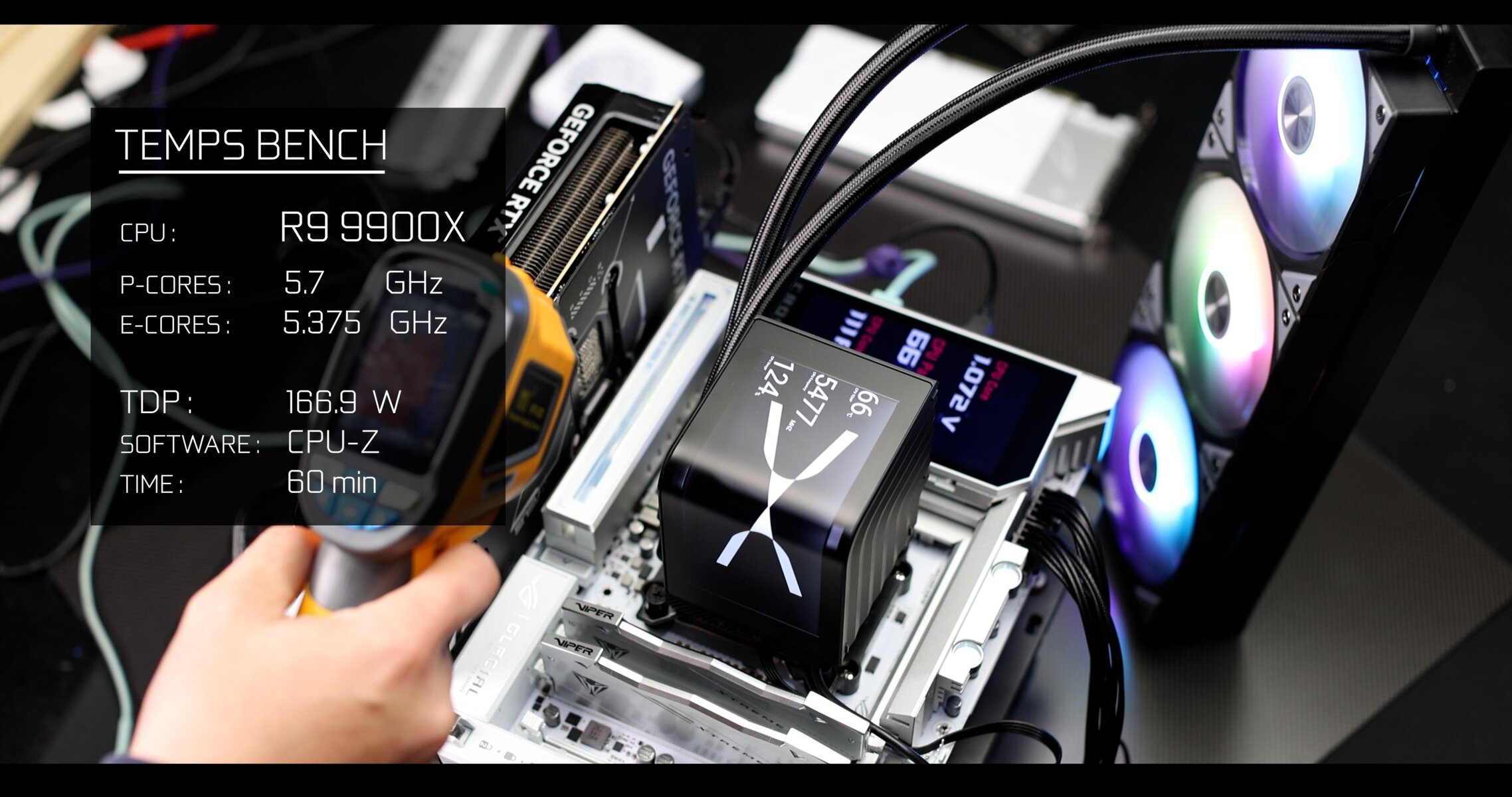
Testing method : Synthetic Stress Test
Software: CPU-Z
Test Date : March 2026
Test Duration : 60 Min
Ambient Temp: 17c
Temp monitoring : infrared thermal gun
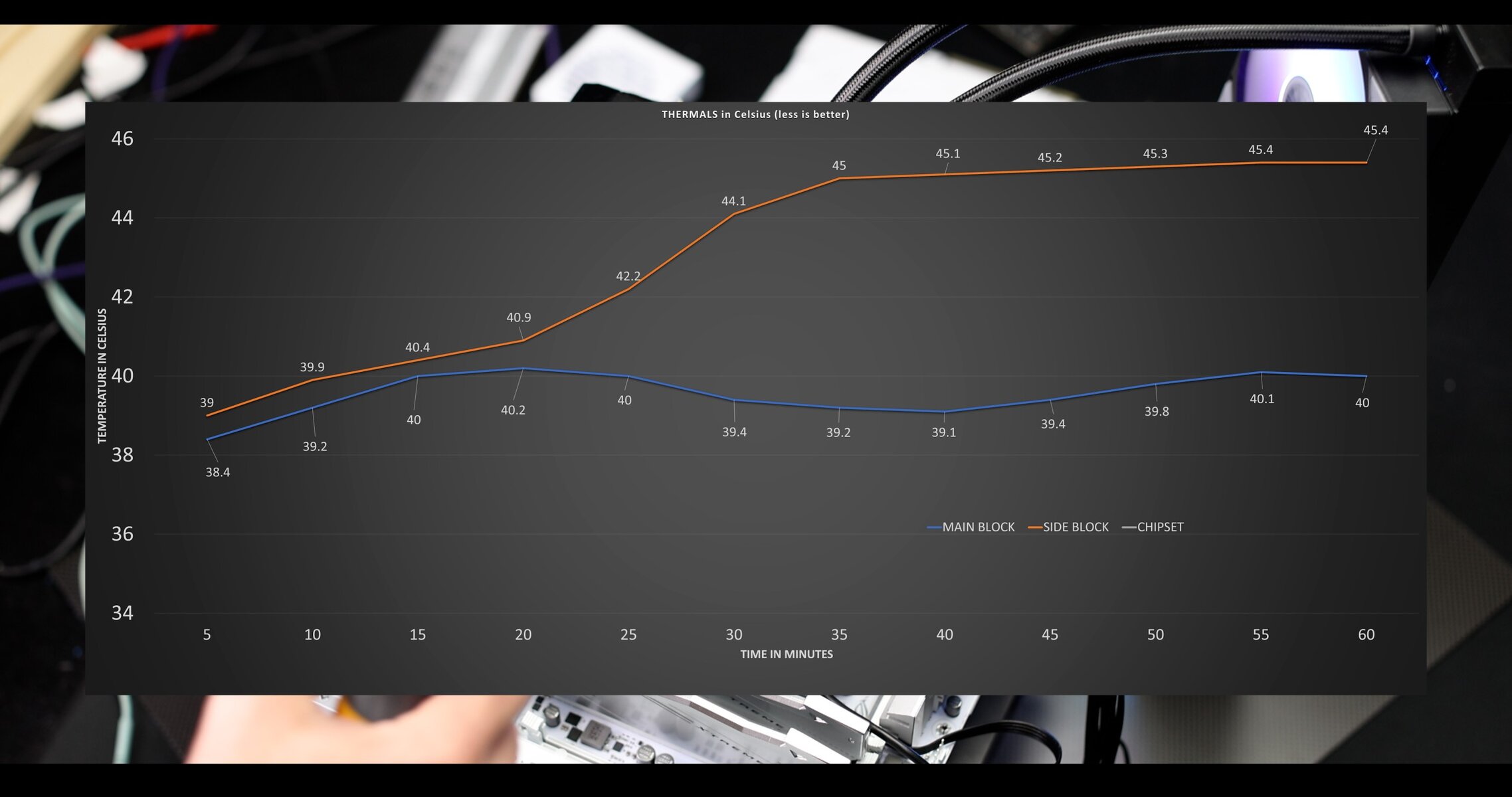
My Ryzen 9 9900X barely managed to warm the block surfaces, with temps staying way below the 50°C limit. However, despite a double copper pipe linkage, I will mention a noticeable temperature delta between the main and side block, Nothing really important, at this stage, but it does underline the copper pipe technique limitations in terms of heat spread.
From the VRM architecture, componentry menu, quality of cooling elements, to delivery control, ASUS absolutely aced it.
An obvious “good-for-everything” power solution, which will be most profitable for content creators and other 3D rendering tasks.
I cannot give this anything less than an unprecedented 9.5 out of 10. Pair this with nothing less than a higher-end Ryzen 9 class AMD processor. Anything else would be a waste of energy for the GLACIAL.
RAM
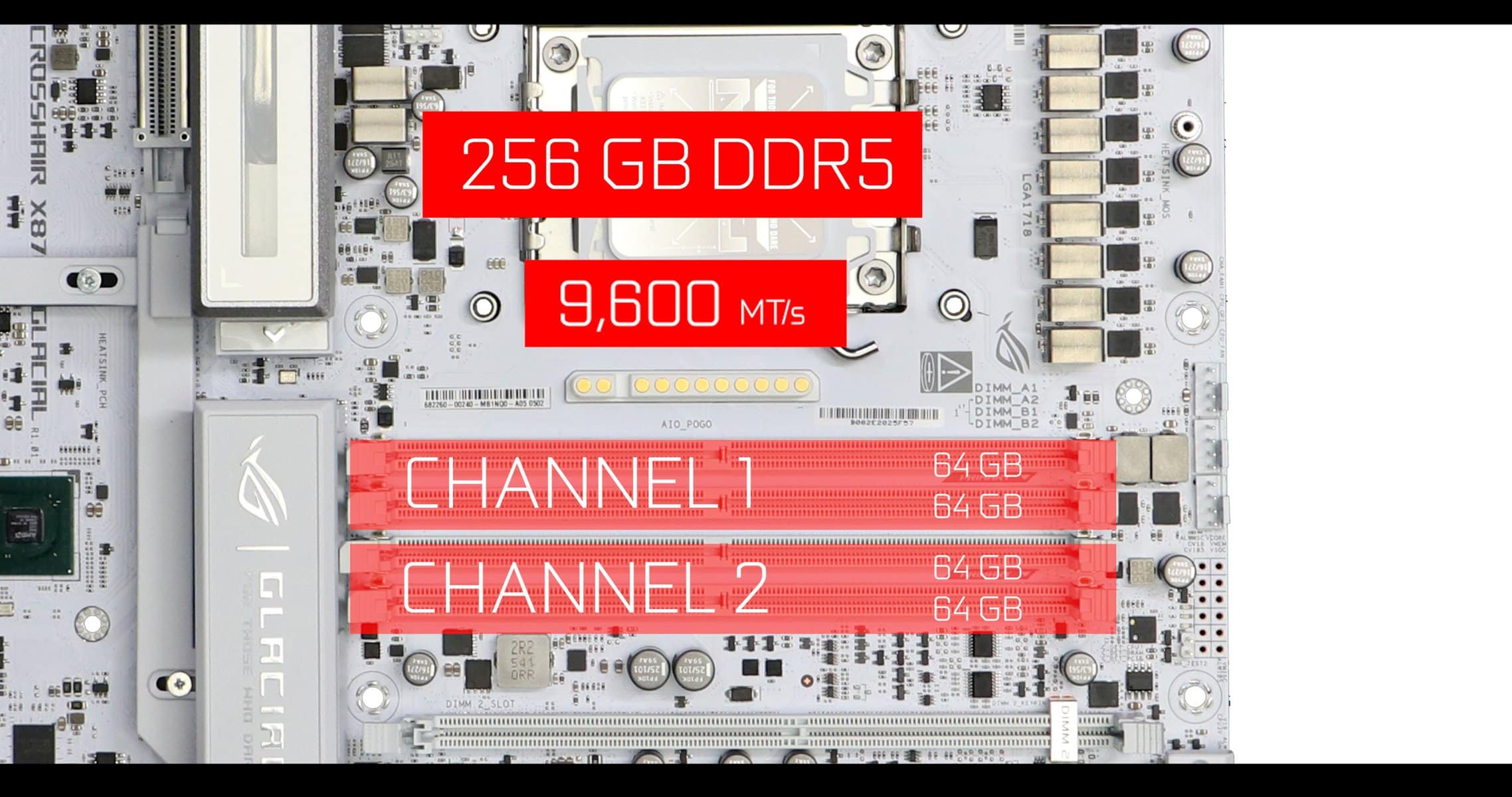
The GLACIAL supports the usual 256 GB of DDR5 RAM, organized ina dual channel configuration ( upto 64 GB per slot, 128 GB per channel ).
Maximal advertized data swap is 9,600 MTs which is only achievable in a single stick configuration.
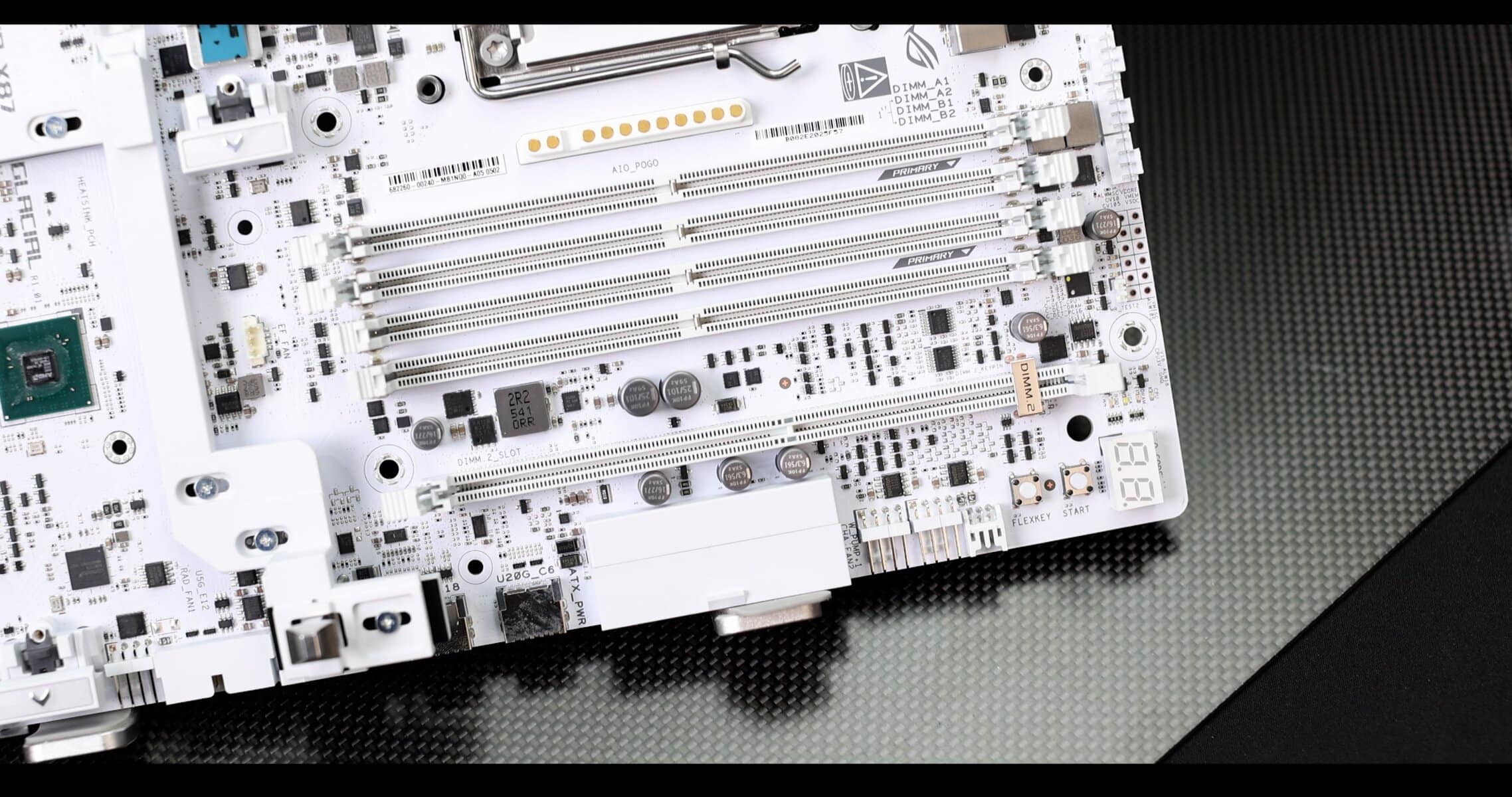
NITROPATH DRAM TECHNOLOGY
As in many ROG motherboards, the GLACIAL comes with a clever resetting of the RAM slot plating, which does significantly reduce the “antenna effect” that higher voltage, higher density RAMs can incidentally provoke.
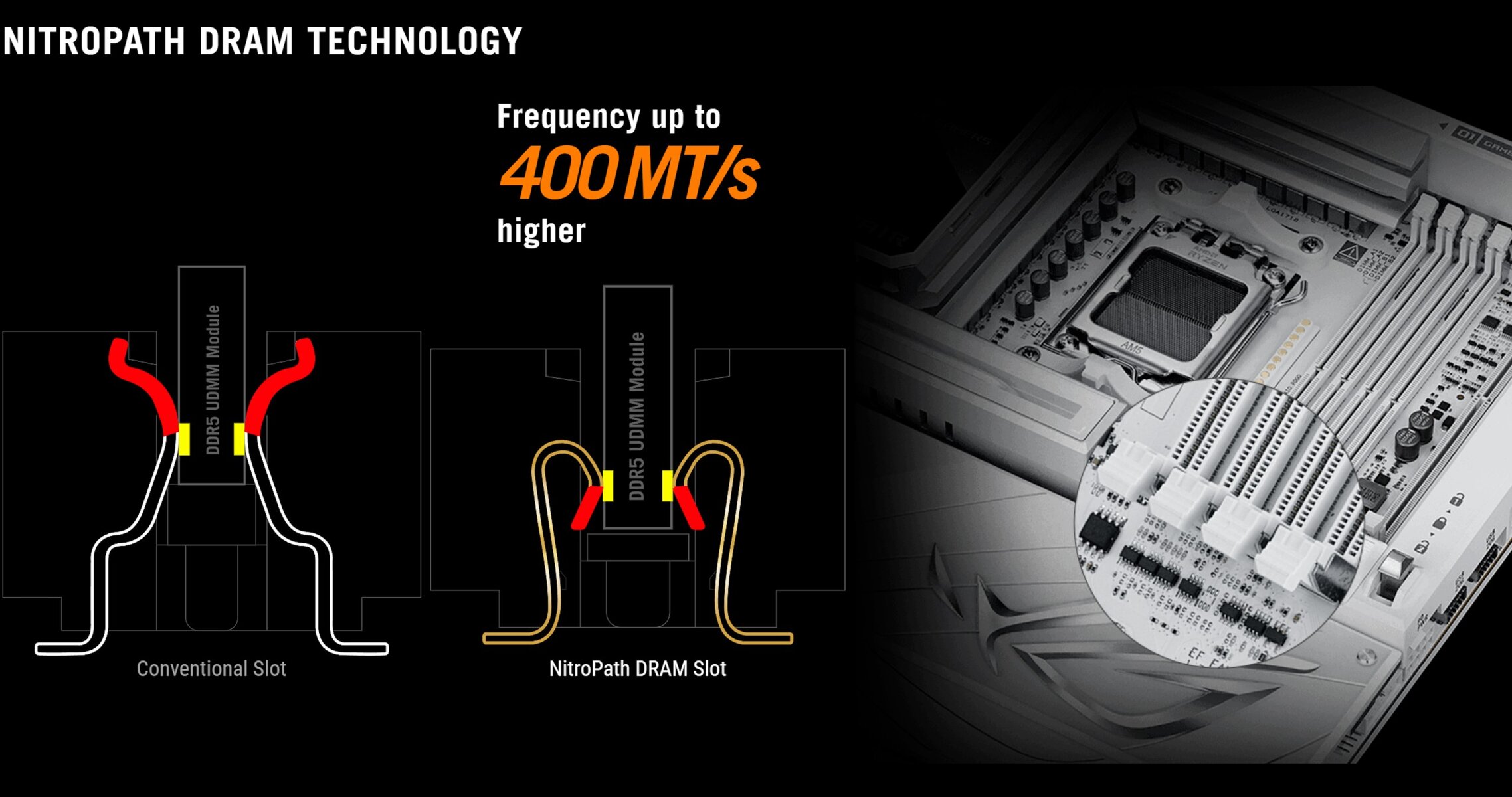
In application it DOES WORK! And even-though it is difficult to appreciate the real data-swap gain (in MT’s), I can safely bare witness, that it was easier, on such equipped motherboard, to obtain 8,400 MTs on a dual RAM stick configuration, than on others.
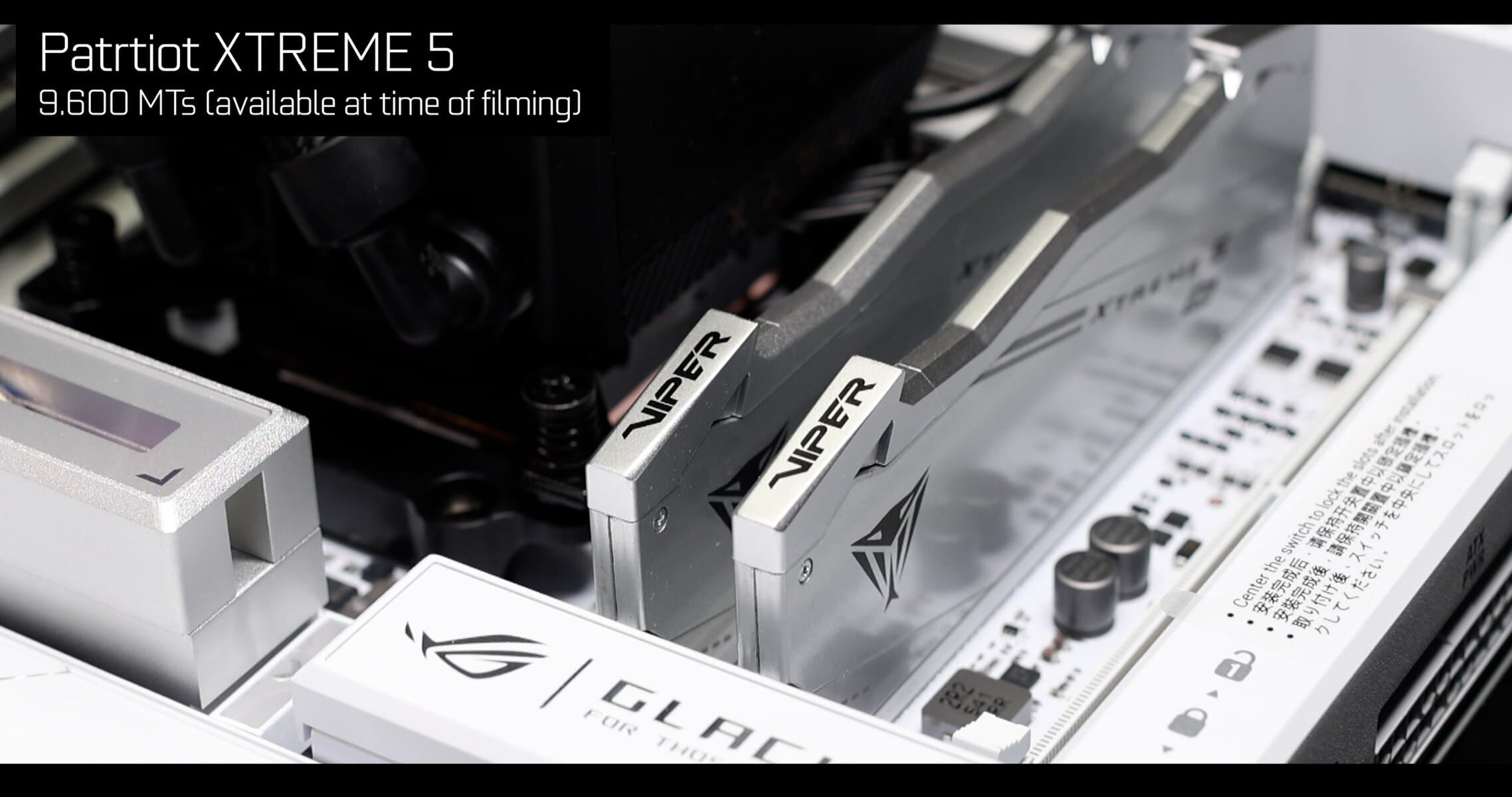
To obtain these higher data-swaps, make sure to wisely choose your sticks. In my case I went for Hynix M-DIE architectured PATRIOT Viper Extreme 5 RAM modules ( 24 GB x 2 ) , a MUST for higher-voltage and data-centric performance tasks.
STORAGE
ASUS saw things in big, in very big! All standards combined, the ROG CROSSHAIR X870E GLACIAL can support, simultaneously, 11 Hard Drives. Absolutely unprecedented.
- x4 SATA III RX TX 6 Gbs
- x7 NVMs RX TX from 32Gbs to 128 Gbs
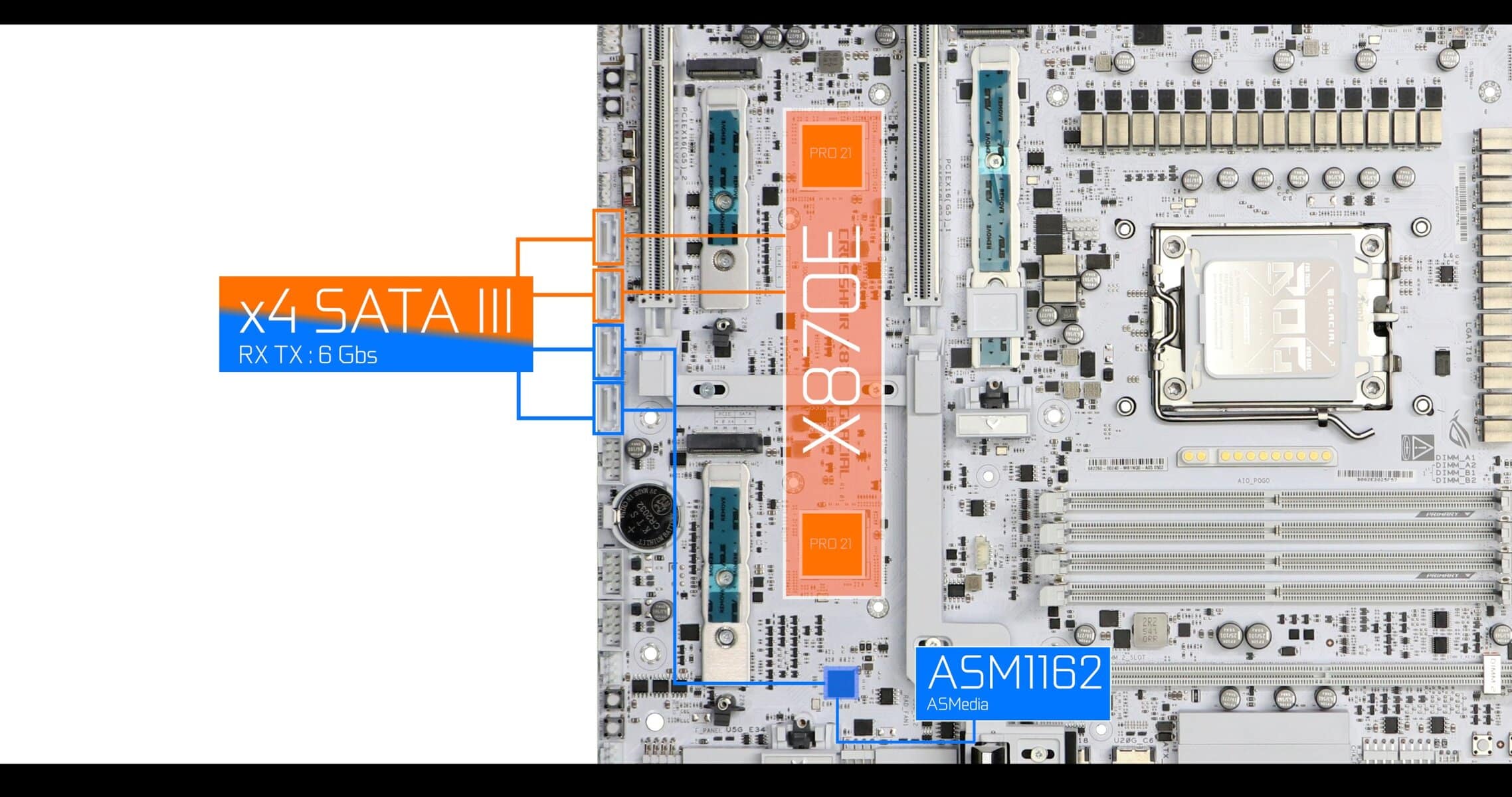
SATA
The GLACIAL is one of very few premium boards which get a little bandwidth help and feature an additional bandwidth source, other than our traditional CPU / PCH combo.
Two SATA plugs ( in blue on the pictures ) as well as 1 of the 3.2 (2×2 20 Gbs) front panel plug are fed directly by the ASM1162 controller from ASMedia.
This controller bridges the path between the SATA plugs and the X870E chipset to feed the exact amount of bandwidth requested, without having to appropriate an entire and dedicated PCIe lane.
Which would have been the case without the ASM1162.
A better bandwidth management which allows these kind of boards to be more agile and feature more componentry whilst limiting the use of PCIe bifurcation.
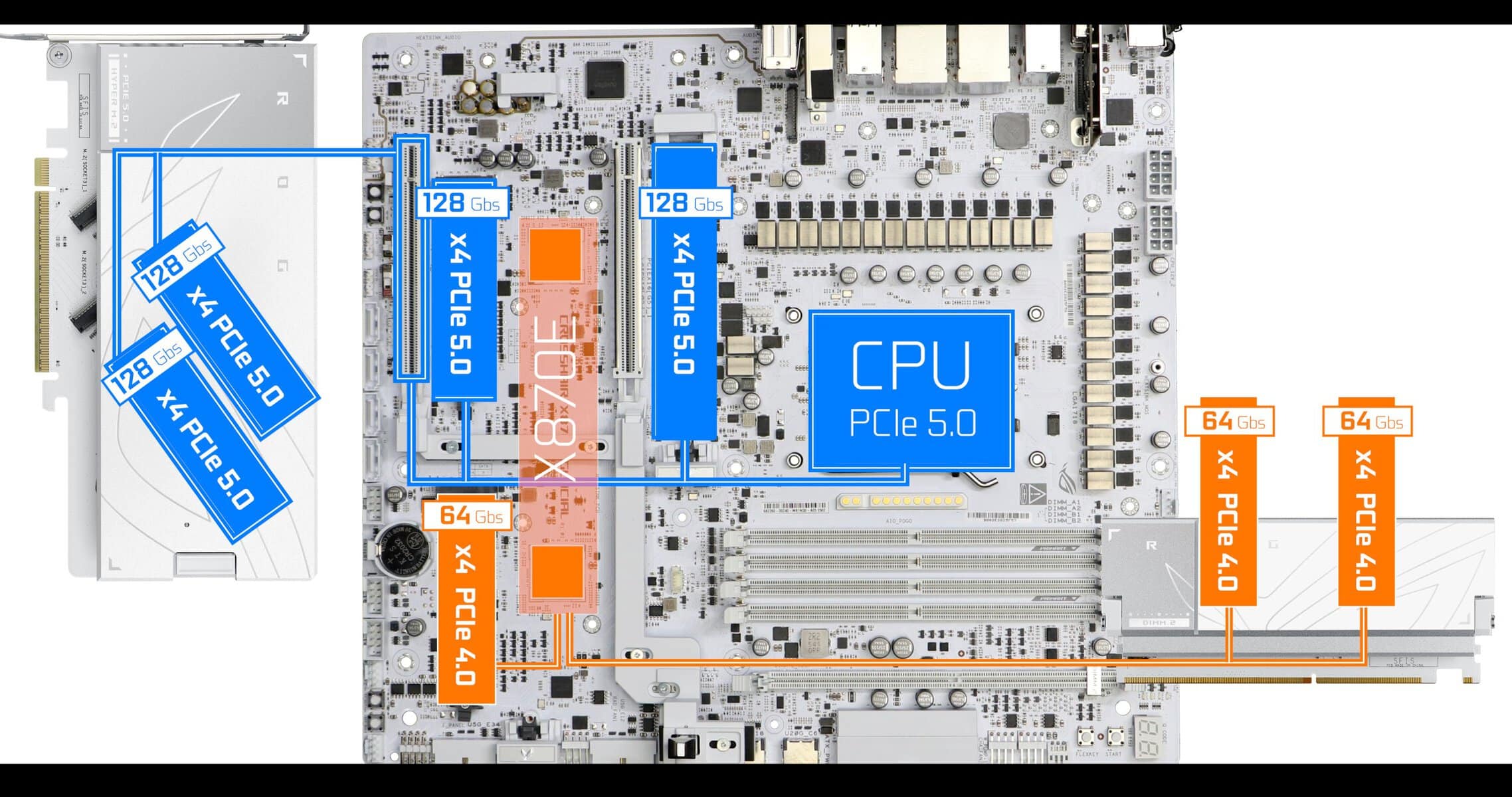
NVMe
Motherboard
- x2 PCIe 5.0 NVMEs x4 CPU Lanes. Upto 128 Gbs
- x1 PCIe 4.0 NVME x4 PCH Lanes, Upto 64 Gbs
ROG Q DIMM.2
- x1 PCIe 4.0 NVME x4 PCH Lanes, Upto 64 Gbs
- x1 PCIe 4.0 NVME x2 PCH Lanes, Upto 32 Gbs
ROG HYPER m.2 Card
- x2 PCIe 5.0 NVMEs x4 CPU Lanes. Upto 128 Gbs
NVMe Cooling
In all cases, every single NVMe gets a luxurious double thermal padding treatment with thick thermal plates.
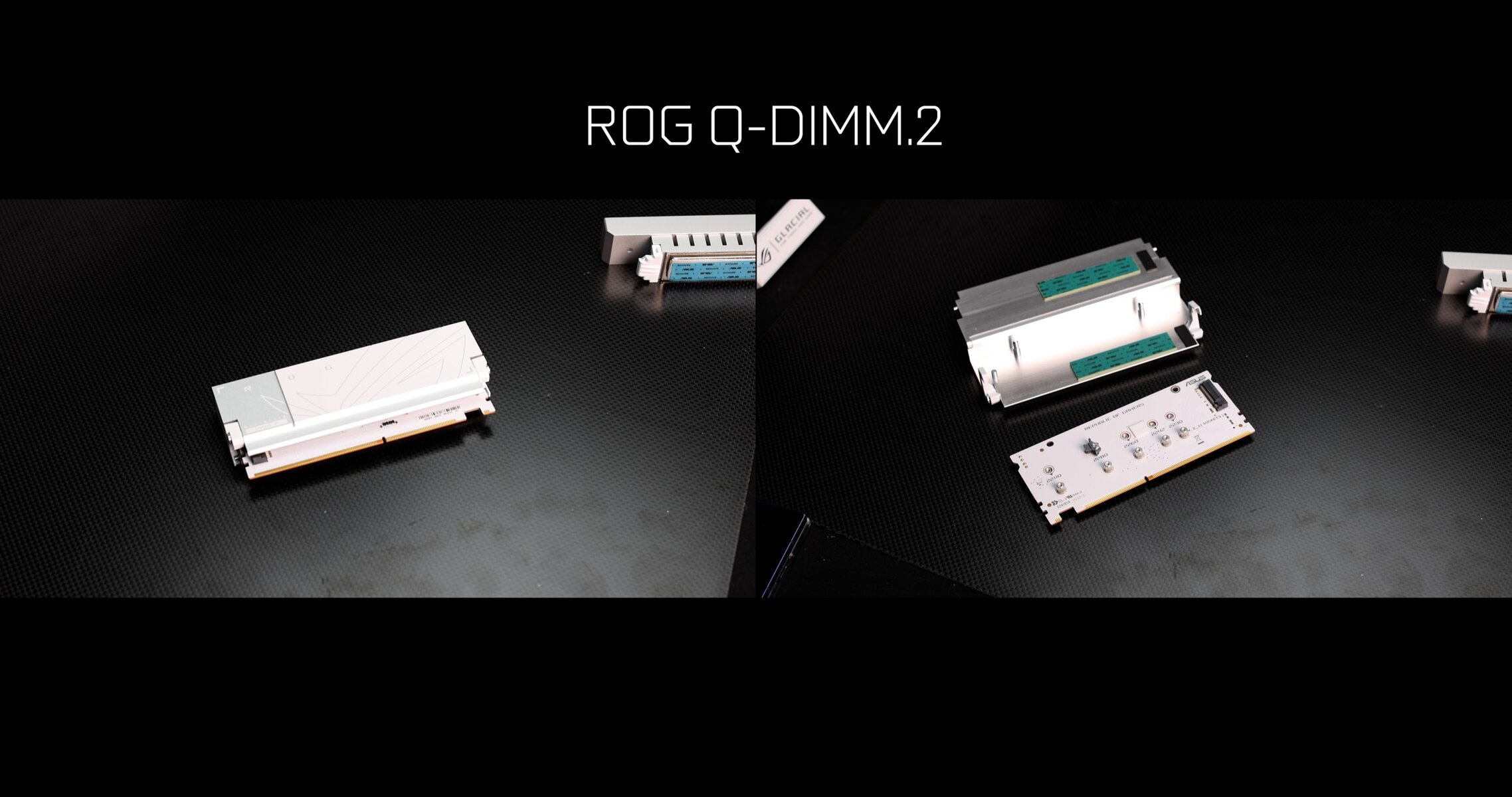
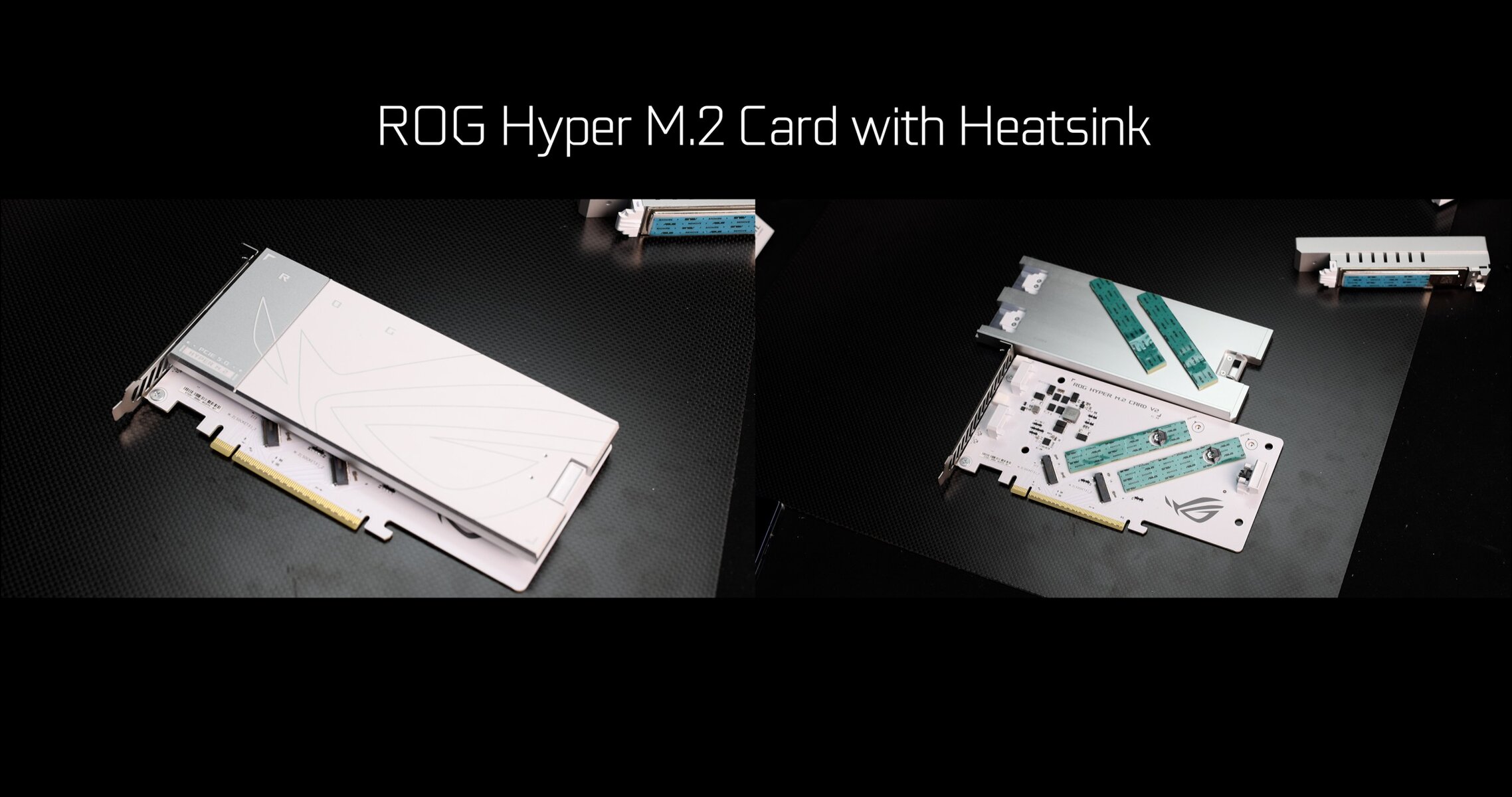
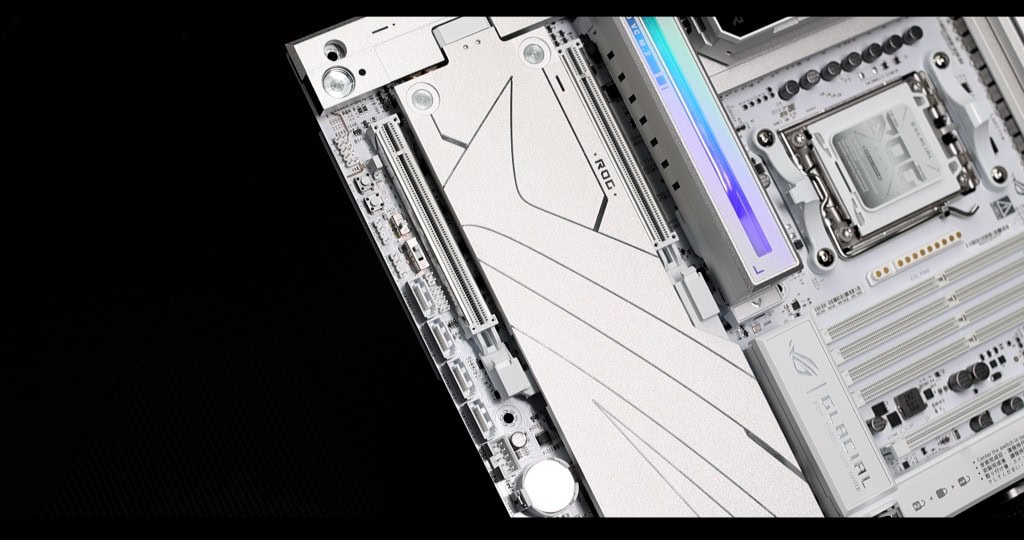
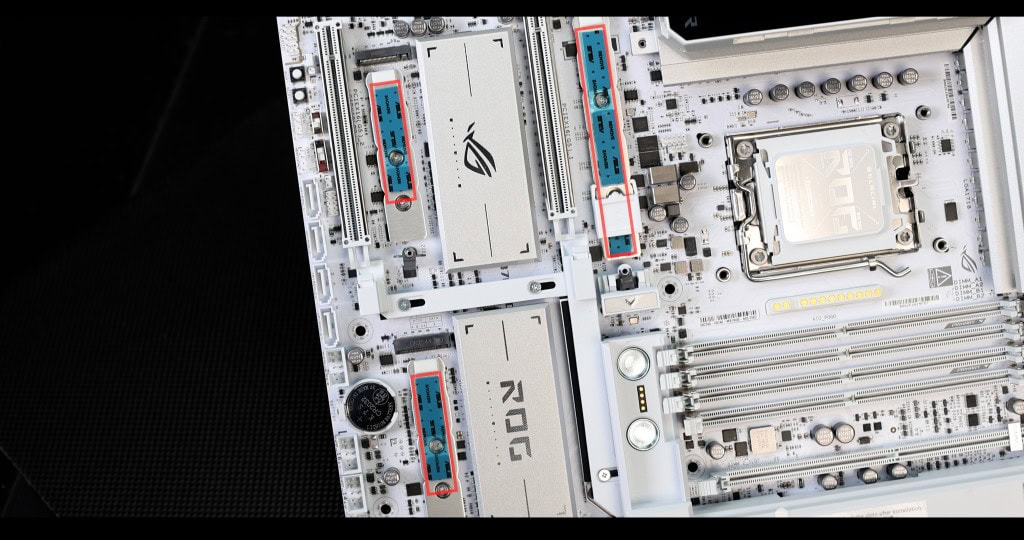
But what is, arguably, the most striking piece of hardware on this board, is the main NVMe cooler, which is simply massive.
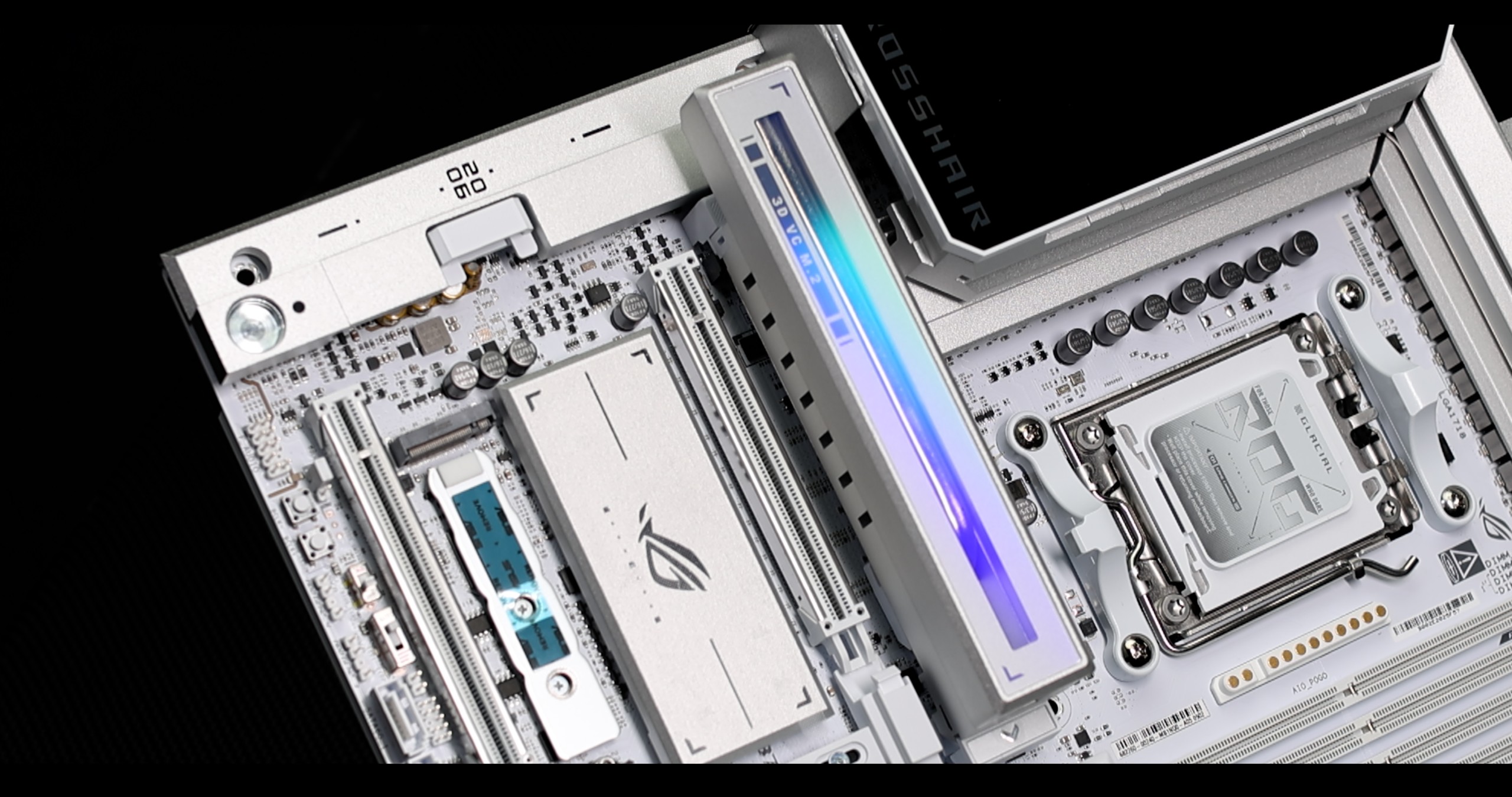
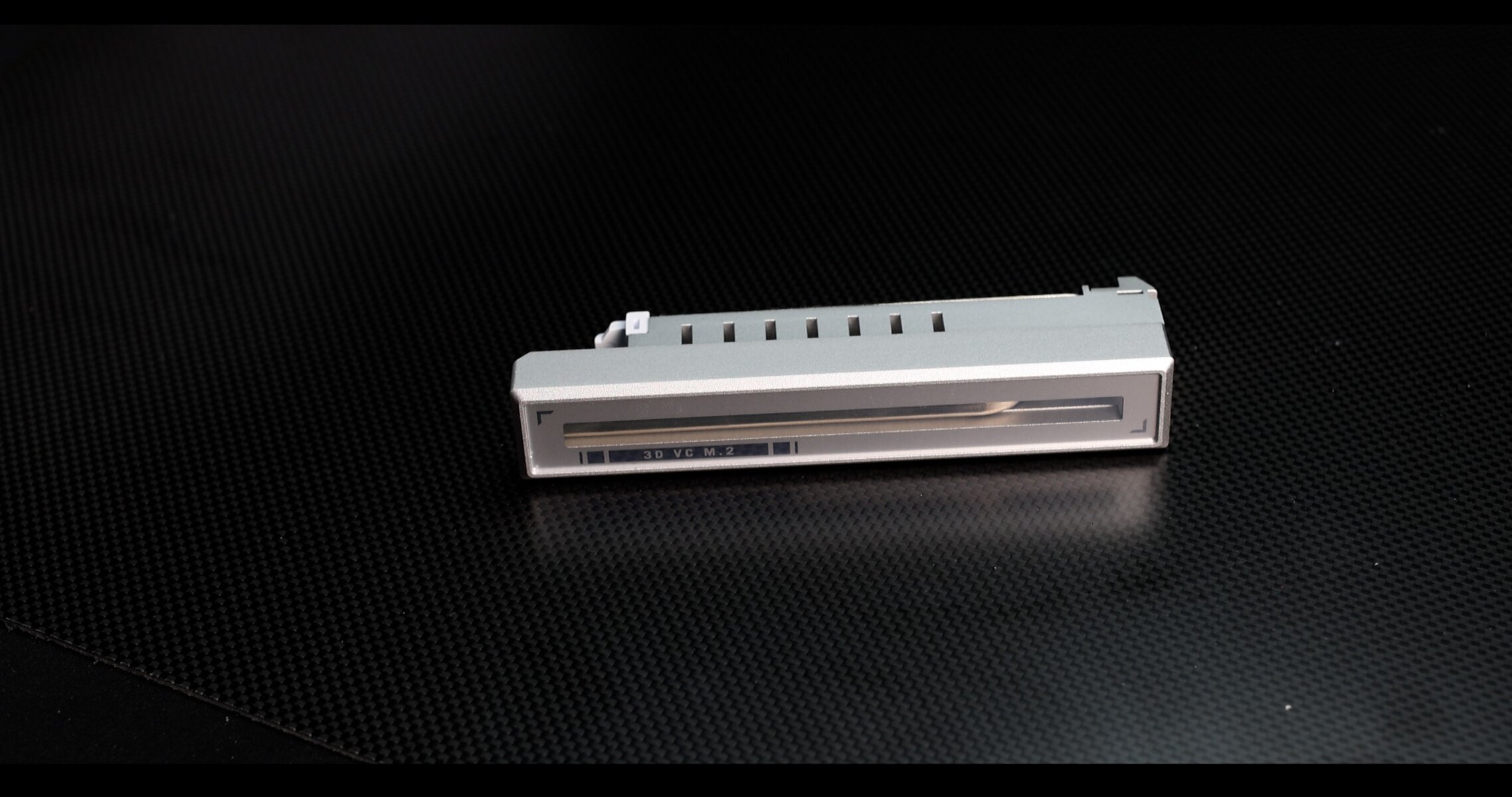
Featuring a large copper pipe extracting harvested heat through a “steam” chamber.
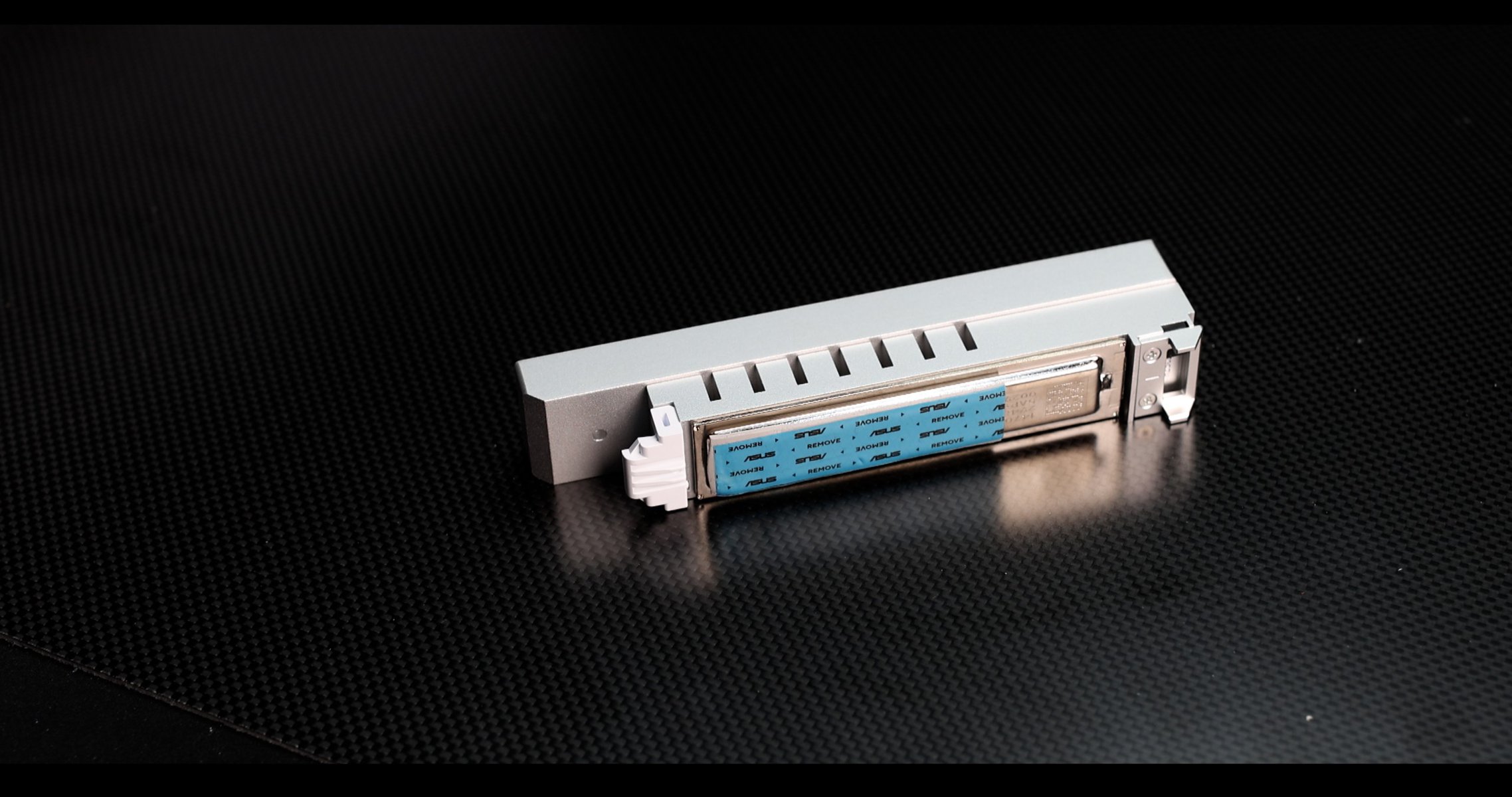
The NVMe block towers above the GLACIAL, encapsulating a heavy piece of dense aluminium, fed by our copper plate, hear visible on the picture.
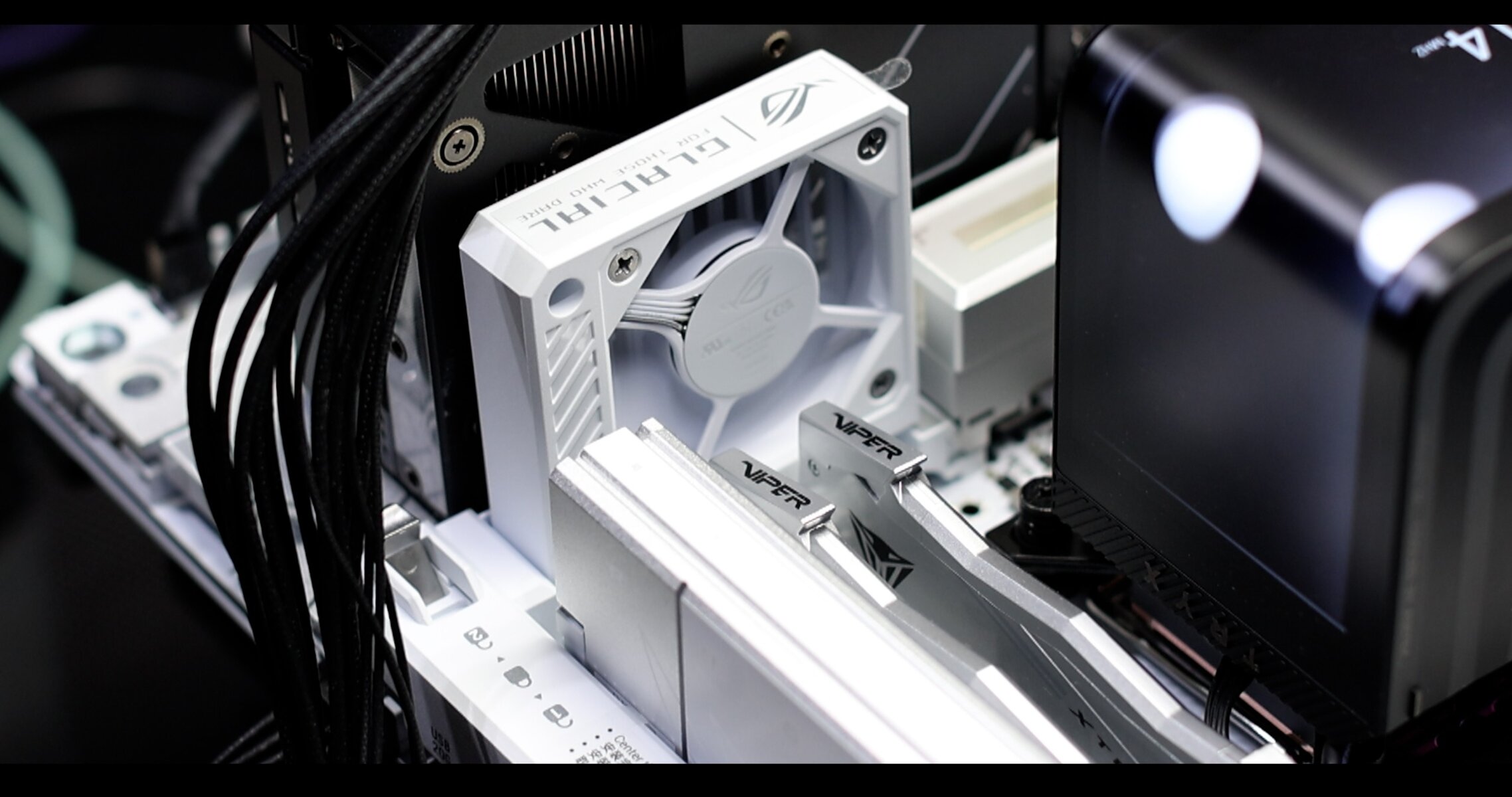
Worth mentioning, the GLACIAL comes with magnetized PWM fan add-on which is here to keep our RAM and DIMM.2 cool at all time. Rather well thought.
PCIe Bifurcation
Thanks to the supplementary “co-CHIPSET” we saw earlier ( ASM1162 ), the GLACIAL is less bandwidth starved than many of its competitors. And that reflect rather well on the PCIe mapping of the board, which guarantees all of its components dedicated bandwidth Lanes. Save one!
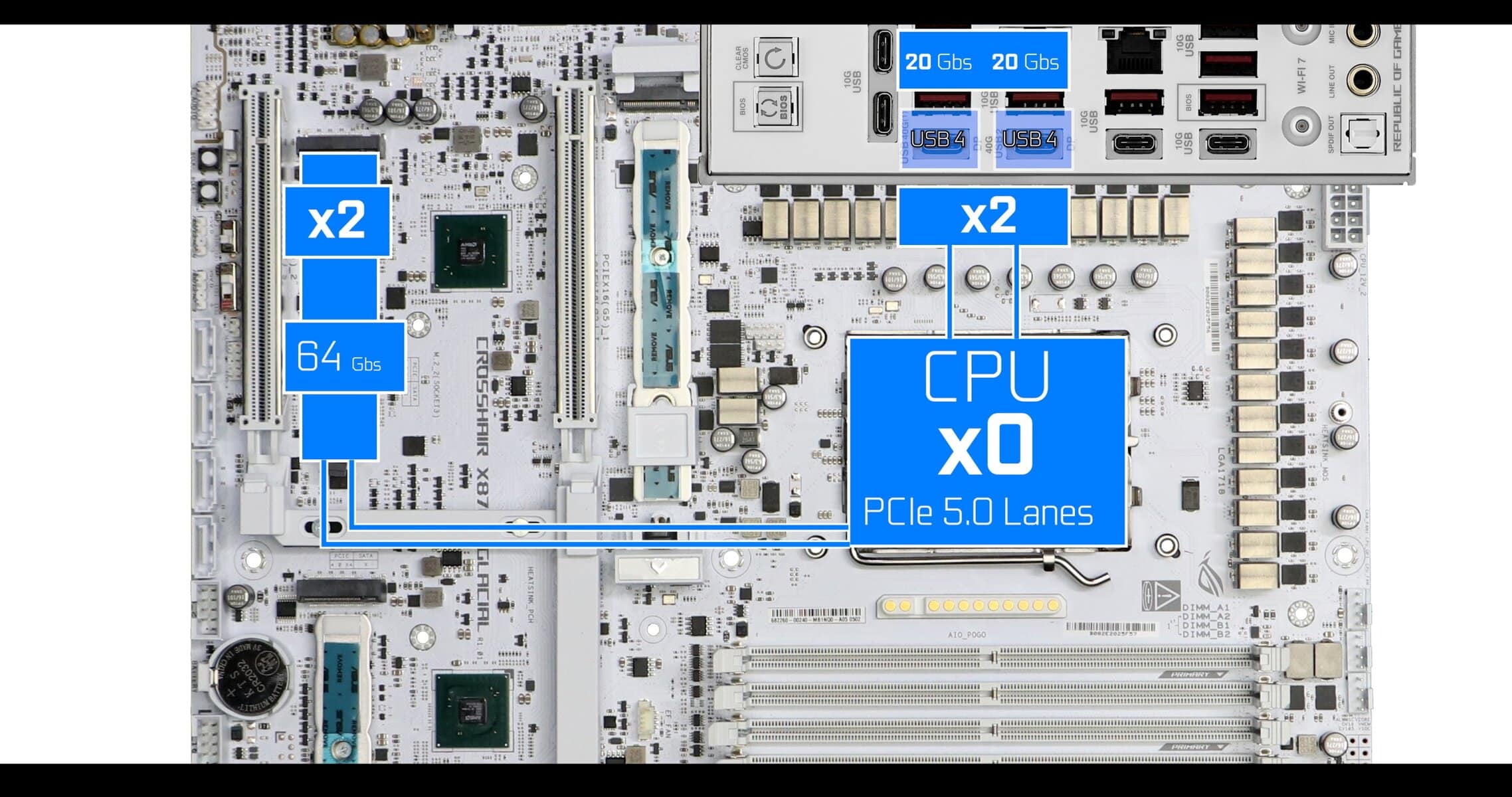
Our Secondary PCIe 5.0 NVMe and our back IO USB 4.0s do share 4 PCIe 5.0 Lanes. As shown above, out of the box, they are configured to share the lanes equally, availing half of the advertised bandwidth to them.
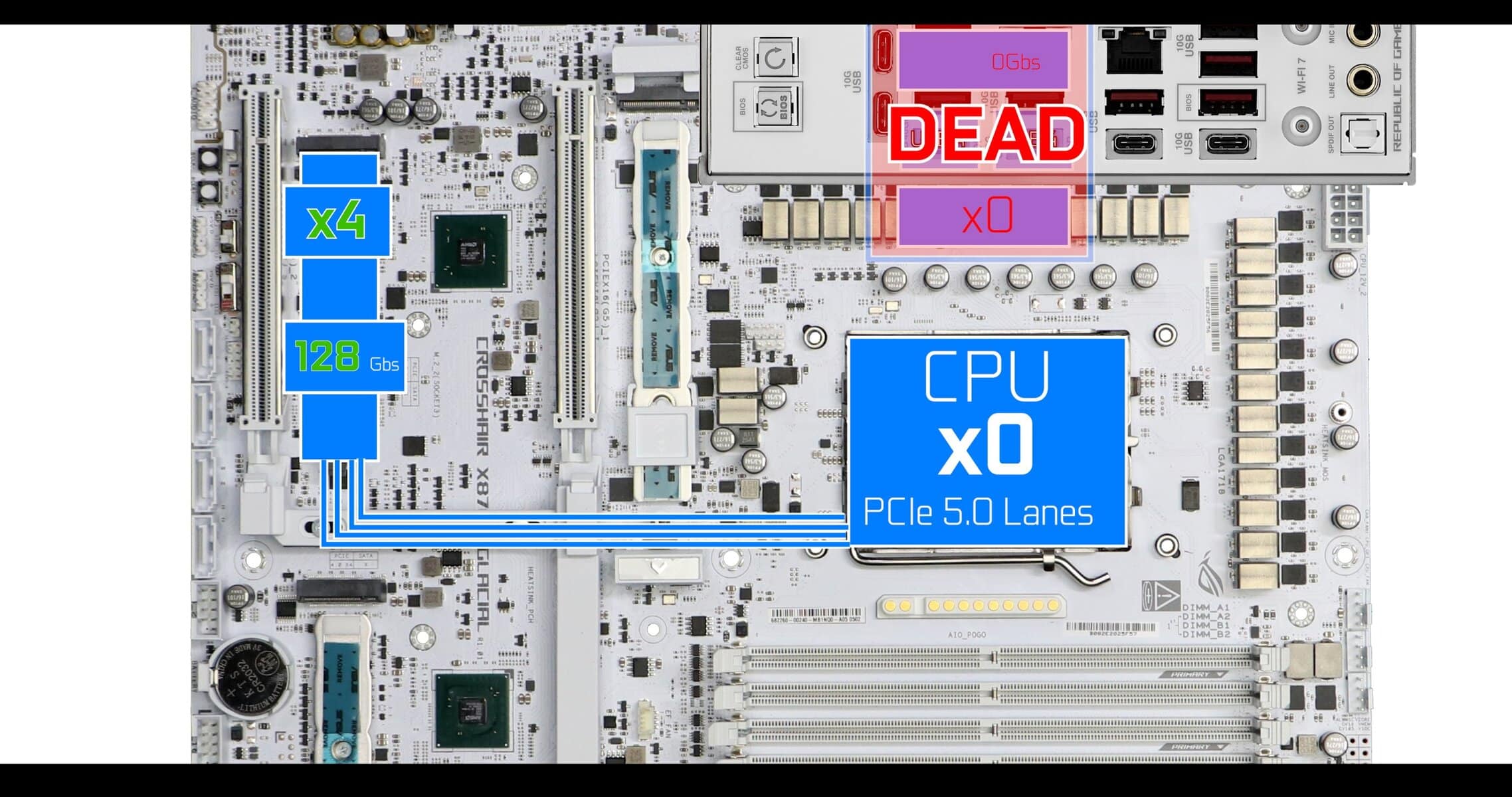
Again, this is the only bifurcation present on this over-equipped board, so a very good point for team ASUS.
PCIe EXPORTS
From intensive gamer to content creator, the PCIe Export shows off the best there is in the industry today, and a bit more.
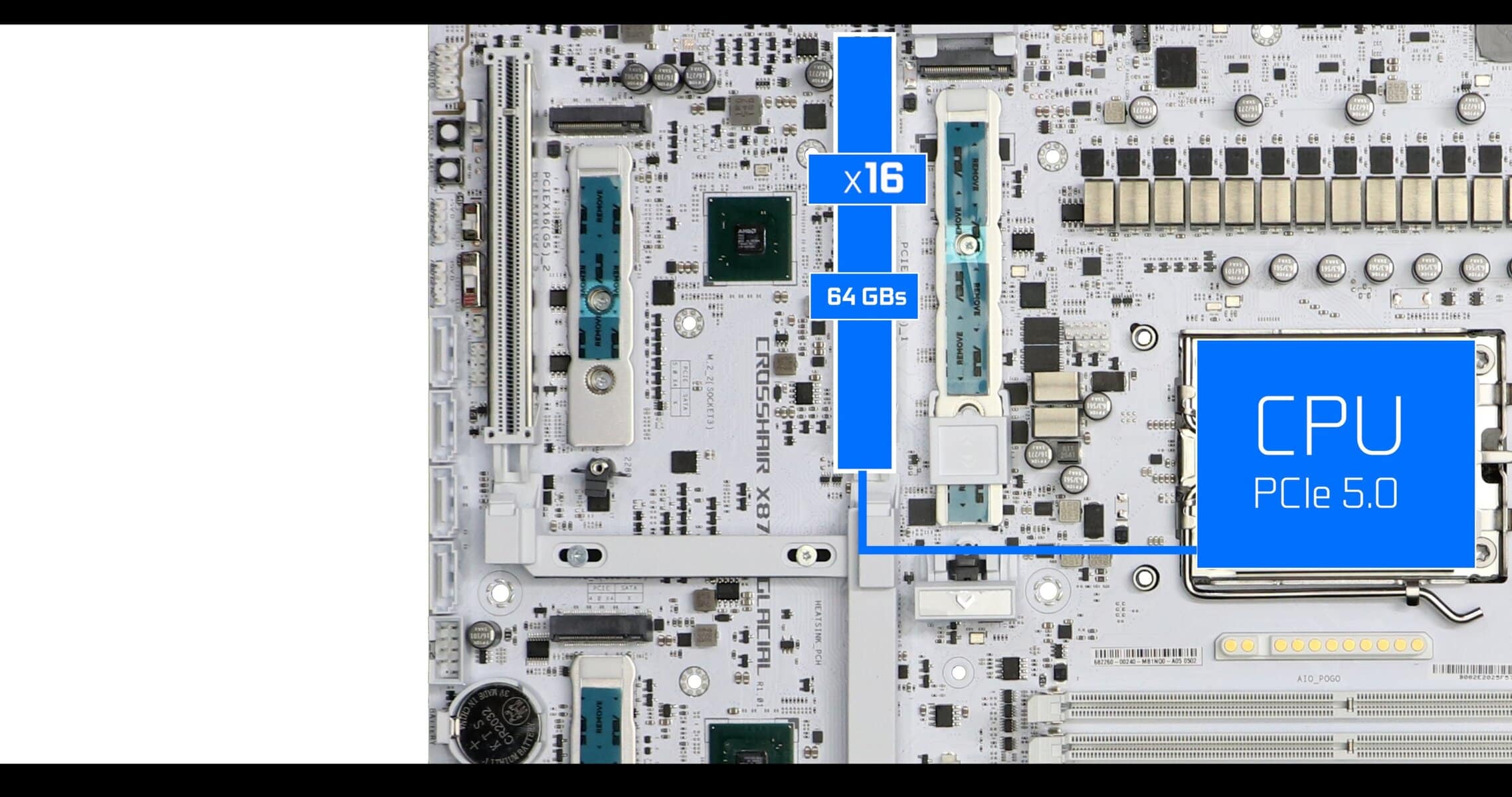
In a single GPU configuration, our closest Export to the GPU is the only one populated with 16 PCIe 5.0 lanes, for a 64 GBs worth of bandwidth each way.
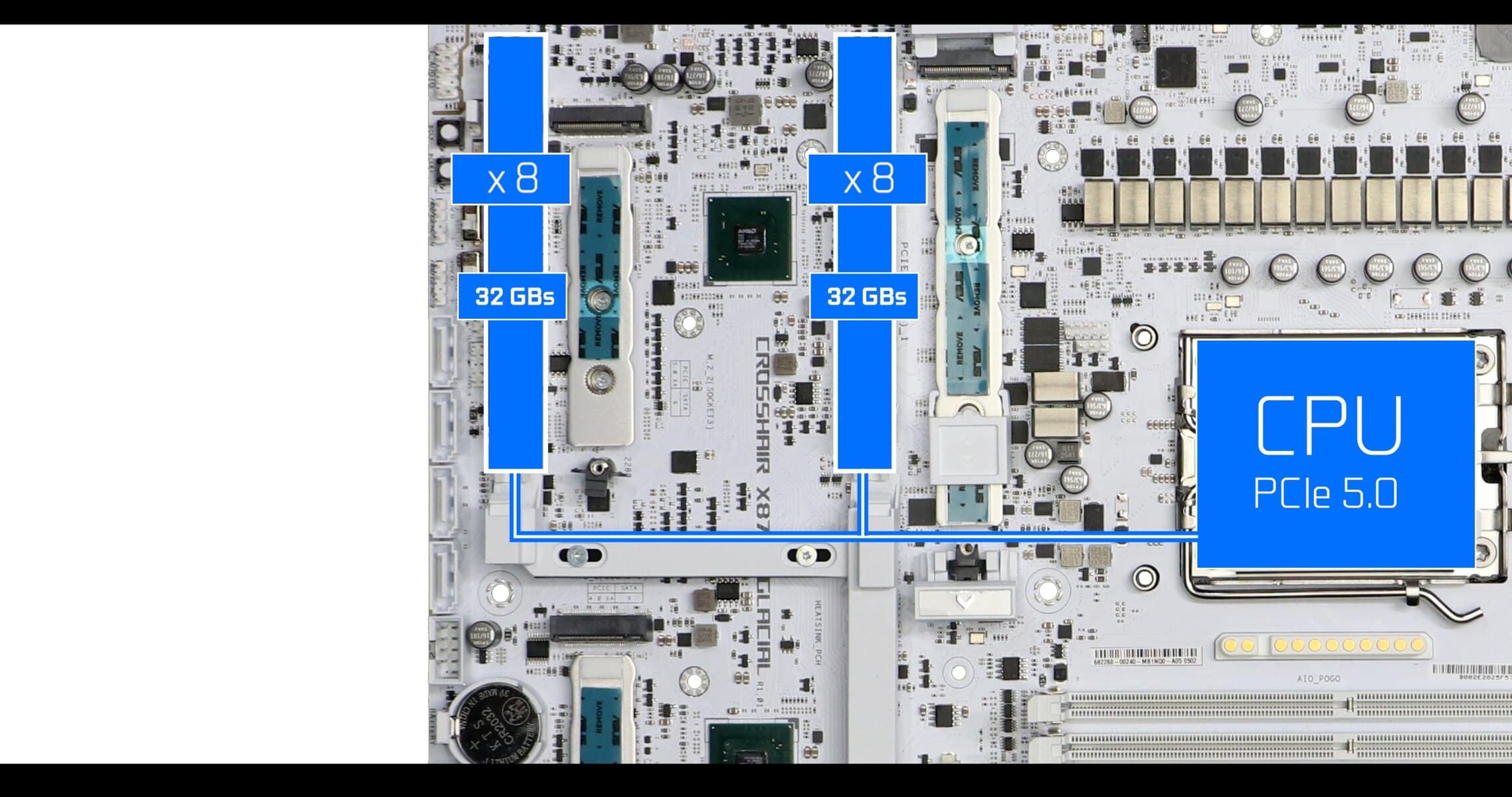
In a DUAL GPU configuration, lanes are shared in a 8 by 8 configuration, giving us a still very fast 32 FBs worth of bandwidth each way.
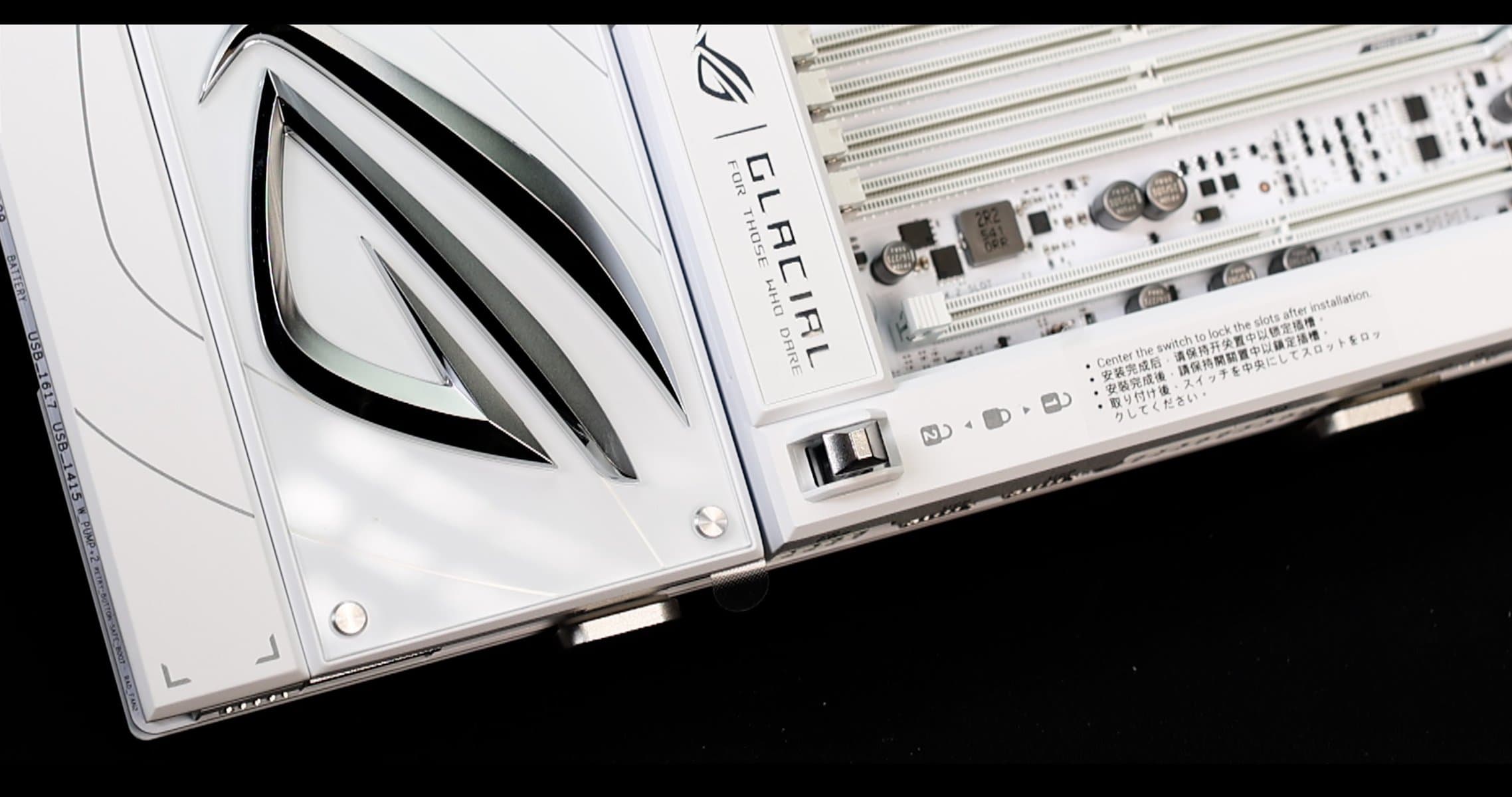
The best part is the DUAL GPU LOCKING MECHANISM. ASUS is the first one to do so.
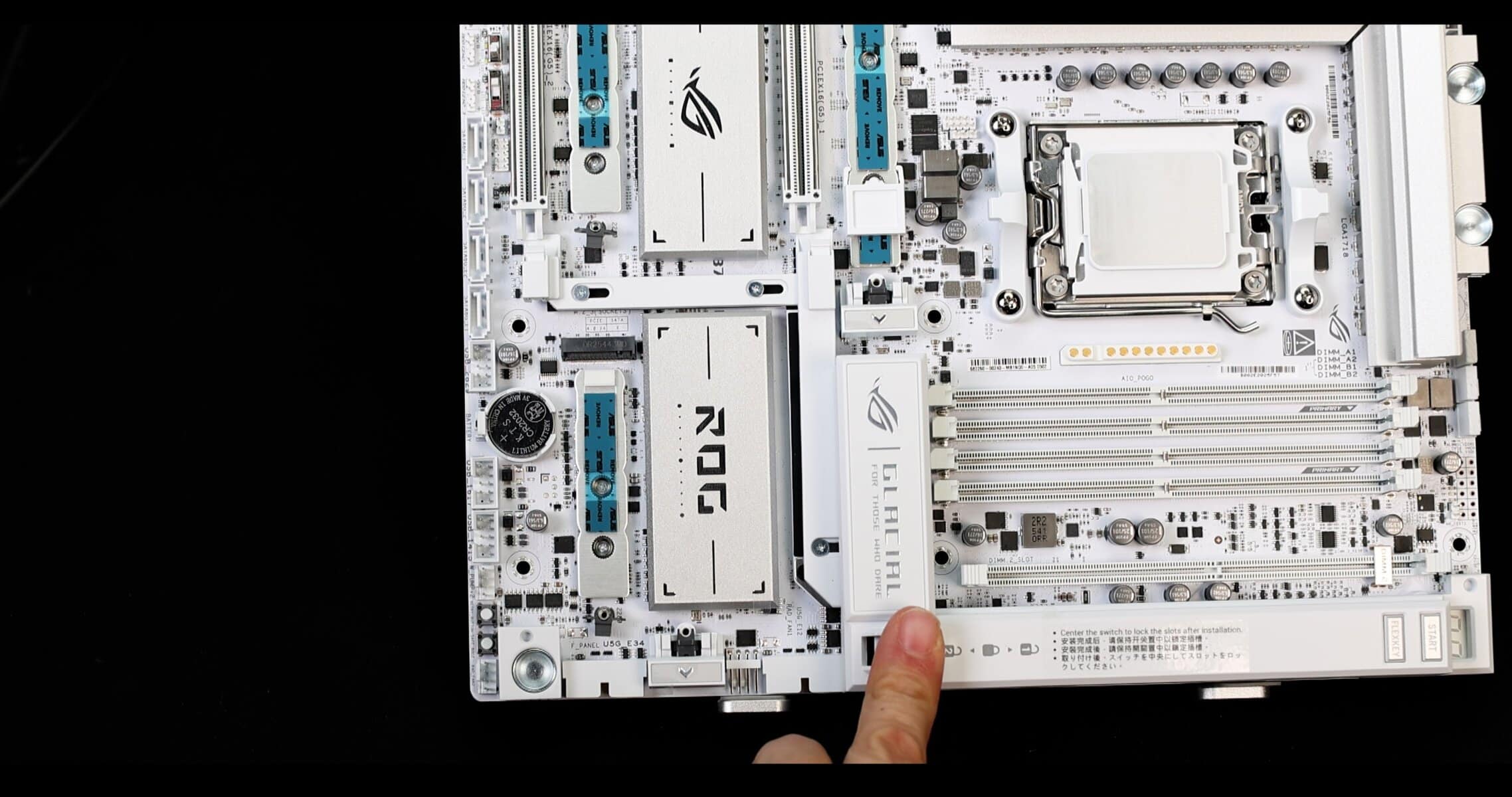
A noticeable walk back from last year Trigger based PCIe express locking mechanism which did, at time, slightly scratch the GPU PCB ( after 80 removals ). A nothing burger scandal which has the merit of delivering about the best GPU locking mechanism I have seen in a decade. So no regrets!
BACK IO
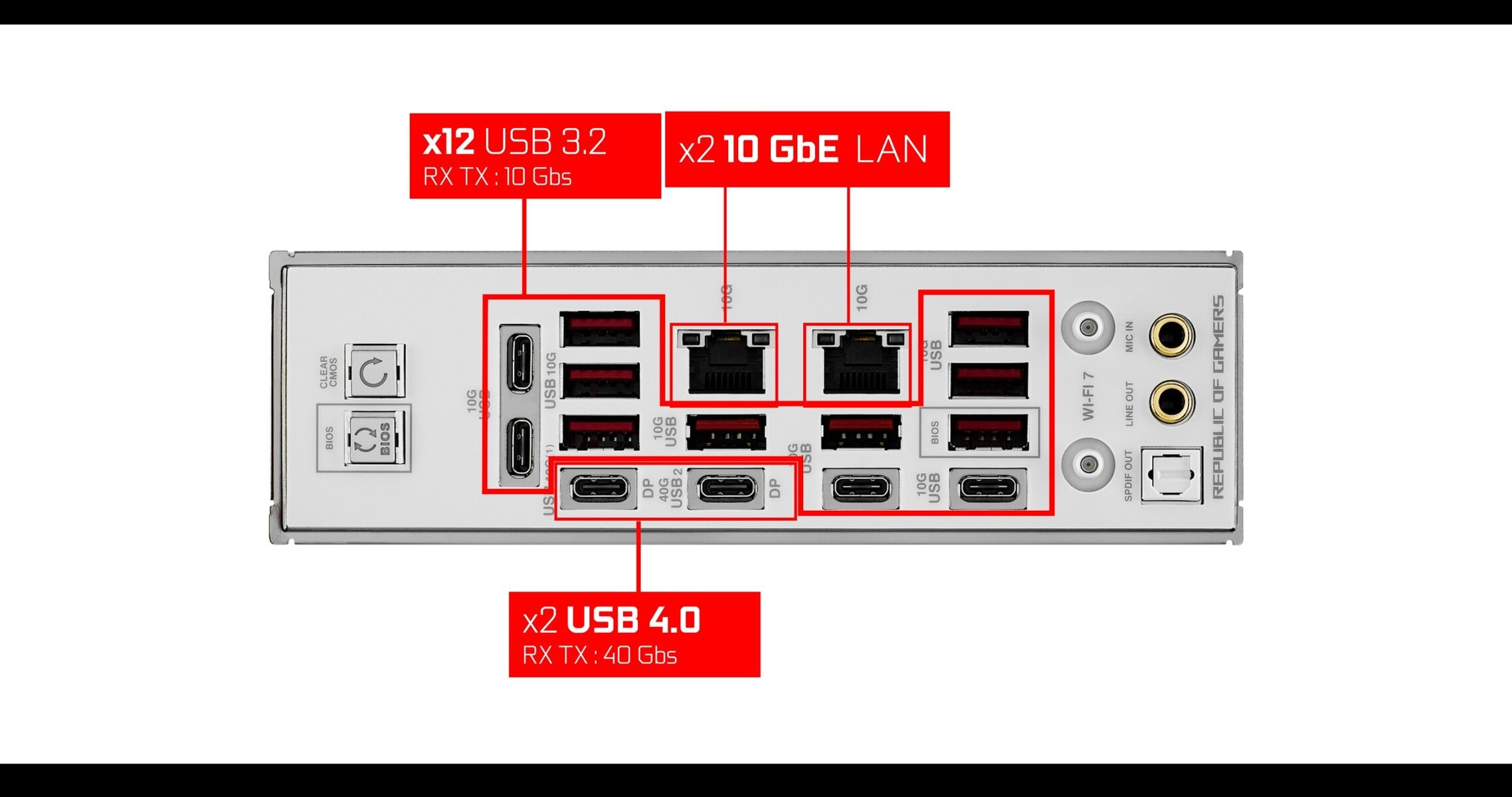
x4 USB 3.2 USB TYPE-C - RX TX : 10 Gbs
x8 USB 3.2 USB TYPE-A - RX TX : 10 Gbs
x2 USB 4.0 USB TYPE-C - RX TX : 40 Gbs
x2 LAN 10 GbE
WiFi 7 (Low latency 5.9 Gb/s, 320 MHz, 802.11be)
Audio: ALC 4082 with 3rd Gen Quad DAC
As everything else on the GLACIAL, the BACK IO is absolutely SPECTACULAR! We have upto 200 Gbs worth of USB based data swap, but most importantly , we got TWO 10 GBs LAN plugs, which I believe is a first!
Absolutely great for UGREEN NAS users in particular which offers the 10 Gb access to quickly pull and edit 4K files, AND still have access to a low latency 10 GBs fiber optic connection. Absolute insane.
The only caveat I have is the absence of classic HDMI or Display Port graphic output. Instead the GLACIAL relies on the USB 4 Display Port abilities, which is great and probably the way toward the future, but I find it is not very practical and a bit premature.
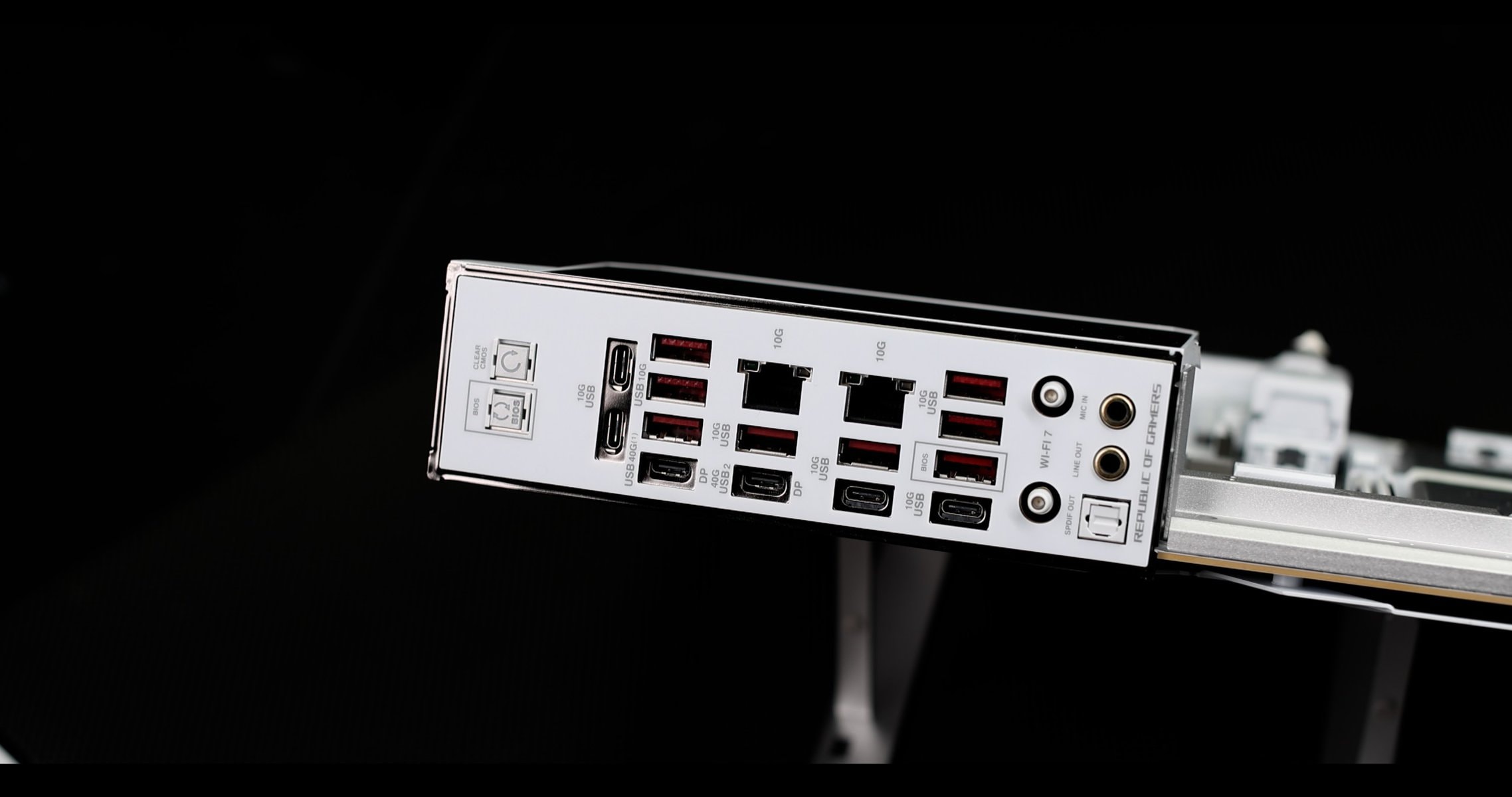
Audio wise, we have the best of what integrated solution can offer. An all digital ALC4082 codec, promoted by a 3rd gen. ESS® ES9219 QUAD DAC, the whole filtered by 500 micro farads worth of solid capacitors.
Perfect for any premium usages, spanning from rich gaming environment, to static free content creation.
FRONT PANEL CONNECTOR
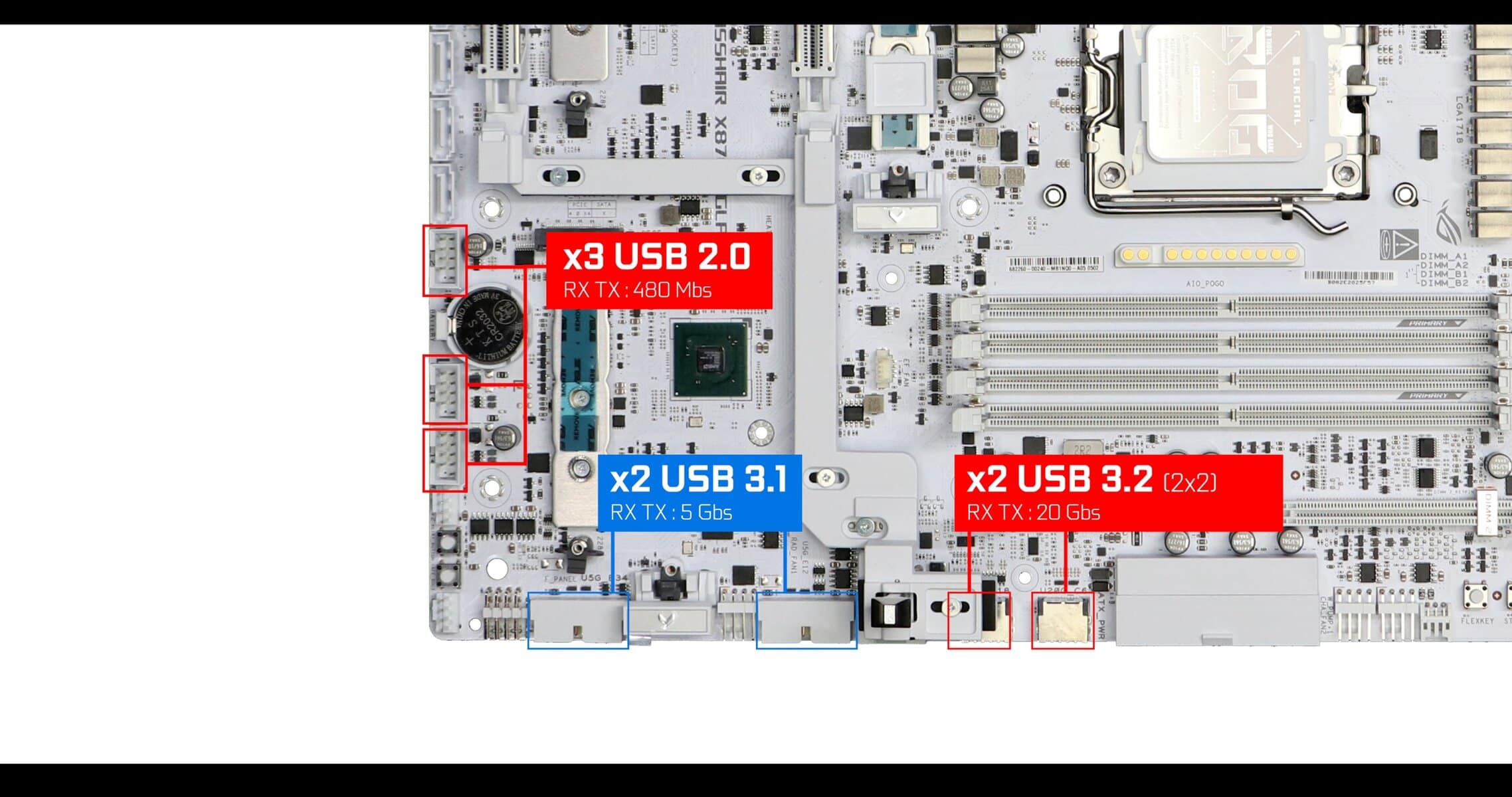
x3 USB 2.0 USB TYPE-A - RX TX : 480 Mbs
x2 USB 3.1 USB TYPE-A - RX TX : 5 Gbs
x2 USB 3.2 (2x2) USB TYPE-C - RX TX : 20 Gbs - 60 Watts charging
Special kudos for the upto 60W charging of our type-C front panel connectors.
COOLING
Probably one of my favorite part of this board, and a testimony on how daring ASUS can be.
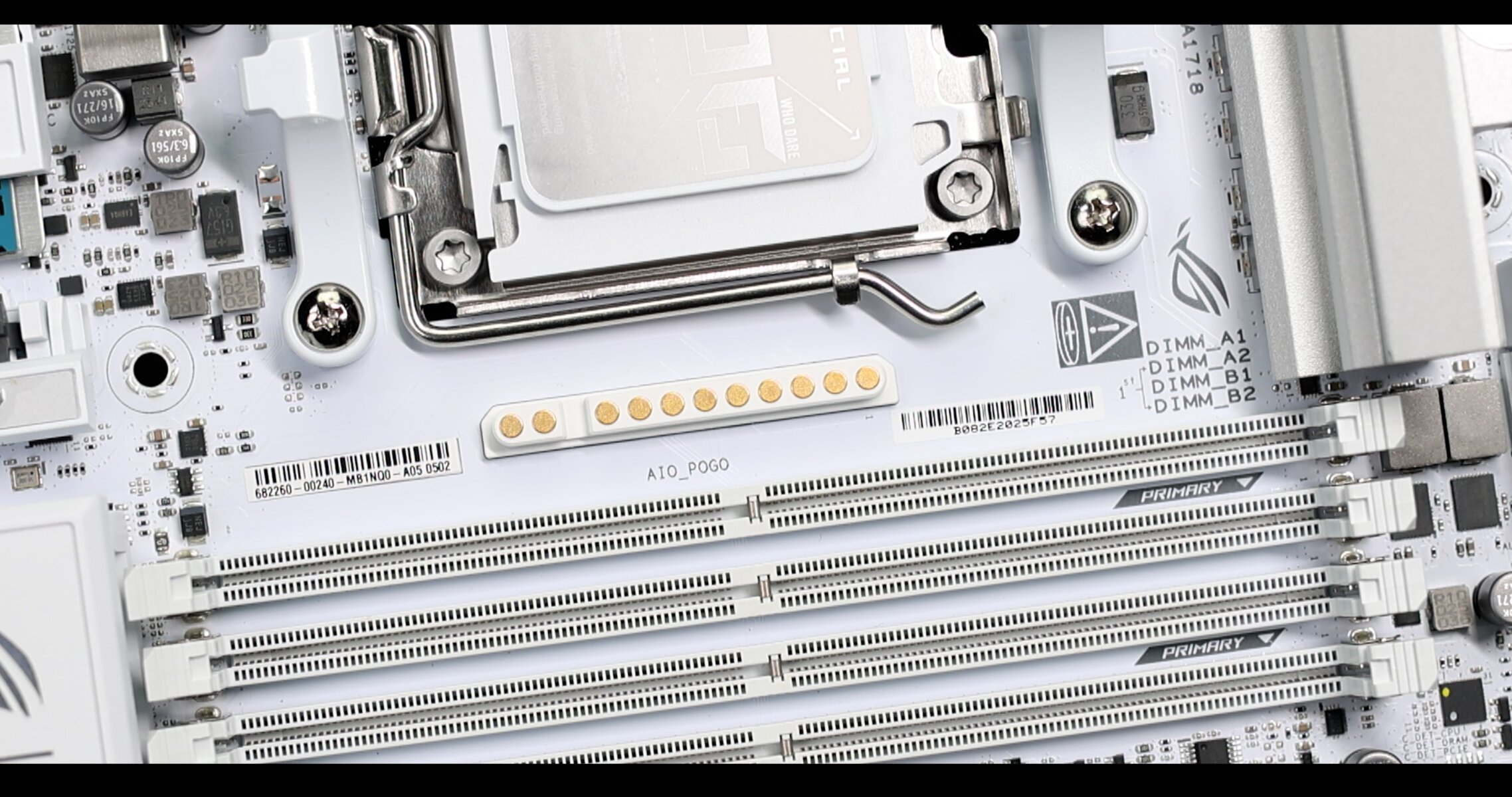
This extra connector is called the AIO Q CONNECTOR and will feed compatible AIO water coolers with power, software and PWN fan instructions, removing the need of any wires. Probably the last cable-free grail in the PC building world.
And ASUS had absolutely no fear, splitting the PCB in two and injecting this connector in there. I absolutely love it
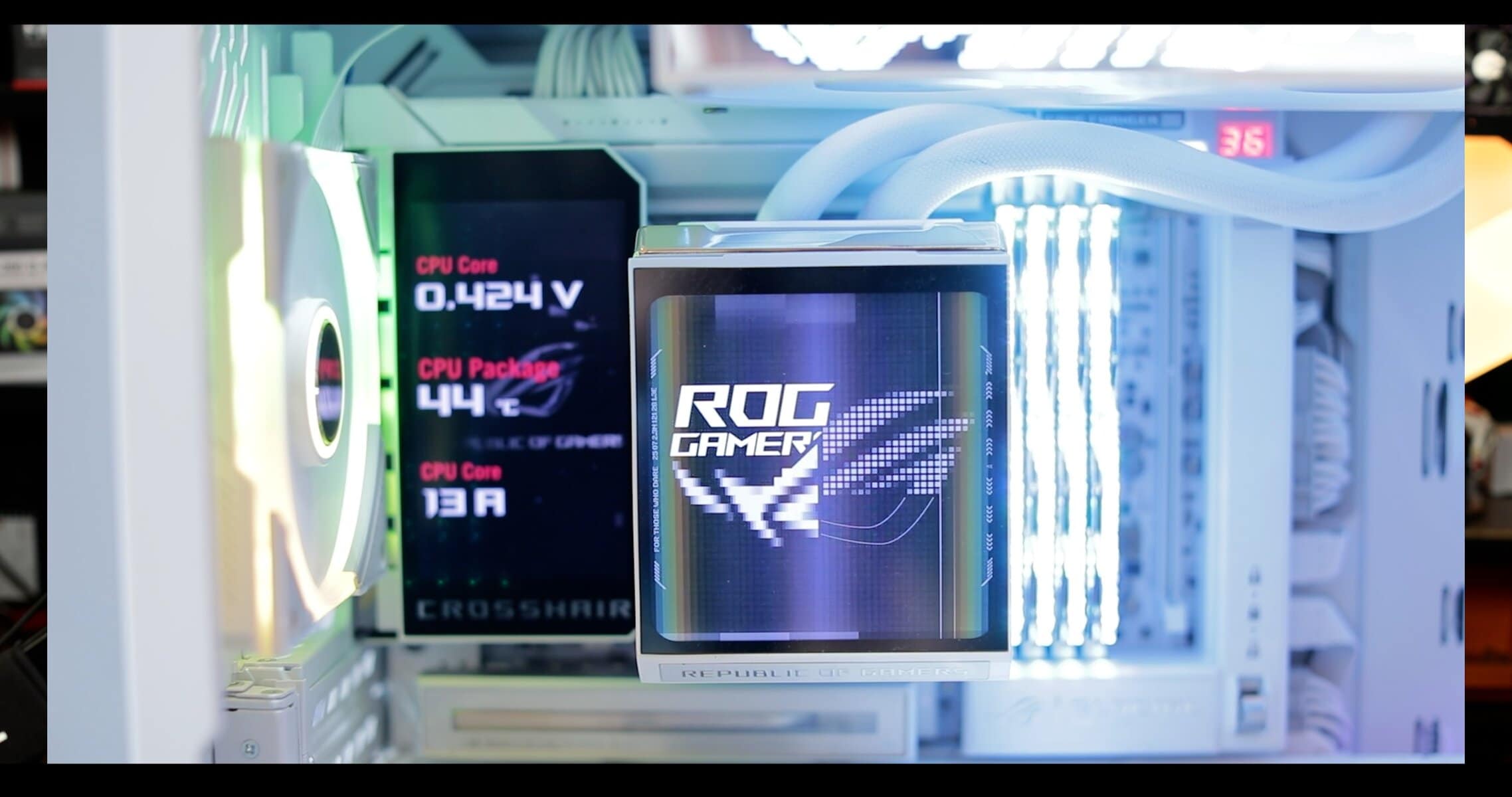
Here is a shot i took at CES 2026 ( LAS VEGA ) where I had the chance to see it first hand.
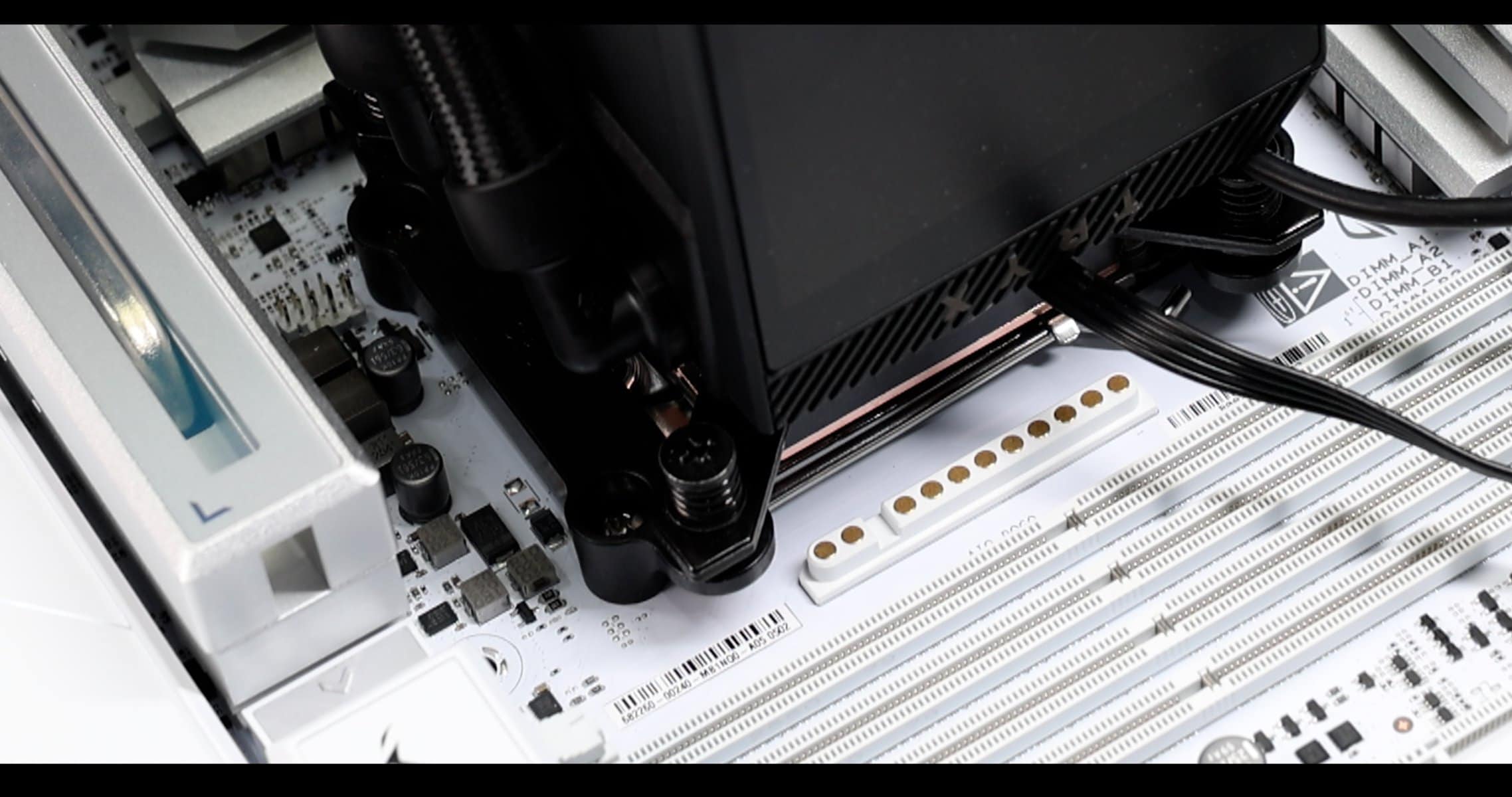
Worth mentioning, AIO Q CONNECTOR equipped boards can still accommodate classic AIO water coolers.
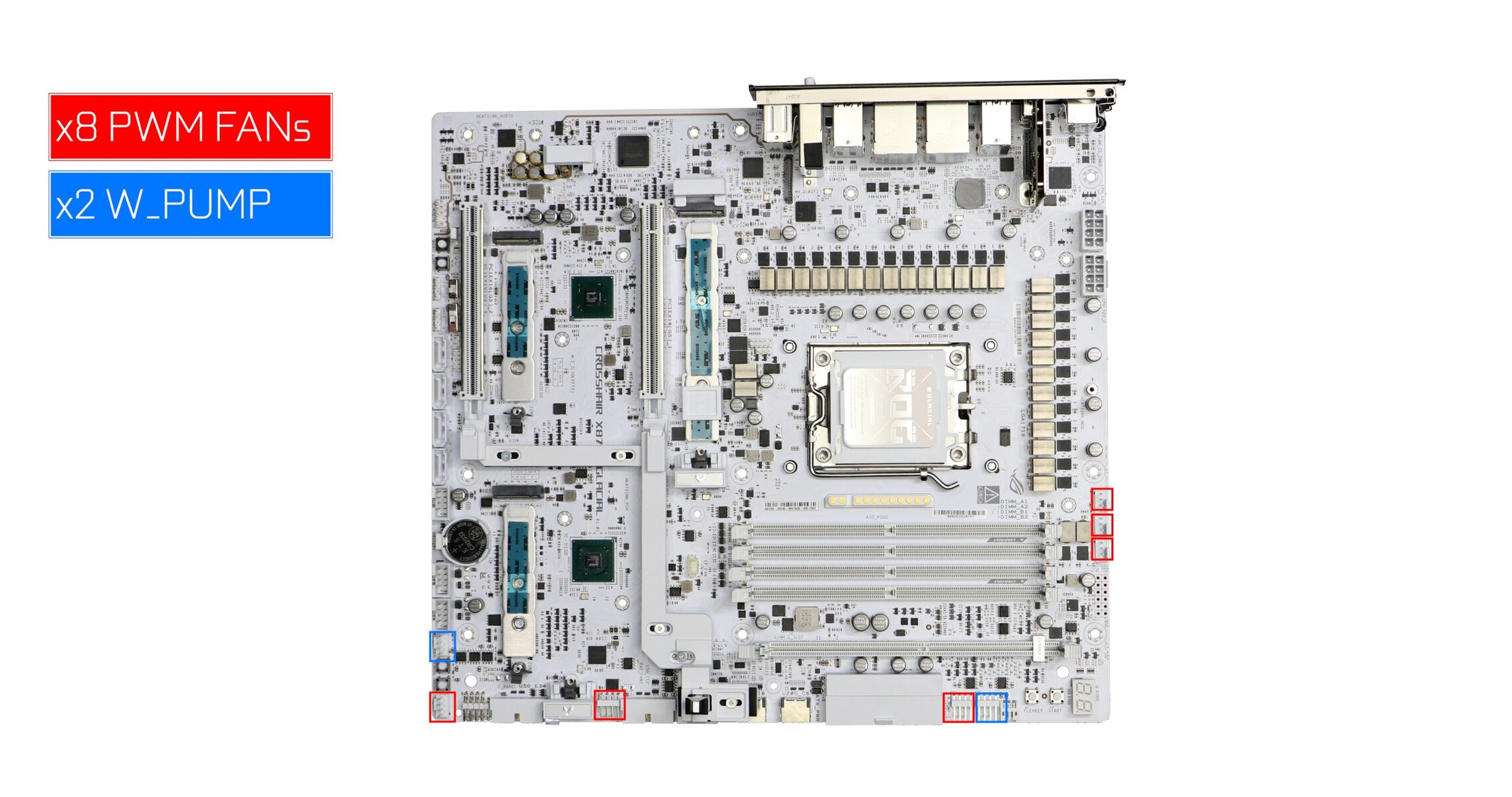
In a more classic registry, we got our usual PWM FANS and Water PUMP connectors for anything spanning from a good air flow to a custom water cooling situation,
We even have a LN2 mode in the case you’d want to try your luck on a 3 grand an hour cooling solution :).
BIOS
The GLACIAL, as well as the entire NEO line-up of motherboard, benefit from ASUS first fully redesigned BIOS in a decade. And it looks great!
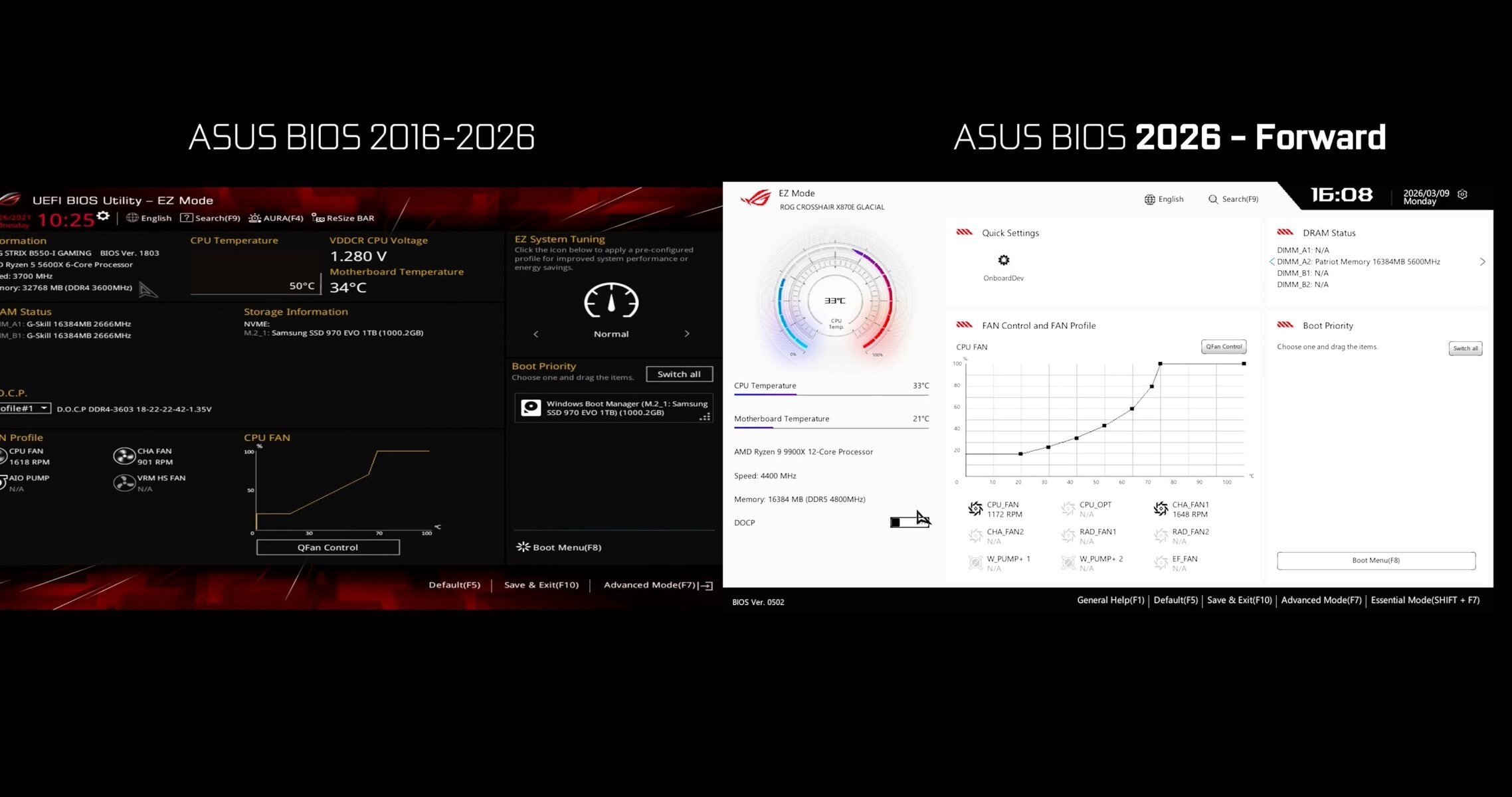
Higher resolution, nicer graphics, better mouse handling (finally) and much more sturdy backbone, ASUS new BIOS comes in on most of the new NEO line-up of motherboards. And that is a bigger deal than you might think.
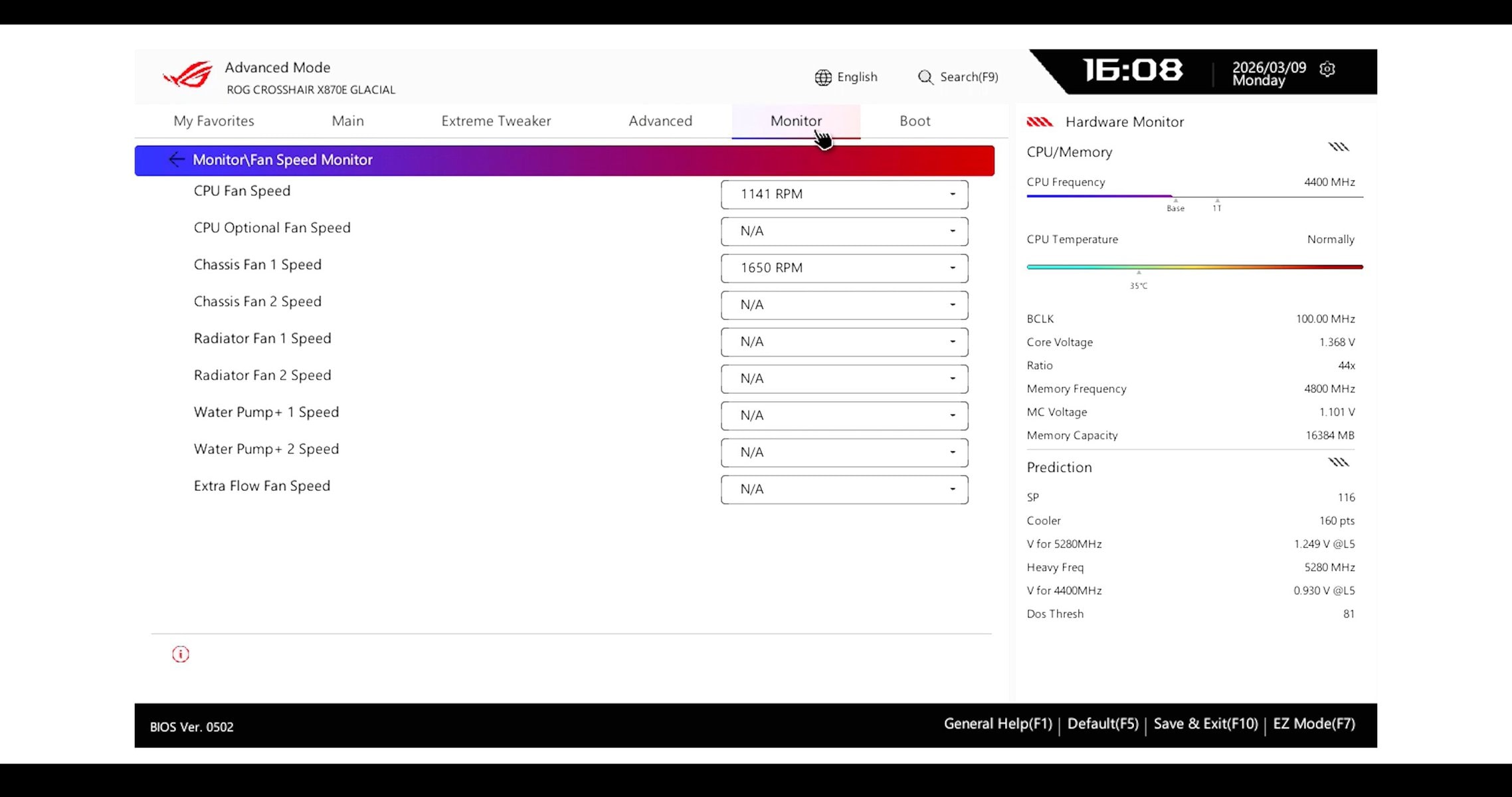
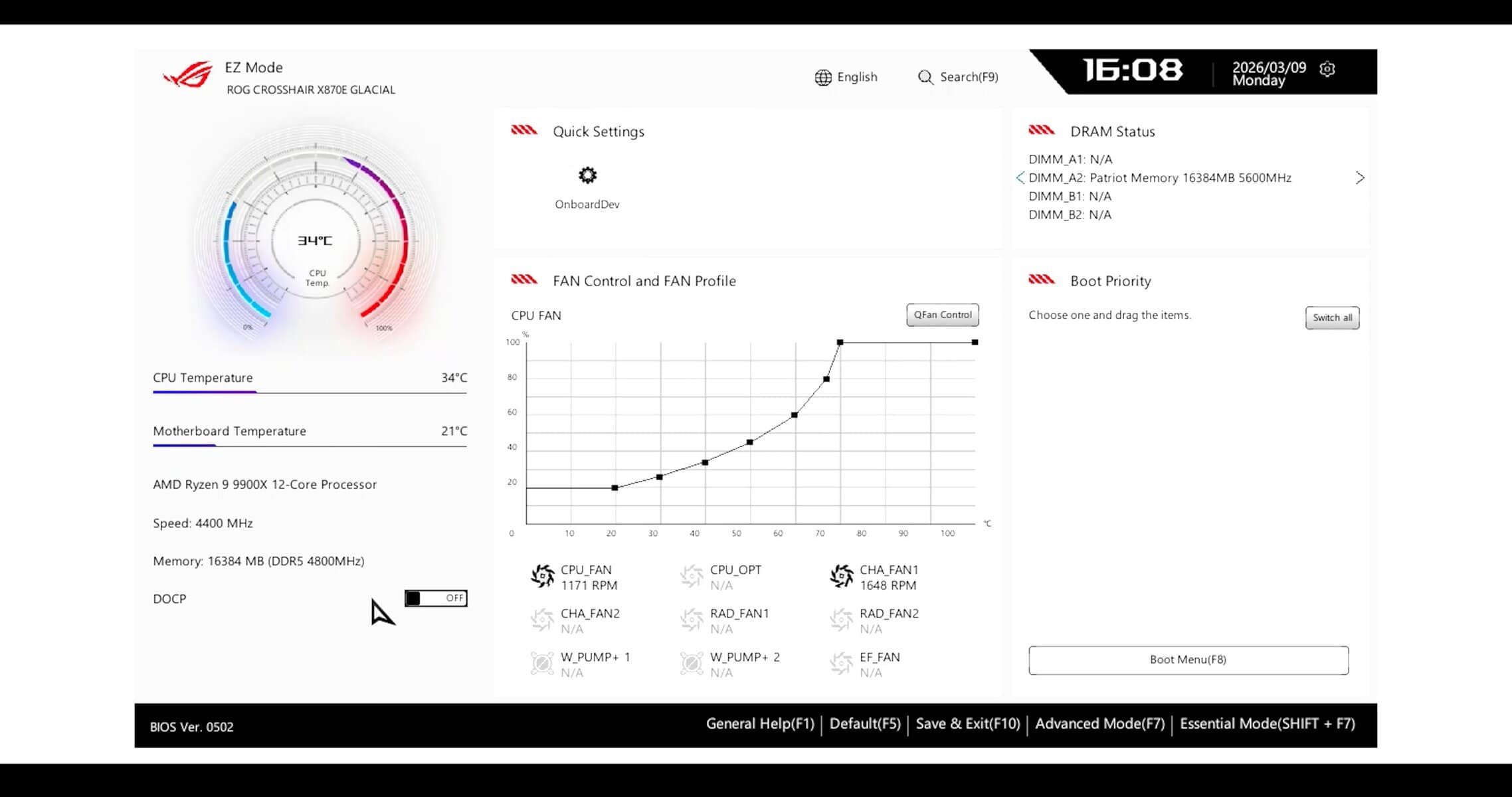
It departs in all the good ways from its older version whilst remaining intuitive. And it is, without shame, that I say, this new BIOS is better than a lot of the windows based software ASUS had released the past few years.
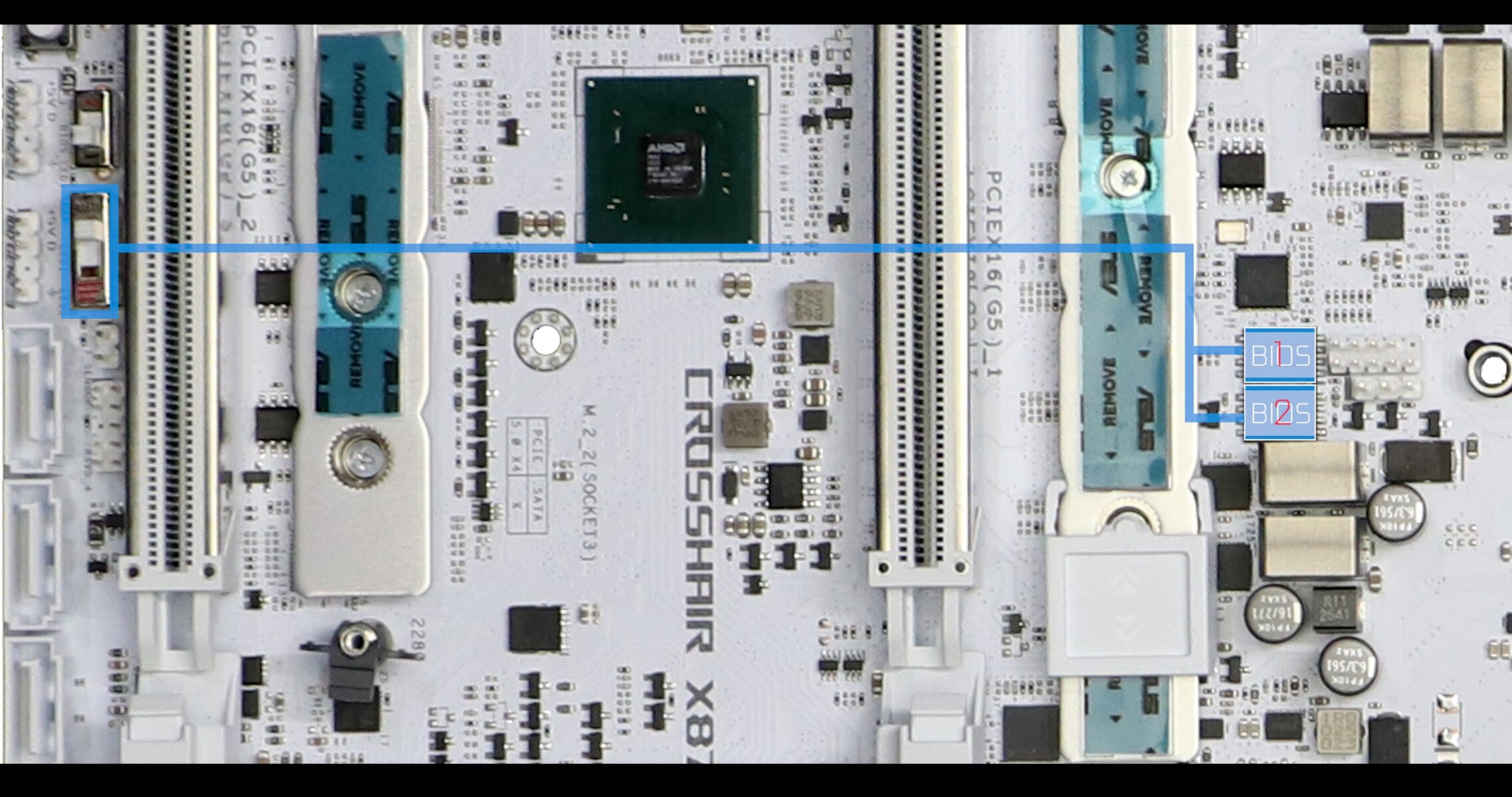
To support such a nice enhanced and redesigned BIOS, ASUS had to upgrade the storage chip, going from 32 MB to 64 MB chips, which, in the GLACIAL case, came in a pair, since you have a DUAL BIOS features, which will allow you to swap BIOS on the fly with a flip of a switch. I absolutely love it!
TROUBLESHOOTING
Obviously the GLACIAL comes with everything an uber premium board should come.
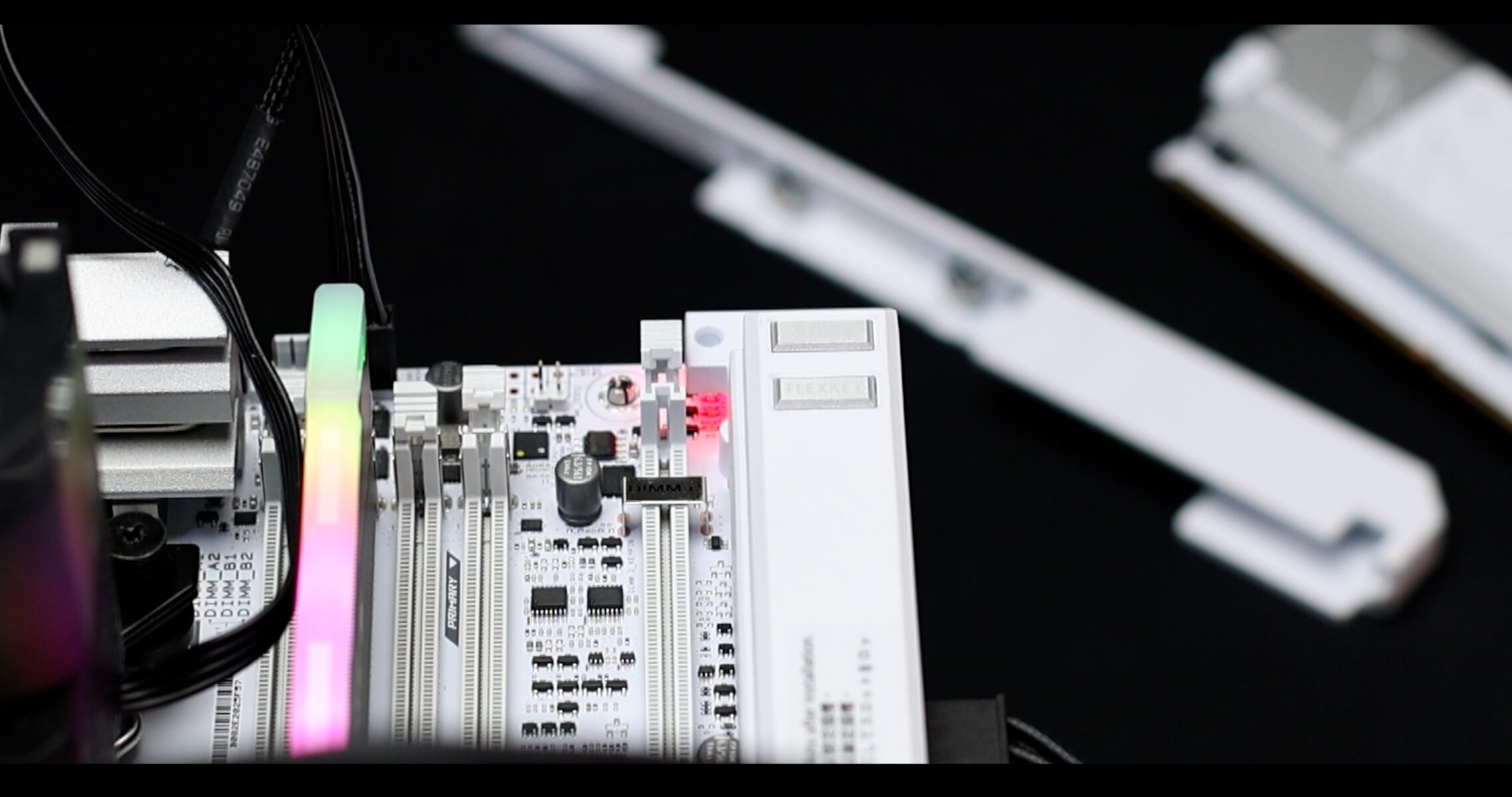
Apart form a somewhat awkwardly placed and partially hidden EZ DEBUGGER, we have 2 OLED error screen which will do a great job at pinpointing the exact reason why the board is facing problems.
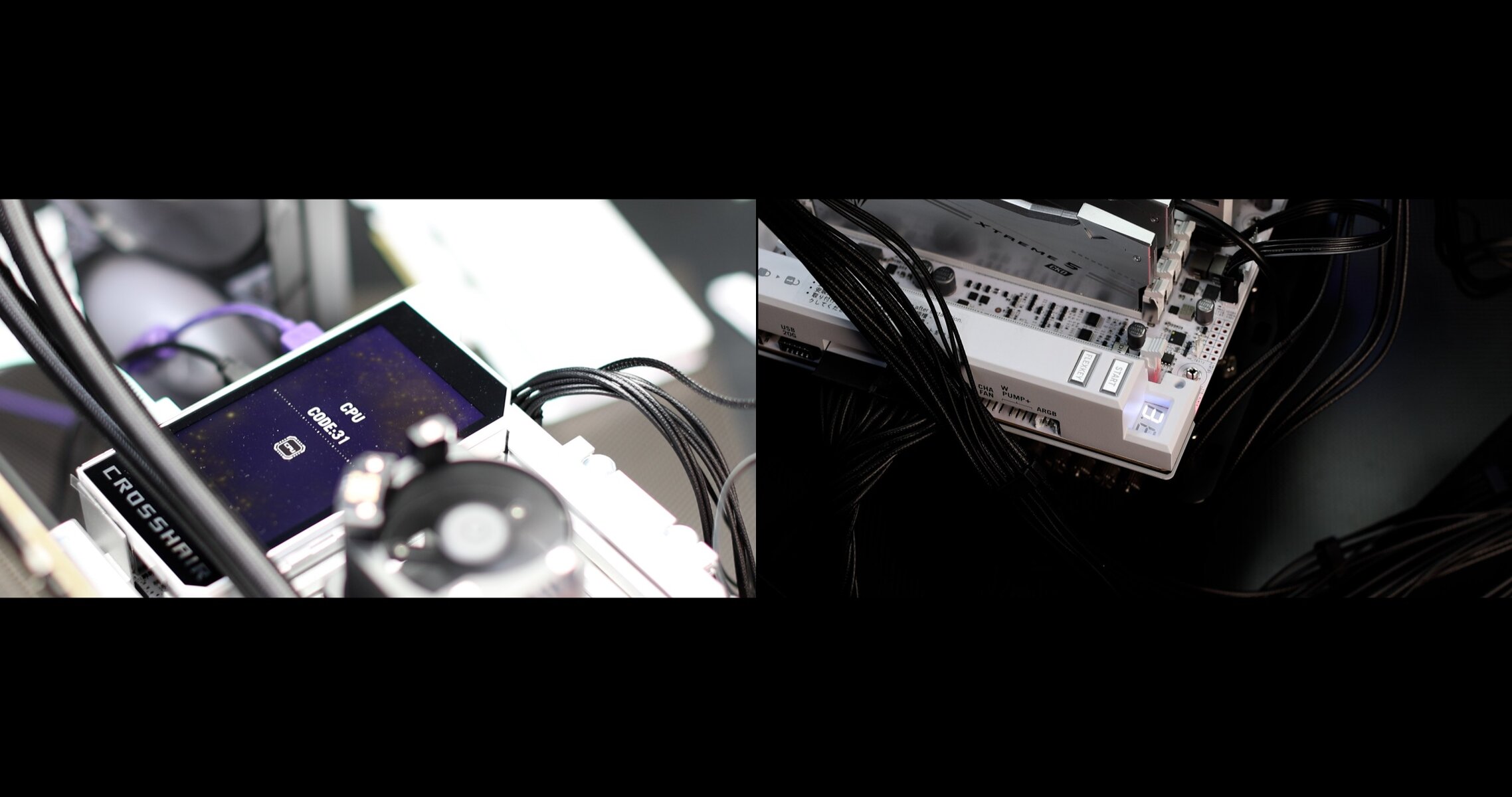
Got to notice and command the large OLED screen which clearly refines our troubleshooting experience.
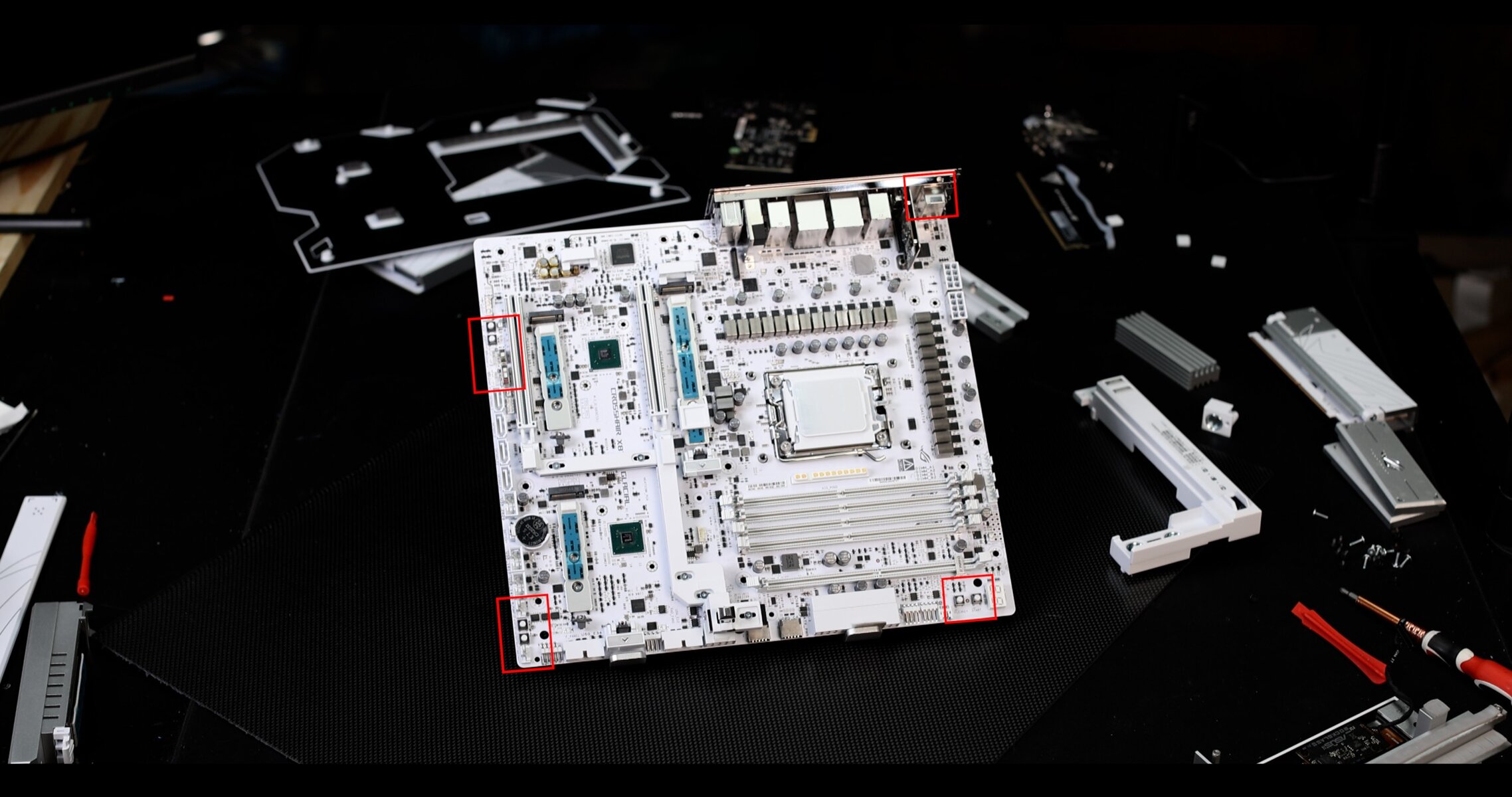
We also have a myriad of direct access buttons:
ON BOARD
- START & RESET
- MEM_OK & SLOW BOOT
- LN2 mode
- DUAL BIOS switch
- PCIe_Safe button
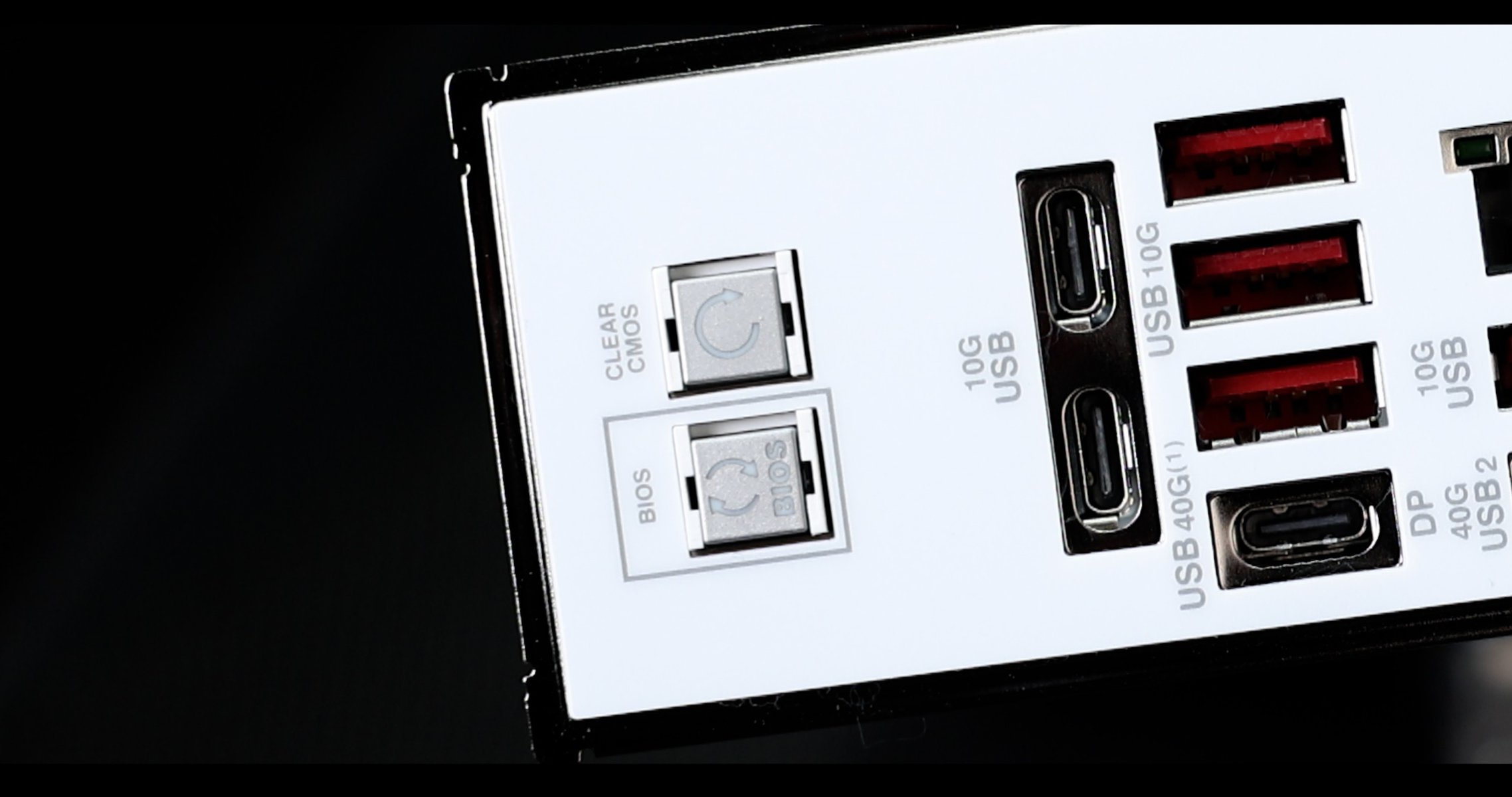
BACK IO
- CLEAR CMOS
- FLASH BACK BUTTON ( CPU less )
CONCLUSION
The ROG CROSSHAIR X870E GLACIAL retailing at approximately 1,300 USD in the US and 1,100 EUR in the EU, it is an incredibly expensive motherboard. The primary question is whether it is worth the investment.
From a performance standpoint, it can handle everything from intensive gaming to demanding production environments.
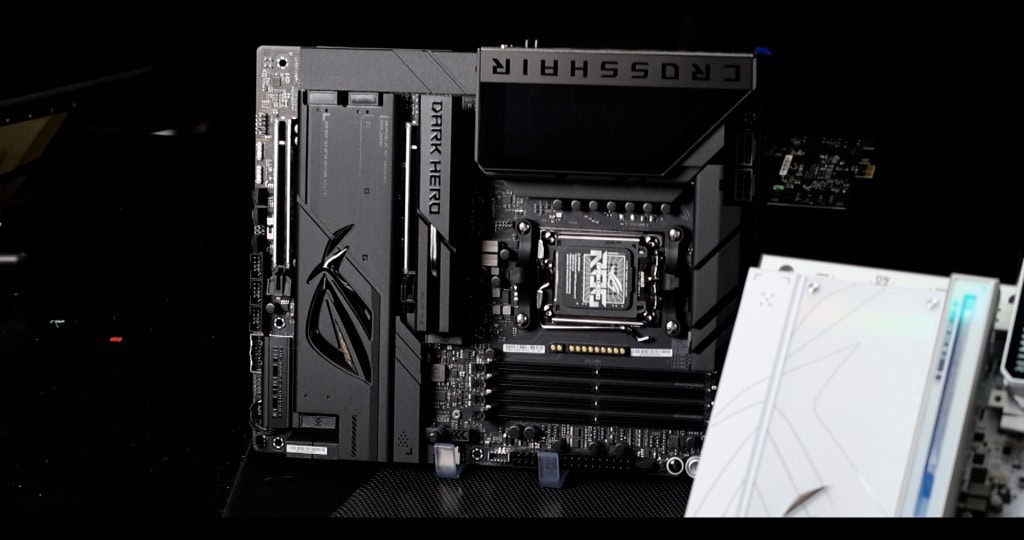
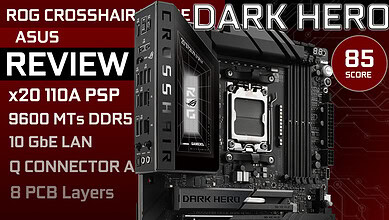
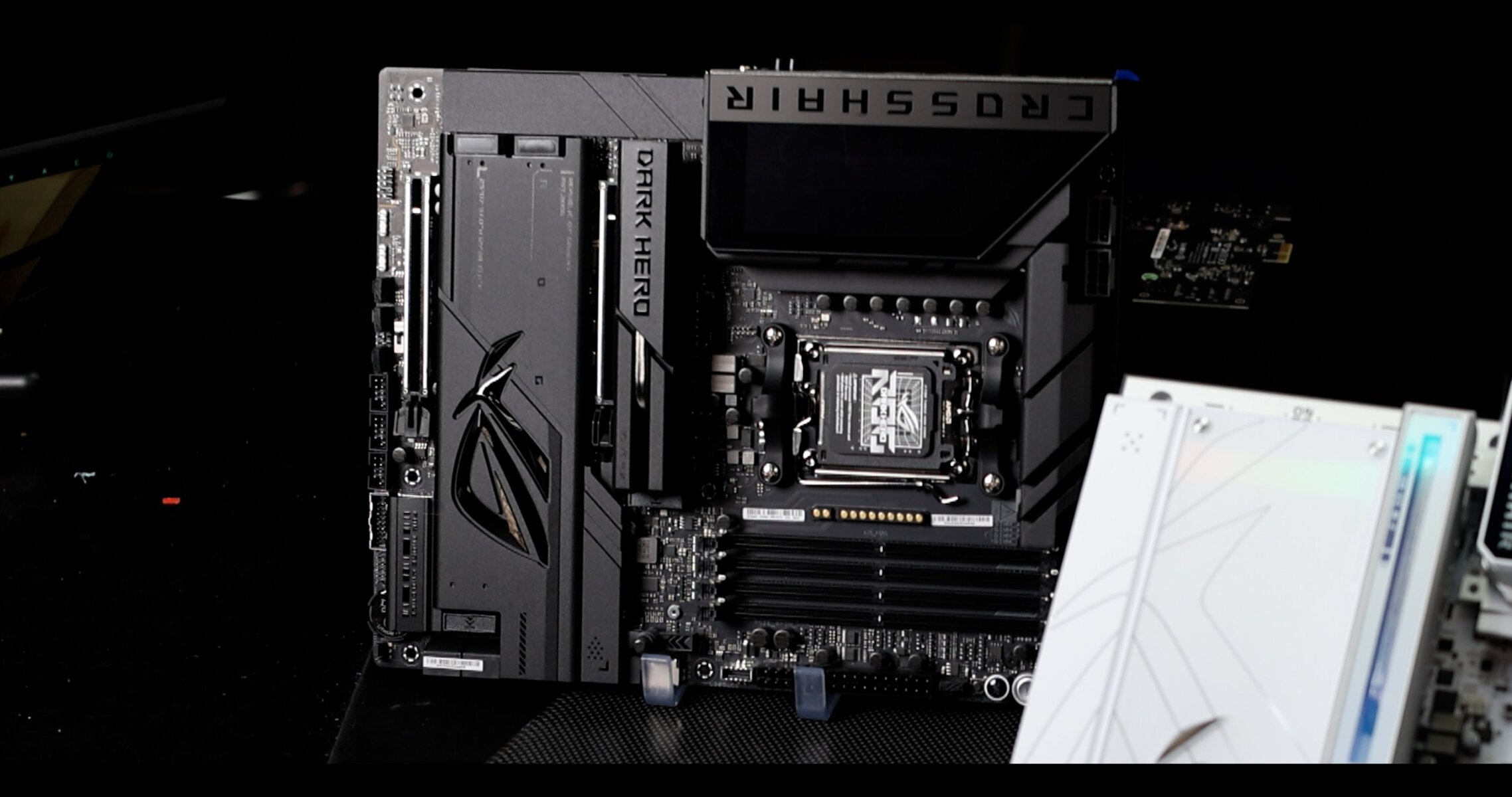
However, it will not necessarily offer speed or performance gains over the more affordable ROG CROSSHAIR X870E DARK HERO, which I am also currently reviewing.

Absolutely overpriced… any boards above 1K USD is simply an insult! What were they thinking?
Mais… c est qu elle est mignonne cette CM!!!!!! Bon pas donne quand meme
I am still good with a MAXIMUS VII HERO ahahaha… 8 years old board are going better than ever… SUCKER!!!!!!
And why is ASUS not releasing the STRIX X870E-E NEO ????? I am NOT going to buy anything else…
Loveeeeed the Video !!! Did you do the DARK HERO yet? Does it keep the AIO water thing ?
Another year waisted…. great ASUS