
Core Ultra 400 Series – 52 cores confirmed – x36 PCIe 5.0 lanes
Intel is back with a big B

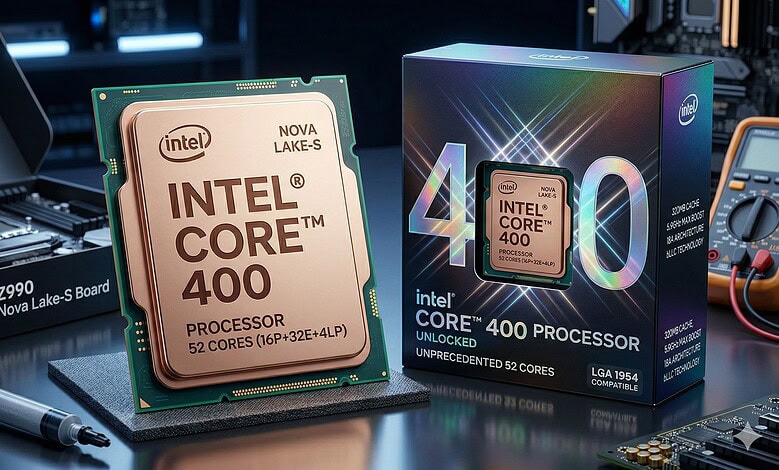
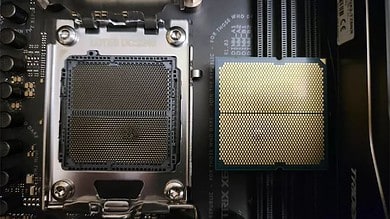
Intel is tired of being AMD’s favorite punching bag! The 2026 Nova Lake-S launch is a total architectural overhaul designed to do one thing: end the efficiency and gaming-cache debate once and for all. By moving to the Intel 18A (1.8 nm printed transistors) process node and the new LGA 1954 socket, Intel is delivering the most significant I/O and core-count jump in a decade.
Here is the direct breakdown of the confirmed specifications and the massive platform shifts.
The Core Specs: Core Ultra 400 Series
Intel is finally waking up and giving AMD something to worry about. The new Coyote Cove P-cores focus on raw IPC, while the Arctic Wolf E-cores provide the density required to hit a staggering 52-core count on a consumer desktop chip.
Nova Lake-S Confirmed Lineup
| CPU Model | Total Cores (P+E+LP) | Max Boost | Cache (L2+L3+bLLC) | Architecture | TDP (PL1/PL2) | Est. Price |
| Ultra 9 490K | 52 (16+32+4) | 5.9 GHz | 320 MB | Coyote/Arctic | 150W / 350W | $749 |
| Ultra 9 485K | 44 (16+24+4) | 5.7 GHz | 288 MB | Coyote/Arctic | 125W / 300W | $649 |
| Ultra 7 470K | 28 (8+16+4) | 5.5 GHz | 144 MB | Coyote/Arctic | 125W / 250W | $489 |
| Ultra 5 450K | 24 (8+12+4) | 5.3 GHz | 144 MB | Coyote/Arctic | 125W / 200W | $329 |
| Ultra 5 440 | 20 (8+8+4) | 5.1 GHz | 76 MB | Coyote/Arctic | 65W / 150W | $259 |
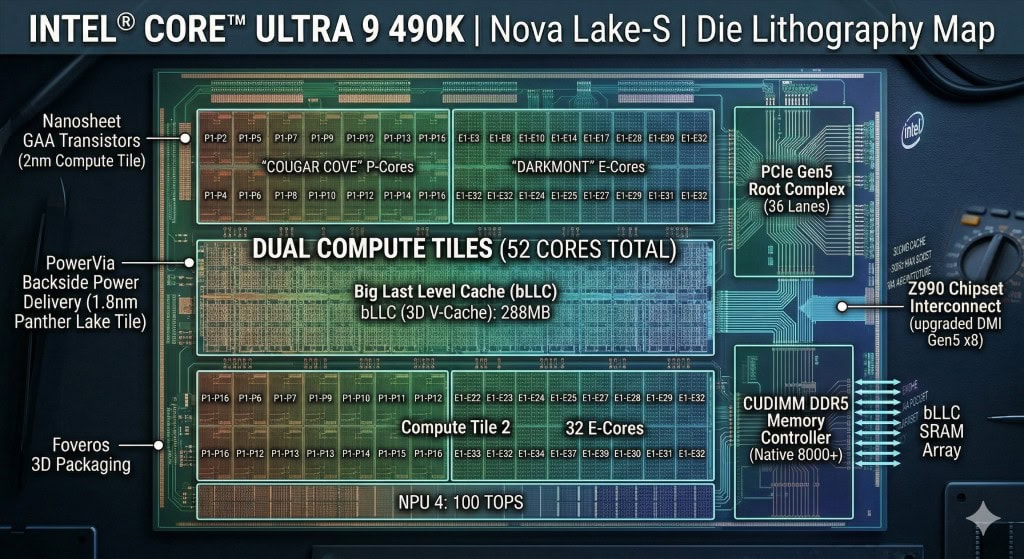
LP E-cores, a new kind of CORES ( whaaaat?)
LP E-cores (Low-Power Efficiency cores) are a specialized class of processor cores designed to handle the absolute lightest background tasks while using a fraction of the power required by standard cores.
Introduced with Intel’s “Meteor Lake” architecture (Core Ultra Series 1) and expanded in the Nova Lake lineup, these cores are physically separated from the main “Compute Tile” where the heavy-duty P-cores and E-cores live. Instead, they reside on the SoC (System on a Chip) Tile.
1. Why do they exist?
In traditional architectures, even a simple task like playing a video or checking for Wi-Fi signals would “wake up” the entire CPU compute die. This draws significant power.
LP E-cores allow the main, power-hungry compute tiles to enter a deep sleep state while the laptop is idle or performing basic tasks. This “Low Power Island” strategy is the primary reason modern laptops can achieve 20+ hours of battery life during video playback.
2. What tasks do they handle?
LP E-cores are not meant for gaming, rendering, or heavy browsing. They manage “micro-tasks” such as:
-
Media Streaming: Decoding Netflix or YouTube videos.
-
Background Maintenance: Windows updates, virus scans, or syncing email while the lid is closed.
-
System Idling: Managing the display and basic OS background processes when you aren’t touching the keyboard.
-
Always-On Features: Listening for “Hey Cortana/Google” or maintaining a low-latency connection to peripherals.
3. The Thread Director’s Role
Intel uses an AI-based hardware component called the Thread Director to decide which core handles which task. The logic generally follows this hierarchy:
-
LP E-cores: Background tasks and media.
-
E-cores: Multi-threaded workloads and background apps while the PC is active.
-
P-cores: High-performance demands (gaming, active app in focus).
4. Key Benefits
-
Thermal Management: Because the LP cores generate almost no heat, they prevent the laptop’s fans from spinning up during a simple Zoom call or movie.
-
Instant-On: They allow the system to resume from sleep nearly instantaneously because the SoC tile never truly shut down.
-
Battery Longevity: By keeping the high-performance “tiles” turned off for 90% of the day (during typical office work), the overall energy drain is slashed.
In short, LP E-cores are the “janitors” of the CPU—they keep the system running quietly in the background so the “athletes” (P-cores) only have to work when it’s time to compete.
BANDWIDTH and PCIe Lanes
36 CPU sourced PCIe-Lanes
The biggest bottleneck of previous generations—choosing between GPU speed and SSD speed—is gone. Nova Lake-S provides 36 PCIe Gen5 lanes directly from the CPU.
-
No Compromise Graphics: A full x16 Gen5 link for the GPU remains untouched.
-
Storage Overkill: You can now run two Gen5 x4 NVMe SSDs at full speed simultaneously without “stealing” bandwidth from the graphics card.
-
Dedicated AI/Accelerator Link: The remaining lanes are optimized for high-speed capture cards or external AI accelerators, ensuring the CPU acts as a true workstation hub.
| Lane Category | Lane Count | Type | Function / Destination |
| User Graphics | 16 Lanes | PCIe 5.0 | Primary GPU Slot (x16) |
| User Storage | 8 Lanes | PCIe 5.0 | 2x Dedicated M.2 NVMe Slots (x4 each) |
| DMI Reserved | 4 Lanes | PCIe 5.0 | DMI 5.0 x4 Link to Z990 Chipset |
| Thunderbolt Reserved | 8 Lanes | PCIe 5.0 | Dual Thunderbolt 5 Controllers (x4 each) |
| Total CPU Native | 36 Lanes | Gen 5 | Total Silicon Physical Budget |
The Z990 Chipset: The New Backbone
The Z990 PCH (Platform Controller Hub) isn’t just a USB hub; it’s a high-bandwidth traffic controller. It connects to the CPU via an upgraded DMI Gen5 x8 link (only4 previously), doubling the “highway” speed between your peripherals and your processor.
Key Z990 Features:
-
Native Thunderbolt 5: Built-in support for 120Gbps transfers.
-
CUDIMM DDR5 Optimization: Official support for 8000MT/s+ memory out of the box.
-
24 PCH Lanes: An additional mix of Gen5 and Gen4 lanes for up to four more M.2 slots, meaning Z990 boards can theoretically support six NVMe drives without using a single PCIe expansion slot.
| Lane Category | Count | Status | Purpose / Typical Usage |
| PCIe 5.0 Lanes | 12 | At Will | High-speed Gen 5 NVMe SSD slots (slots 2/3/4) or 100GbE networking. |
| PCIe 4.0 Lanes | 12 | At Will | Wi-Fi 7 modules, legacy M.2 slots, or PCIe x4 expansion cards. |
| Flex I/O (SATA) | 8 | Reserved* | Dedicated to 8x SATA 6G ports for hard drives/SATA SSDs. |
| Flex I/O (USB) | 16 | Reserved* | Powers up to 14 USB ports (including 5x USB 3.2 20G). |
New type of motherboards
Radical PCB Changes: The Road to PCIe 6.0
The move to the Z990 platform introduces strict new motherboard manufacturing standards. To support the signal integrity required for these speeds, motherboards are shifting to ultra-low-loss PCB materials (like Megtron 7) and increasing layer counts to a minimum of 8 to 10 layers for even mid-range boards.
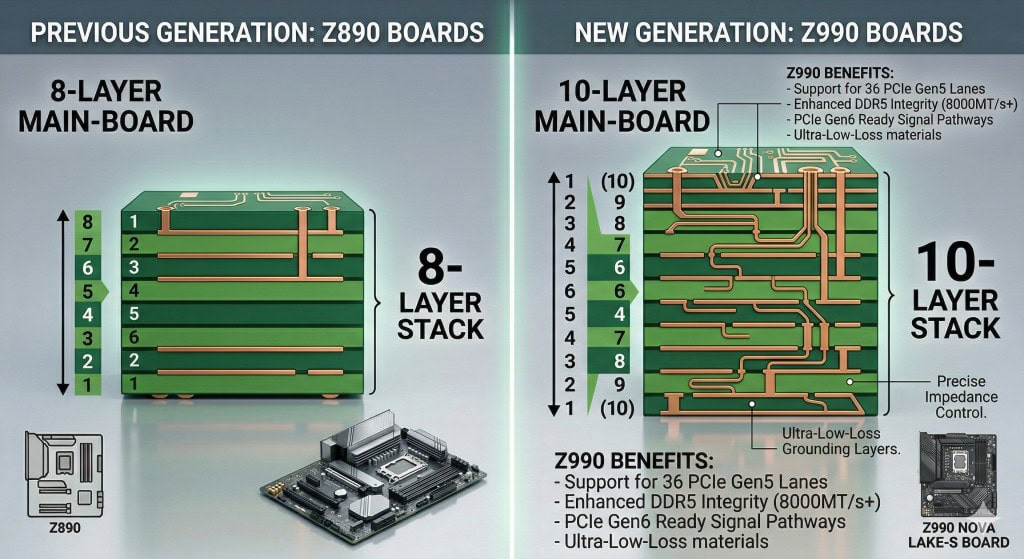
This is why you hear enthusiasts talking about PCIe 6.0: while Nova Lake is a Gen5 platform, its high-end traces and the Z990 chipset are “Gen6-ready.” PCIe 6.0 uses PAM4 signaling, which effectively doubles bandwidth but is incredibly sensitive to noise. These new high-end PCBs are over-engineered to ensure that when the next “refresh” arrives with true Gen6 support, the signal remains stable across the motherboard’s traces.
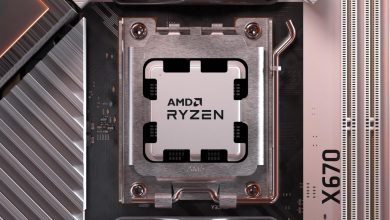
AMD is in it deep… and they need to leak something very soon to reassure red-team fans.
They have been the king of the hills roughly since 2016 and the first Gen Ryzen. Things seems like it might be changing soon!
| Event | Estimated Timing |
| Official Announcement | Computex (June 2026) or Intel Innovation (Sept 2026) |
| Reviews & Pre-orders | October 2026 |
| Shelf Availability | November 2026 (Just in time for the holidays) |


how on earth did u get MSRP pricing???
these have just been leaked.. but obviously things are still fluid